Canva vs VistaCreate is no longer a comparison between two nearly identical drag-and-drop design tools. Both can create social posts, ads, presentations, short videos and branded graphics, but Canva has expanded into a much broader visual-work platform, while VistaCreate remains focused on fast design and social content production. For a broader shortlist, see our comparison of the best AI tools for startups.
Canva is the more capable platform for businesses that need AI, presentations, documents, websites, brand governance and structured collaboration in one workspace. VistaCreate is often the better-value option for small teams that mainly need marketing graphics, social content, simple video and scheduling.
The difference became even more important in 2026. Canva now directs new collaborative customers toward Canva Business, while VistaCreate Pro includes access for up to 10 team members under one subscription. For a solo user, the price gap is manageable; for a five- or ten-person marketing team, it can fundamentally change the buying decision.
Canva vs VistaCreate at a Glance
Canva vs VistaCreate becomes much easier to compare when the decision is based on actual business workflows rather than headline feature counts. Canva covers significantly more types of work, while VistaCreate concentrates on the areas most small marketing teams use every day.
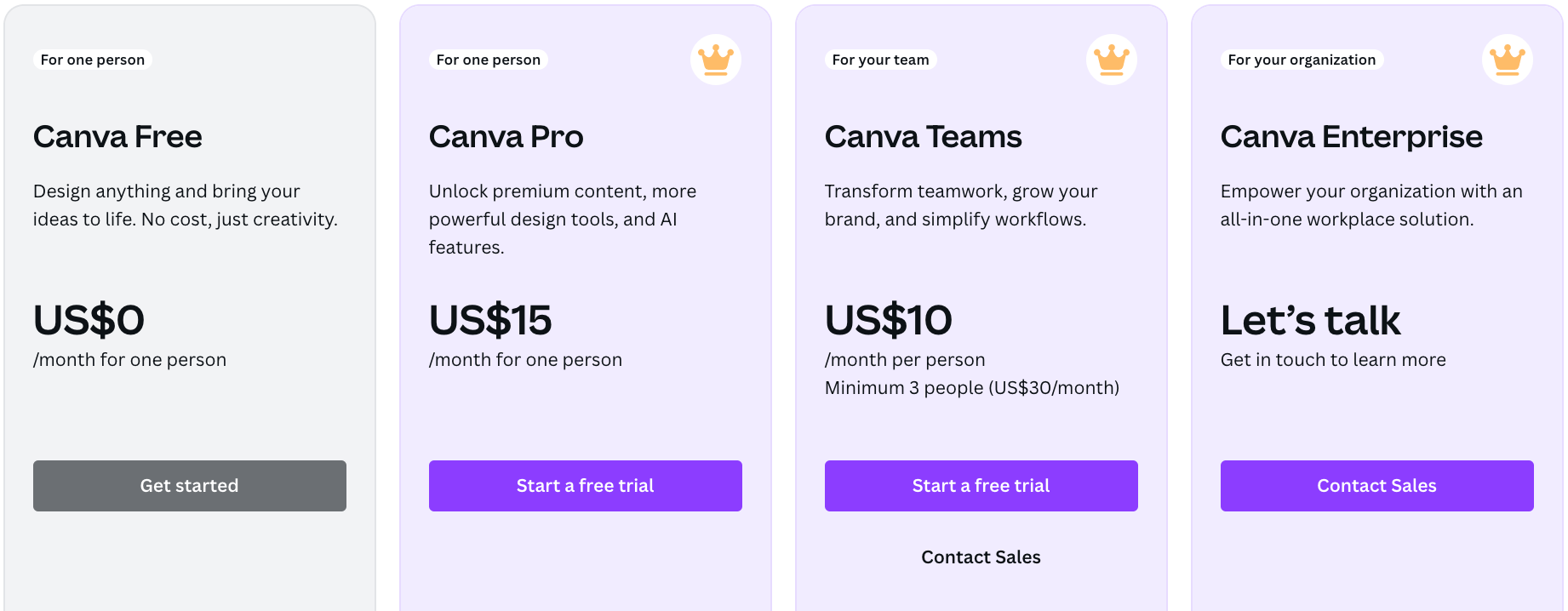
Canva is becoming a business content platform rather than only a design editor. VistaCreate remains a focused creative tool, and that narrower scope can be an advantage when a company does not need the rest of Canva's ecosystem.
| Feature | Canva | VistaCreate |
|---|---|---|
| Free plan | Yes | Yes |
| Main paid plan for solo users | Canva Pro | VistaCreate Pro |
| Team-oriented plan | Canva Business | Pro includes team access |
| Pro templates | 3.6M+ | 200K+ |
| Premium creative assets | 141M+ | 170M+ |
| Brand Kits | 5 on Pro, up to 100 on Business | Unlimited on Pro |
| AI image generation | Yes | Yes |
| AI writing | Yes | Yes |
| Broader generative AI | Extensive | More focused |
| Social scheduling | Yes | Yes |
| Video editing | Yes | Yes |
| Presentations | Advanced | Available |
| Documents | Yes | Limited compared with Canva |
| Websites | Yes | Not a central product area |
| Spreadsheets | Canva Sheets | No comparable workspace |
| Team collaboration | Advanced | Up to 10 members on Pro |
| Approval workflows | Yes on Business | More basic |
| Enterprise controls | Extensive | Limited |
| Best fit | Multi-format business content | Social-first small teams |
Canva vs VistaCreate Pricing in 2026
VistaCreate has the stronger price-to-seat proposition for small teams. Canva offers deeper collaboration and business controls, but businesses now pay separately for those capabilities through Canva Business.
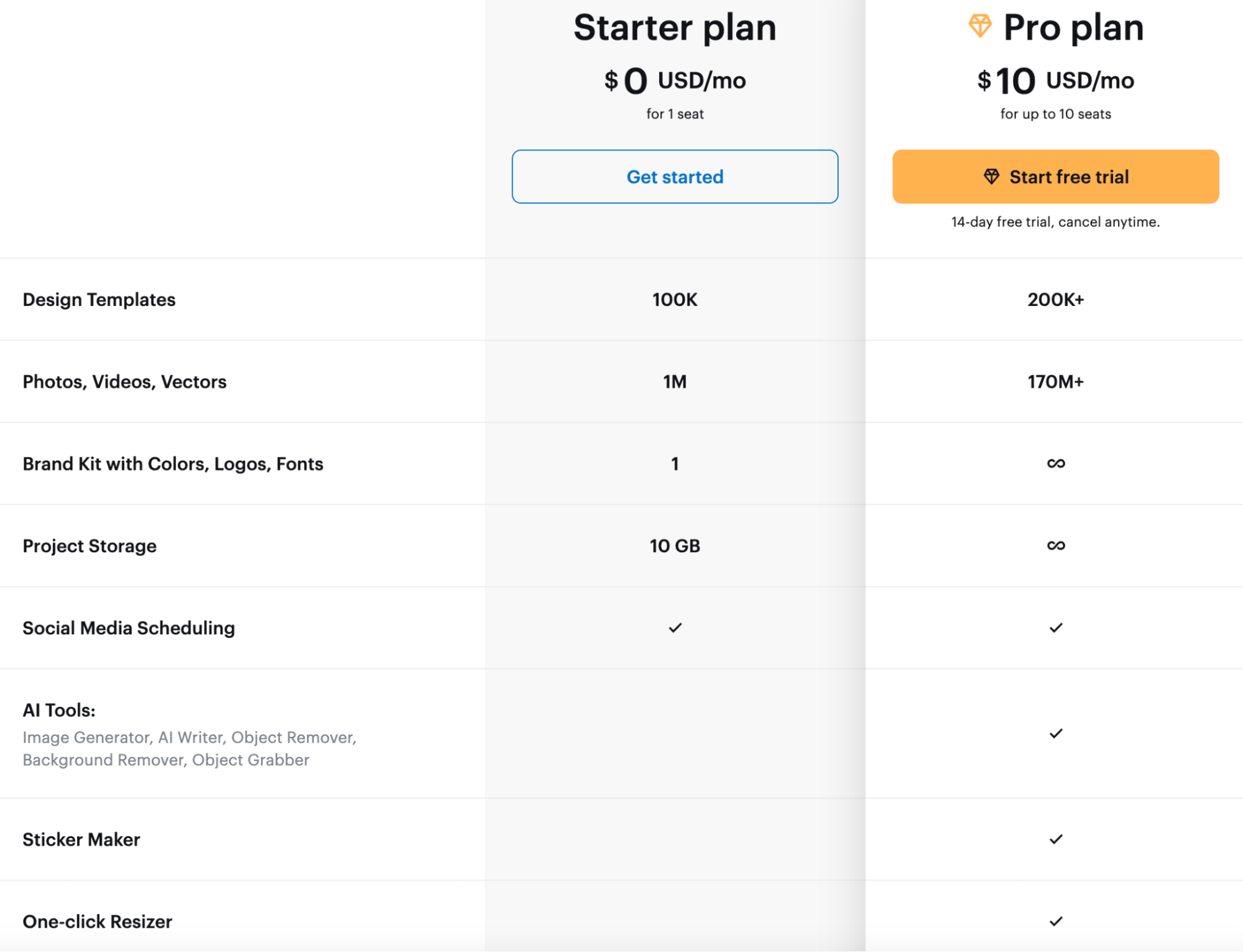
Current U.S. pricing reviewed in September 2026 lists Canva Pro at $180 per year for one person and Canva Business at $250 per year per person. Canva Free remains $0. VistaCreate lists Starter at $0 and Pro at $10 per month, with access for up to 10 team members and a 14-day trial.
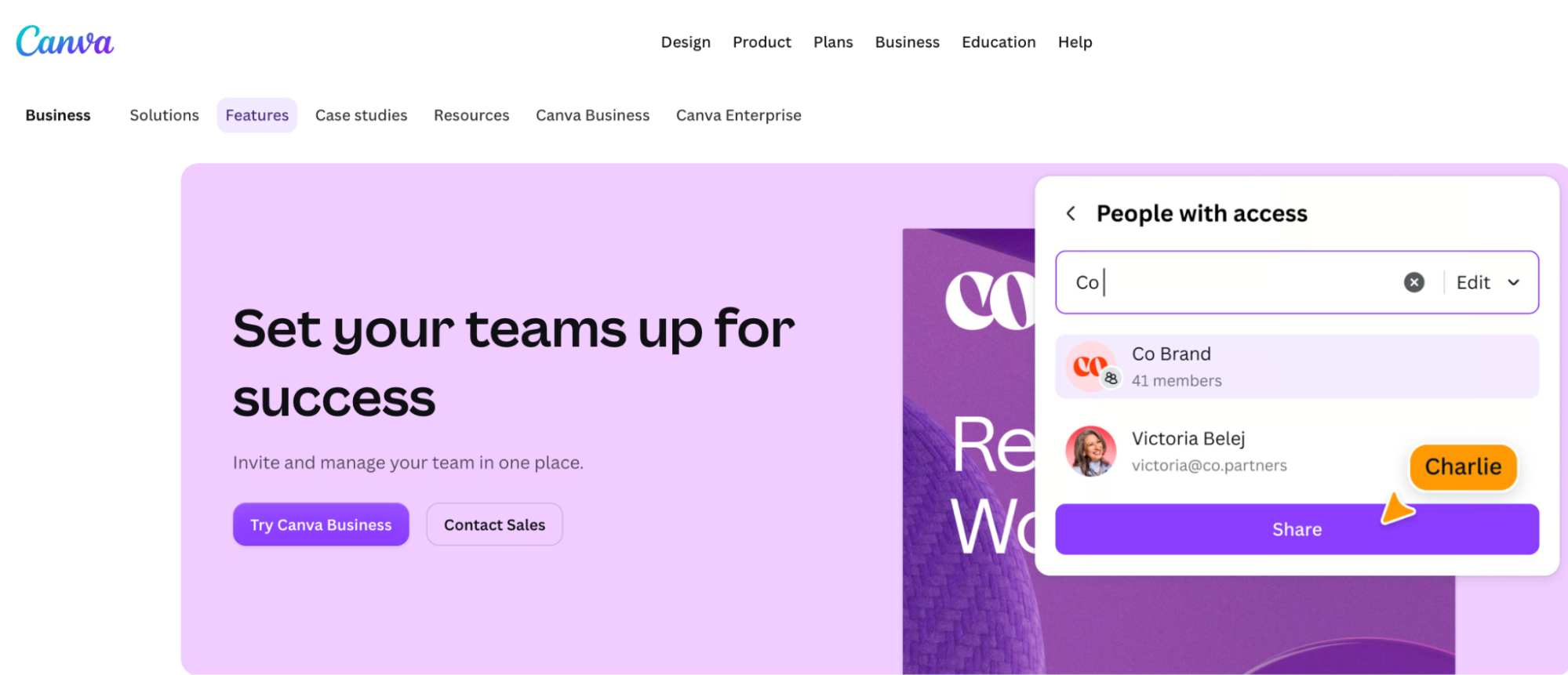
Canva Business provides more than seats: it adds 100 Brand Kits, approvals, team administration, 500GB of storage, higher AI usage and deeper marketing tools. A business should therefore compare what the team will actually use rather than simply multiplying subscription prices.
For a five-person team producing mostly social graphics, VistaCreate can be dramatically cheaper. For a five-person team managing multiple departments, formal approvals, presentations, AI workflows and tightly controlled brand output, Canva Business is buying a much broader operating layer.
| Scenario | Canva | VistaCreate |
|---|---|---|
| Free user | Canva Free | Starter |
| One professional user | Pro – $180/year | Pro – $10/month |
| 2-person collaborative team | Business – per person | One Pro subscription |
| 5-person marketing team | Business – 5 paid seats | One Pro subscription |
| 10-person social team | Business – 10 paid seats | One Pro subscription |
| Larger organization | Business / Enterprise | 10-member Pro team becomes limiting |
Canva Business vs VistaCreate Pro for Teams
The biggest pricing change in the Canva vs VistaCreate comparison is the disappearance of Canva Teams for new customers. Existing Canva Teams subscribers can keep their plan, but new team sign-ups and upgrades are directed toward Canva Business.
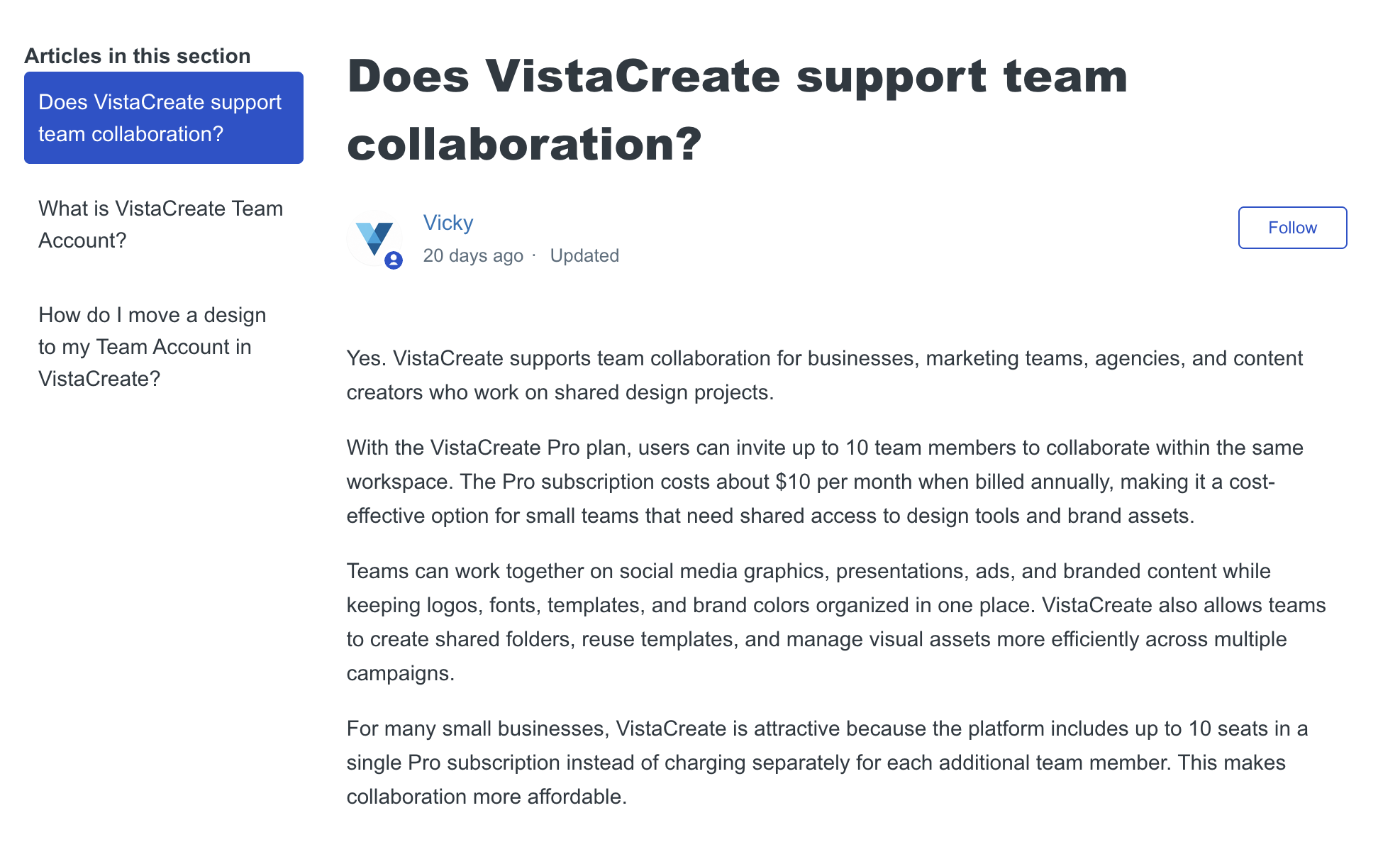
Canva Business is positioned between Pro and Enterprise and currently includes collaboration, team administration, 100 Brand Kits, design approvals, higher AI usage and additional business tools. VistaCreate takes a simpler approach: one Pro account can invite up to 10 people into the same workspace, where they can share projects, folders and brand assets.
For small agencies and social teams, VistaCreate's model is unusually straightforward. Canva becomes more compelling when collaboration is not just file sharing but also controlling who can publish, approving designs and preventing dozens of employees from changing brand fonts, colors or templates independently.
| Team Feature | Canva Business | VistaCreate Pro |
|---|---|---|
| Pricing model | Per person | Up to 10 members included |
| Shared workspace | Yes | Yes |
| Shared brand assets | Yes | Yes |
| Comments / collaboration | Yes | Yes |
| Approval workflows | Yes | Limited |
| Brand controls | Advanced | Basic brand consistency |
| Admin permissions | Advanced | Simpler |
| Large organization support | Strong | Limited |
| Best team size | Growing teams and organizations | Small teams up to 10 |
Canva vs VistaCreate Free Plans
Both platforms offer usable free plans, but they prioritize different things. Canva Free provides a substantially larger design ecosystem, while VistaCreate Starter gives free users social scheduling from the outset.
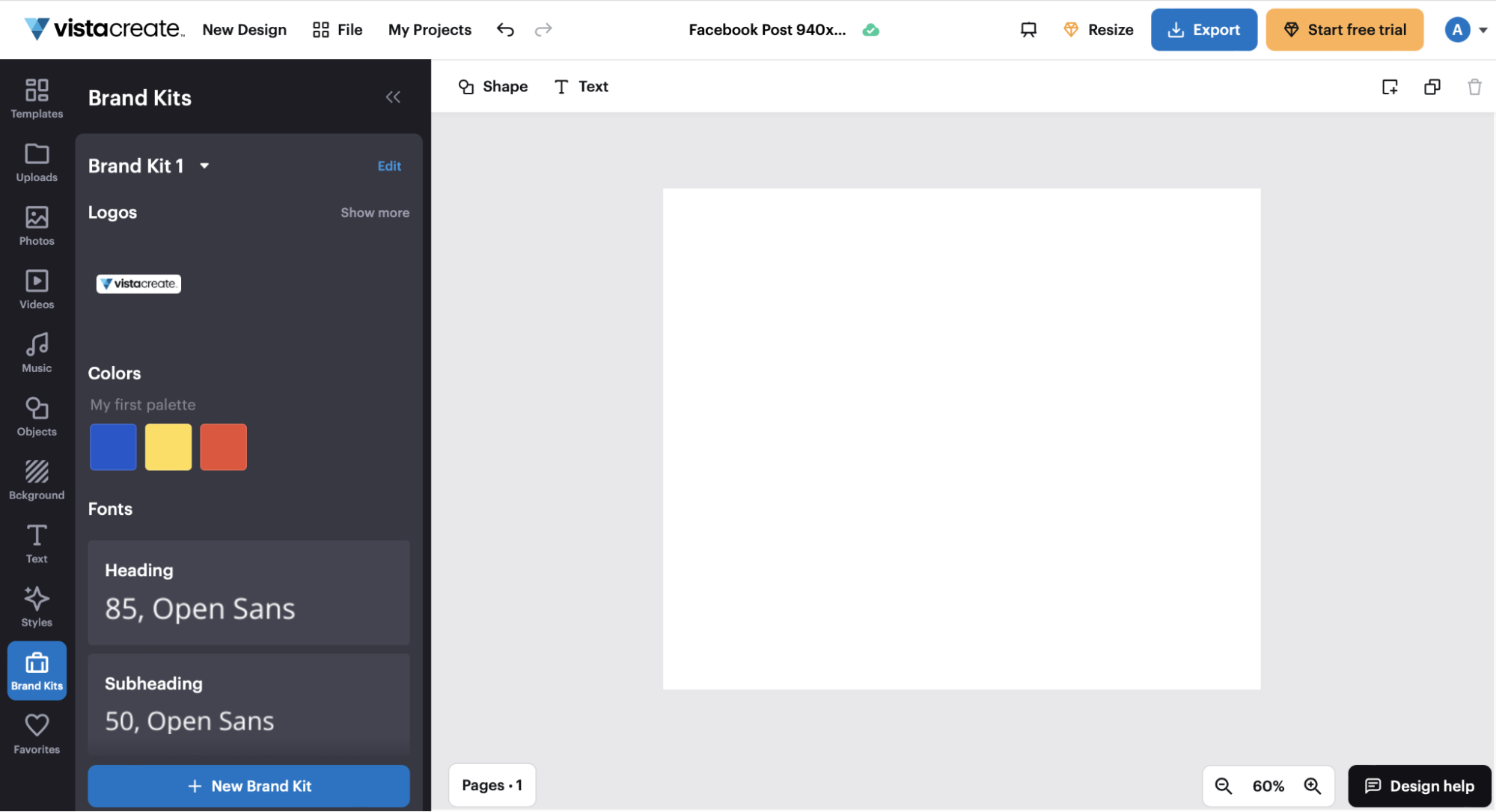
Canva Free currently includes 1.6M+ templates, 4.7M+ photos, videos, graphics and audio files, 5GB of cloud storage, a limited Brand Kit and restricted AI use. VistaCreate Starter includes 100K+ templates, 1M+ royalty-free creative assets, basic editing tools and social media scheduling.
For a user who wants the widest possible starting library, Canva Free offers more. For a small business that primarily wants to design and schedule social posts without immediately adding another subscription, VistaCreate Starter has a meaningful practical advantage.
| Feature | Canva Free | VistaCreate Starter |
|---|---|---|
| Price | $0 | $0 |
| Templates | 1.6M+ | 100K+ |
| Creative assets | 4.7M+ | 1M+ |
| Basic Brand Kit | Yes | Yes |
| Social scheduling | Not the main Free offer | Included |
| AI access | Limited | Selected tools / Pro upgrades |
| Best for | Broader free design | Free social-content workflow |
Canva vs VistaCreate Templates and Creative Assets
Canva has the clear advantage in template volume. Canva Pro currently lists more than 3.6 million templates, while VistaCreate Pro lists more than 200,000.
The difference matters less for Instagram posts than it does for the overall range of work. VistaCreate has extensive templates for social graphics, ads, flyers, animated designs and promotional content. Canva extends much further into sales decks, proposals, reports, websites, resumes, internal communications, educational materials, data presentations and other workplace formats.
Creative-asset numbers tell a slightly different story. Canva Pro lists 141M+ premium photos, videos, graphics and audio assets, while VistaCreate Pro lists 170M+ photos, videos and vectors. The raw number is not particularly useful on its own: the better library is the one that produces relevant assets for a company's industry, geography and visual style.
For businesses creating many different document types, Canva's template breadth is the bigger advantage. For teams creating mostly social and promotional designs, VistaCreate's smaller template count is unlikely to feel restrictive.
Canva vs VistaCreate AI Tools in 2026
Canva has the deeper AI ecosystem. VistaCreate's AI tools are useful for everyday marketing production, but Canva is increasingly building AI into the entire workflow rather than treating it as a set of individual editing shortcuts.
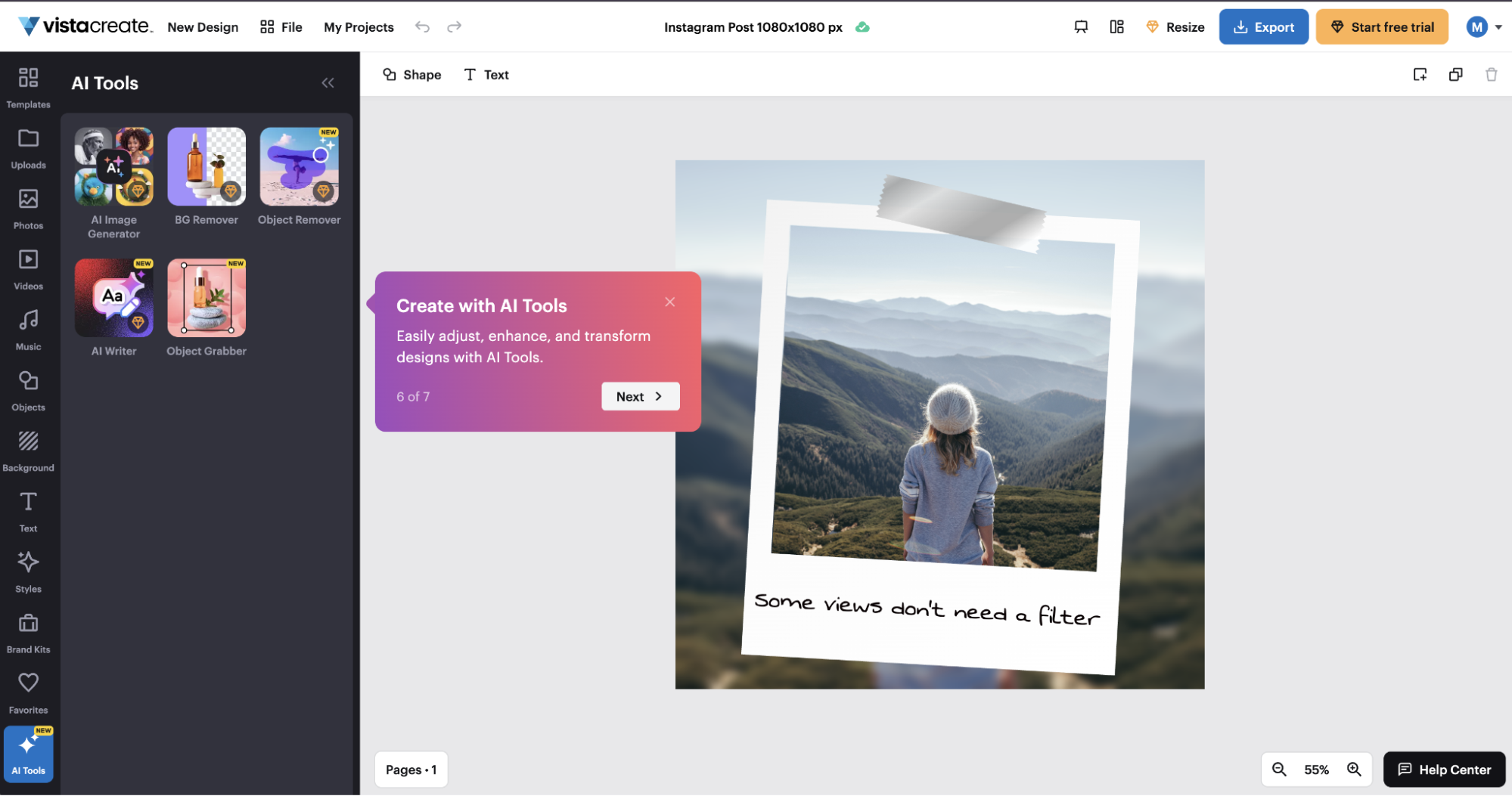
VistaCreate Pro currently includes AI Image Generator, AI Writer, AI Object Remover and Background Remover, plus up to 100 AI image generations per month shared across the account or team. The AI Image Generator can create photorealistic images, illustrations and other visuals directly inside the editor.
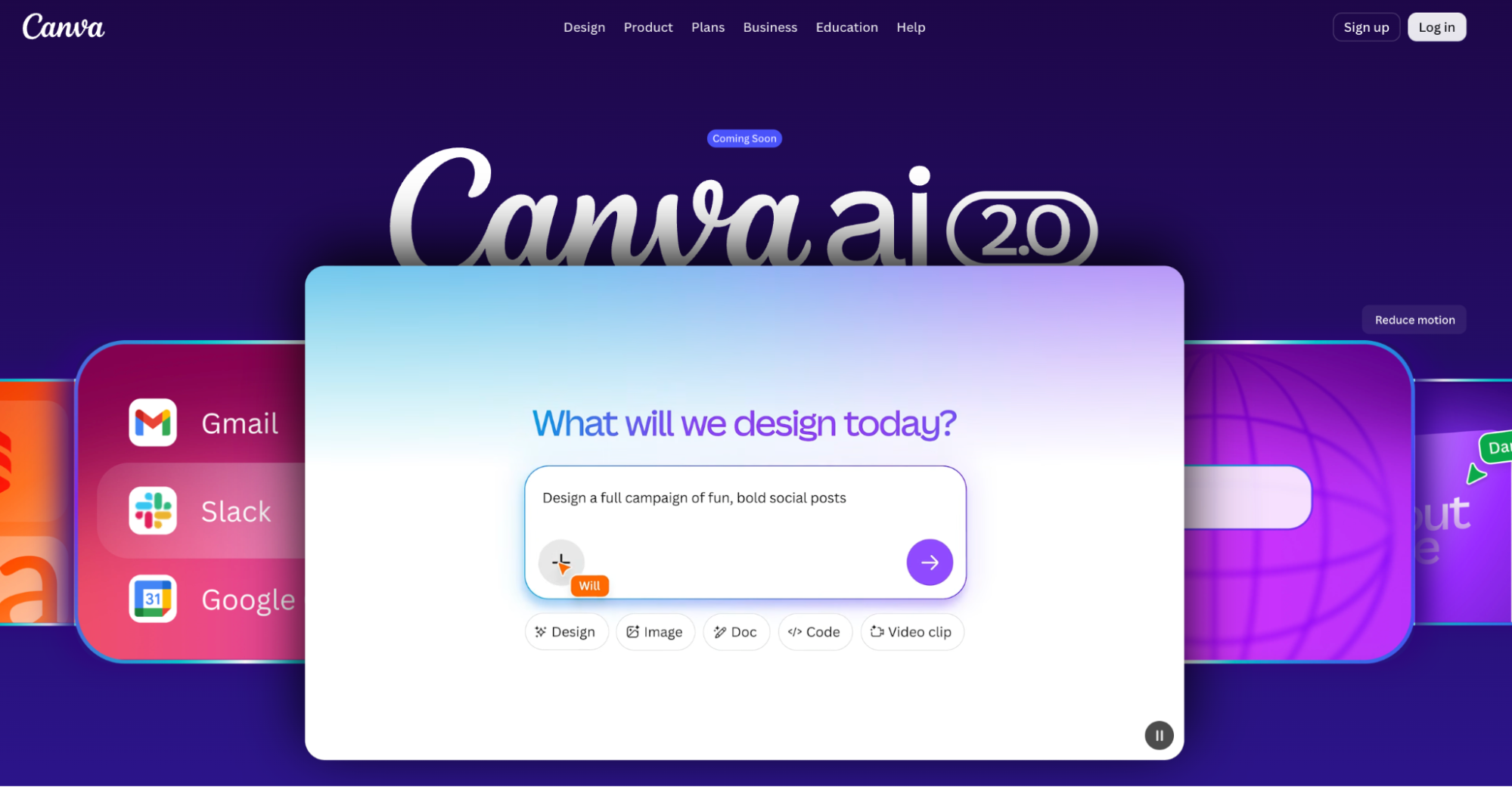
Canva's current AI environment goes further into design generation, writing, image creation, video, code, editable layered output, translation, brand intelligence and other connected workflows. Canva AI 2.0 is also being developed as a conversational layer that can move from an idea or brief into editable visual content rather than producing only a flat image.
For a marketer who needs AI mainly to create an image, remove a background and draft social copy, VistaCreate covers the core workflow. For a team expecting AI to connect presentations, design, documents, brand systems, video and data, Canva is operating at a different level of product breadth.
| AI Task | Canva | VistaCreate |
|---|---|---|
| Generate images | Yes | Yes |
| Generate copy | Yes | Yes |
| Remove backgrounds | Yes | Yes |
| Remove objects | Yes | Yes |
| Generate editable designs | Advanced | More limited |
| Generate video | Yes | More limited |
| Translation | Yes | Not comparable in breadth |
| AI brand intelligence | Yes | Basic brand-led workflow |
| AI-assisted spreadsheets / data | Yes | No comparable tool |
| AI code / interactive content | Yes | No |
| Monthly image allowance | Plan-dependent AI system | 100 generations on Pro |
Canva vs VistaCreate for Brand Kits and Brand Control
Both platforms can store logos, colors and fonts, but Canva and VistaCreate solve different levels of brand management. VistaCreate Pro offers unlimited Brand Kits, which is particularly attractive for freelancers and small agencies managing several clients.
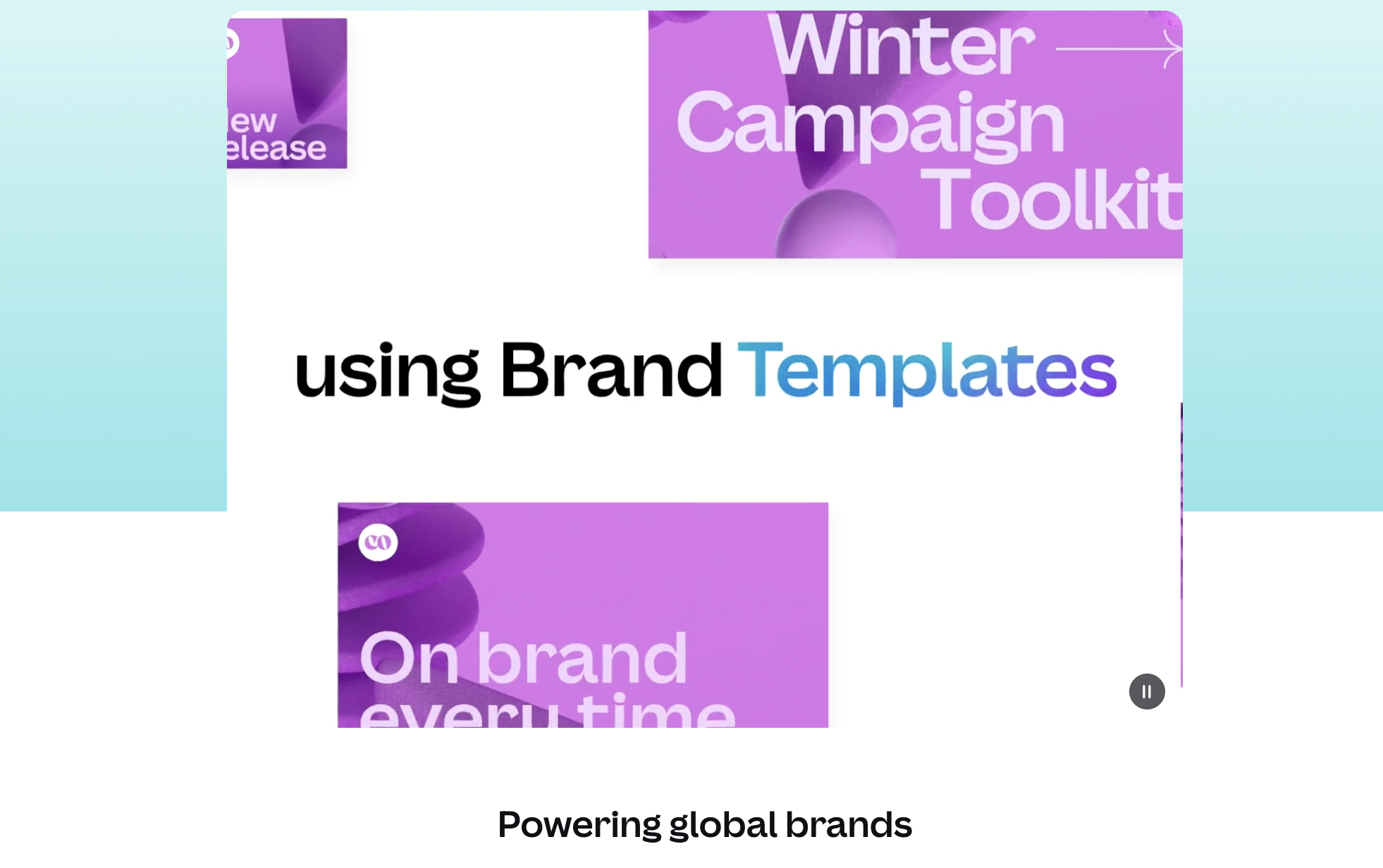
Canva Pro includes five Brand Kits, while Canva Business supports up to 100 and adds Brand Guidelines, Brand Templates, design approvals, controlled fonts and colors, shared folders and other governance tools. The practical distinction is that VistaCreate helps teams access brand assets, while Canva Business is designed to help larger teams enforce how those assets are used.
For a freelancer managing 15 client brands, VistaCreate's unlimited Brand Kits are immediately useful. For a 50-person company where sales, HR and marketing all produce public-facing materials, Canva's governance tools solve a more difficult problem.
| Brand Feature | Canva | VistaCreate |
|---|---|---|
| Logos | Yes | Yes |
| Colors | Yes | Yes |
| Fonts | Yes | Yes |
| Number of Brand Kits | 5 Pro / up to 100 Business | Unlimited on Pro |
| Brand guidelines | Advanced | Basic |
| Controlled fonts/colors | Business | Limited |
| Design approval | Business | Limited |
| Best use | Brand governance at scale | Managing many brand asset sets |
Canva vs VistaCreate for Social Media and Scheduling
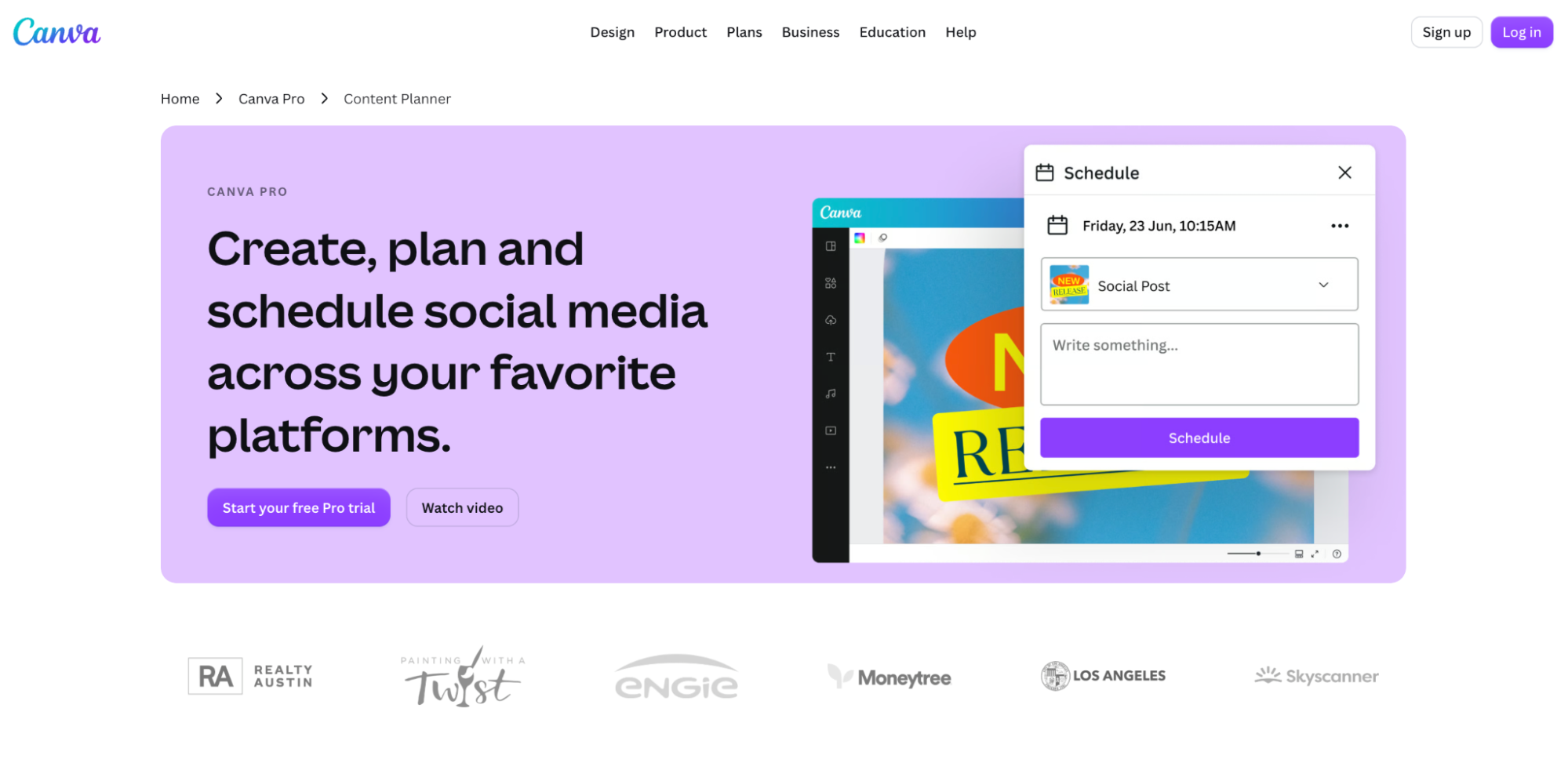
Both Canva and VistaCreate can handle the full basic social workflow from design to scheduled publishing. The difference is that VistaCreate treats scheduling as part of a compact social-design product, while Canva integrates it into a broader marketing workspace.
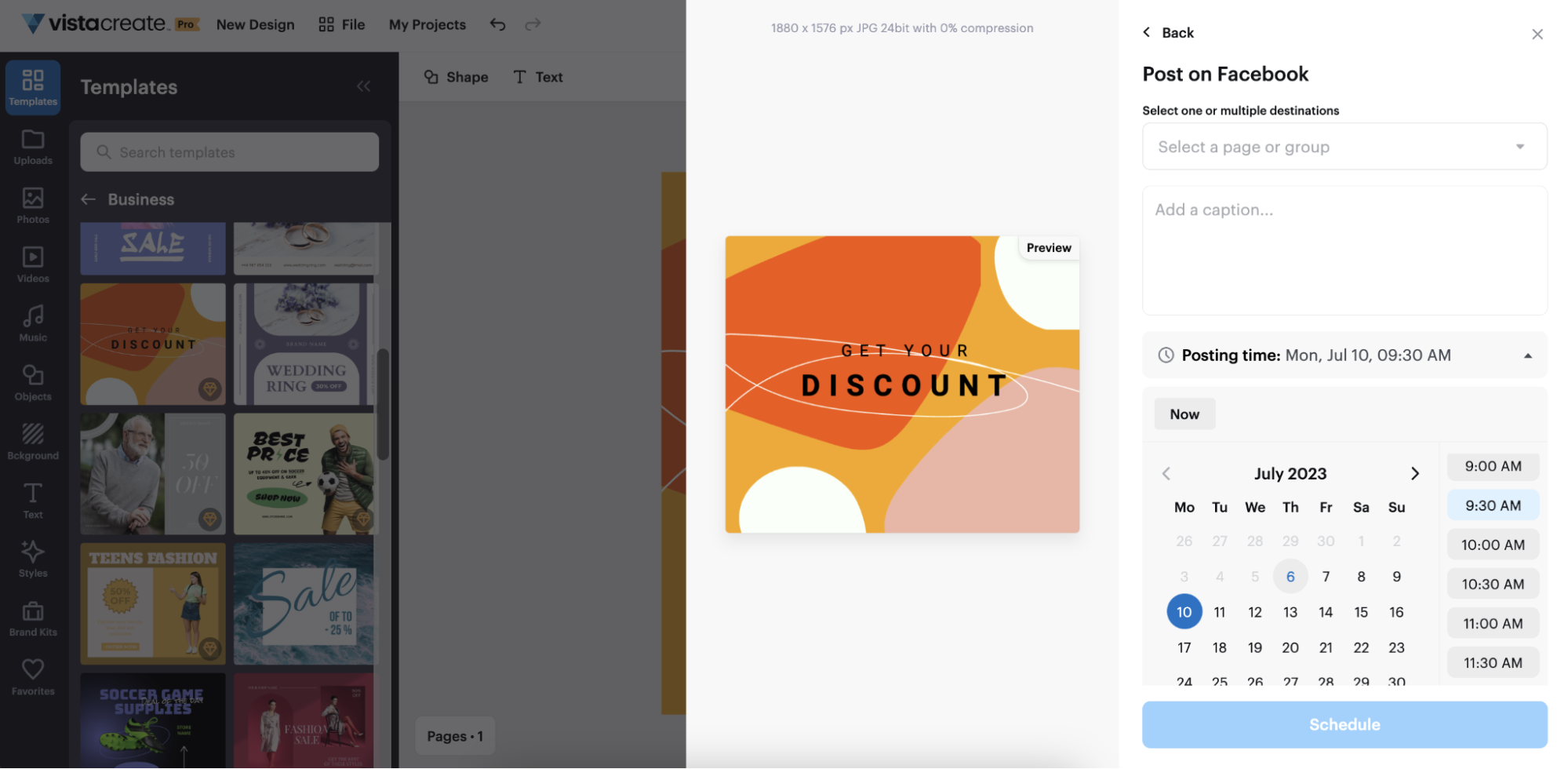
VistaCreate can publish or schedule content directly to supported Facebook and Instagram business pages and Pinterest. The scheduler is available even on Starter. Canva's Content Planner can design, plan, schedule and pause content across supported networks and also surfaces engagement metrics such as impressions, clicks, likes and comments in supported workflows.
For a social media manager whose weekly workflow is design → resize → caption → schedule, VistaCreate can cover the job with very little overhead. Canva becomes more useful when the same campaign also needs a presentation, sales document, landing page, internal brief or other content formats.
| Social Task | Canva | VistaCreate |
|---|---|---|
| Create posts | Yes | Yes |
| Stories and vertical formats | Yes | Yes |
| Short video | Yes | Yes |
| Resize designs | Yes | Yes on Pro |
| Schedule posts | Yes | Yes |
| Free-plan scheduling | More limited | Included |
| Performance insights | Yes on supported workflows | More basic |
| Best fit | Multi-channel marketing | Social-first production |
Canva vs VistaCreate for Video, Presentations and Broader Business Content
VistaCreate handles everyday marketing video well. It supports multiple clips, trimming, cropping, text, audio, animation, resizing and common social formats, which is enough for many Reels, Stories and short advertisements.
Canva's advantage appears when video is only one piece of a larger campaign. The same workspace also includes advanced presentations, Docs, Sheets, Whiteboards, Websites and other formats, while Canva AI can move content between several of these environments.
This is one of the biggest reasons Canva is easier to justify for a B2B company or full marketing department. The subscription can potentially replace several narrow creation tools, whereas VistaCreate is most valuable when the company deliberately wants a narrower tool.
| Content Type | Canva | VistaCreate |
|---|---|---|
| Social graphics | Strong | Strong |
| Short marketing video | Strong | Strong |
| Presentations | Strong | Available |
| Documents | Strong | Limited |
| Websites | Yes | Not a core product |
| Spreadsheets | Yes | No comparable product |
| Whiteboards | Yes | No comparable product |
| Business reporting | Stronger | Basic design use |
| Multi-format campaign | Stronger | More manual |
Canva vs VistaCreate for a Five-Person Marketing Team
A five-person team is where the Canva vs VistaCreate economics become particularly clear. If those five people mainly create social graphics, ads, simple videos and branded posts, VistaCreate Pro gives them access under one subscription and includes unlimited Brand Kits, scheduling and premium assets.
If those same five people produce sales decks, landing-page graphics, internal documents, campaign presentations, AI-generated assets and content requiring formal approval, Canva Business offers considerably more infrastructure. The additional price is not simply paying for five design seats; it is paying for a broader content and governance system.
A useful way to decide is to examine a typical week. If almost every task ends as an image, social post or short video, VistaCreate is likely enough. If one campaign regularly becomes six or seven different business formats, Canva starts saving more work.
Canva vs VistaCreate for Agencies, Ecommerce and Social Teams
Different business types expose different Canva VistaCreate differences, so a single universal recommendation is not useful.
VistaCreate is particularly strong for social agencies because unlimited Brand Kits and included team access solve two common cost problems at once. Canva has the advantage when client work expands into presentations, proposals, websites, reports, sophisticated video or formal review processes.
| Business Type | Better Fit | Why |
|---|---|---|
| Solo creator | Both | Depends on AI and content range |
| Solo social media manager | VistaCreate | Simpler social-first workflow |
| Small local business | VistaCreate | Low cost and sufficient core tools |
| 2–10 person social team | VistaCreate | Up to 10 team members on Pro |
| Ecommerce startup | VistaCreate / Canva | Depends on campaign complexity |
| Small social agency | VistaCreate | Unlimited Brand Kits and team value |
| Full-service agency | Canva | More formats and approvals |
| B2B marketing team | Canva | Presentations, Docs and broader workflows |
| Multi-department company | Canva | Brand governance |
| Enterprise | Canva | Administration and security |
| AI-heavy content team | Canva | Much broader AI ecosystem |
Canva vs VistaCreate Ease of Use
Both products are designed for non-designers, but VistaCreate has the shorter learning curve because the product does fewer things. The main workflow remains template selection, editing, branding, resizing and export, so a small-business owner can reach the useful part of the platform quickly.
Canva's interface necessarily contains more tools, document types, AI functions and workspace options. That makes the platform more complex, but it also means a full-time marketer can complete more types of work without moving to another product.
VistaCreate is easier when the job is narrowly defined. Canva becomes more efficient when the workflow itself is complex.
Canva vs VistaCreate Commercial Use and Licensing
Both Canva and VistaCreate allow business use, including marketing, social media, websites, print materials and client work under their respective licensing rules. However, paying for either service does not mean every stock asset becomes exclusive intellectual property.
Canva permits Free and Pro content to be used in a wide range of commercial designs but restricts redistribution of the underlying stock content. VistaCreate similarly permits commercial designs and client projects while restricting the extraction and resale of stock files or templates as standalone assets.
This distinction is particularly important for logos and trademarks. A common stock icon available to thousands of users should not be treated as an exclusive brand asset simply because it was downloaded under a paid subscription. Businesses planning formal trademark registration should review the current license and create sufficiently original branding.
Canva vs VistaCreate Pros and Cons
Canva offers more capability, while VistaCreate deliberately removes much of the complexity and cost that comes with a larger platform.
The choice should therefore be based on the cost of the missing capabilities, not merely the subscription price. Paying less for VistaCreate makes sense if the business does not need Canva's extra tools; paying more for Canva makes sense when those tools replace other software or substantial manual work.
| Platform | Main Advantages | Main Limitations |
|---|---|---|
| Canva | 3.6M+ templates, deep AI, presentations, Docs, Sheets, websites, stronger brand governance, structured collaboration, enterprise path | Higher team cost, broader interface, many tools may be unnecessary for social-only teams |
| VistaCreate | $10/month Pro, up to 10 team members, unlimited Brand Kits, 200K+ templates, 170M+ assets, scheduling, simple social workflow | Less advanced AI, weaker business-content ecosystem, limited enterprise governance |
Where VistaCreate Is Better Than Canva
VistaCreate has three particularly strong advantages in 2026: small-team economics, unlimited Brand Kits and focus. A business can put up to 10 people into one Pro workspace, manage multiple brand identities and create or schedule common marketing content without paying for a larger business suite.
That makes VistaCreate especially attractive to freelancers, small agencies, local businesses, ecommerce teams and dedicated social media departments. These users are unlikely to benefit enough from spreadsheets, websites, complex approvals or enterprise controls to justify paying primarily for those capabilities.
Where Canva Is Better Than VistaCreate
Canva is stronger when content production extends beyond the social calendar. Its combination of design, presentations, Docs, Sheets, websites, AI, video, brand governance and collaboration allows a business to keep significantly more work inside one ecosystem.
Canva also has a clearer scaling path. A company can begin with Free or Pro, move into Business as collaboration and brand governance become more important, and eventually use Enterprise controls for larger organizations.
Canva's advantage is not that it makes an Instagram post dramatically better. Its advantage is that the same platform can handle far more of everything surrounding that Instagram post.
Canva vs VistaCreate – Which Is Better for Business in 2026?
Canva is the stronger overall platform, but VistaCreate can be the better purchase. The decision depends primarily on team size, content range and whether sophisticated AI and brand governance provide enough value to justify the additional cost.
Choose Canva when the business needs advanced AI, presentations, documents, websites, multiple content formats, structured approvals, brand governance or a path toward larger organization-wide use.
Choose VistaCreate when the priority is social media, ads, simple video, fast resizing, affordable team access, multiple Brand Kits and a straightforward design workflow.
For a solo marketer producing many different formats, Canva is difficult to replace. For a team of five people producing mostly social and promotional content, VistaCreate's economics are difficult to ignore.
The most useful Canva vs VistaCreate question is therefore not “Which platform has more features?” Canva does. The better question is how many of those extra features the business will actually use every month.
Frequently Asked Questions
- Is Canva better than VistaCreate?
- Canva is more capable overall and is better suited to businesses that need advanced AI, presentations, documents, websites, brand governance and structured collaboration. VistaCreate can be the better choice for social-first teams that need a simpler and cheaper workflow.
- Is VistaCreate cheaper than Canva?
- Yes, particularly for teams. VistaCreate Pro is currently listed at $10 per month and supports up to 10 team members, while Canva Business is priced per person.
- What is the main difference between Canva and VistaCreate?
- Canva is a broad visual-work and business-content platform. VistaCreate is more focused on social graphics, marketing materials, simple video and fast content production.
- Which has more templates, Canva or VistaCreate?
- Canva. Canva Pro currently lists more than 3.6 million templates, compared with more than 200,000 on VistaCreate Pro.
- Which has better AI, Canva or VistaCreate?
- Canva has the broader AI ecosystem, covering design, writing, images, video, code, brand workflows and other formats. VistaCreate provides a more compact set of practical AI tools for visual marketing.
- Which is better for a five-person marketing team?
- VistaCreate can offer better value if the team mainly creates graphics, ads and social content. Canva becomes more attractive if the same team also needs approvals, presentations, documents, advanced AI and stronger brand controls.
- Does VistaCreate include team access?
- Yes. VistaCreate Pro currently allows up to 10 team members to collaborate in the same workspace.
- What happened to Canva Teams?
- Canva Teams is no longer available for new sign-ups or upgrades. Existing subscribers can keep it, while new collaborative customers are directed toward Canva Business.
- Which is better for agencies, Canva or VistaCreate?
- VistaCreate is attractive for small social agencies because of its team pricing and unlimited Brand Kits. Canva is stronger for full-service agencies producing presentations, reports, websites, complex video and multi-format client campaigns.
- Can VistaCreate replace Canva?
- Yes, when the main Canva use cases are social graphics, ads, branding, basic video and scheduling. It is less likely to replace Canva when a business depends on Docs, presentations, websites, advanced AI or complex team governance.
- Is Canva worth the higher cost?
- It can be if the business actively uses its broader AI, brand governance, presentations, documents and collaboration features. For a team creating almost exclusively social graphics, many of those capabilities may remain unused.
- Canva or VistaCreate – which should a small business choose?
- VistaCreate is usually the simpler value choice when social content is the priority and the team has up to 10 members. Canva is more suitable when the company wants one platform for a much wider range of business content. 15 AI Tools Startups