The best AI tools for social media in 2026 are no longer simple caption generators attached to a scheduling calendar. The strongest platforms can now turn performance data into content recommendations, identify emerging topics, repurpose successful posts, generate images and video, recommend publishing times, summarize analytics, automate replies and, increasingly, run recurring social media tasks through AI agents.
The change is already visible in how professionals use the technology. A 2026 study of more than 700 social media professionals found that 95% use AI in their work and three quarters use it every day. Writing captions and generating ideas remain common, but AI use for strategy design rose to 62%, trend research to 61%, performance analysis to 59% and repetitive-task automation to 43%.
That does not mean more automation automatically produces better social media. The same study found that 14% of respondents said AI-generated content performs worse than non-AI content, while only a small share measured AI success through actual post performance. The more useful goal is therefore not to automate social media completely, but to remove repetitive work without automating away judgment, cultural awareness and brand personality.
This guide compares 10 AI tools for social media that approach the problem from very different directions: Hootsuite, Sprout Social, Vista Social, Buffer, Later, Metricool, SocialBee, Predis.ai, Canva and Manychat. Some can operate as the center of a social media department, while others are much more valuable for one specific part of the workflow.
Best AI Tools for Social Media in 2026 – Quick Comparison
The right AI social media tool depends on what currently slows the team down. Hootsuite, Sprout Social and Vista Social are broad management environments, Buffer and Later make publishing easier for lean teams, Metricool is particularly strong around analytics, SocialBee focuses heavily on strategy and evergreen content, Predis.ai creates finished assets, Canva handles visual production, and Manychat automates conversations rather than traditional publishing.
*Annual billing where stated. Connected profiles, users, active contacts, AI credits, listening, X access and other add-ons can materially increase the total cost.
The price difference between these products is not accidental. Buffer is designed so a solo operator can pay for only a few channels, while Sprout Social and Hootsuite increasingly target teams that need listening, approvals, customer care, analytics and governance inside the same environment. Comparing them purely by subscription price would therefore miss most of the buying decision.
| Tool | Best for | Standout AI capability | Starting price* | Free option |
|---|---|---|---|---|
| Hootsuite | Growing and enterprise social teams | Wisdom AI, real-time social intelligence, creation and analysis | From $99/user/month | Trial |
| Sprout Social | Analytics, listening and customer-care teams | Trellis AI agent, AI Assist, sentiment and social intelligence | From $79/seat/month annually | Trial |
| Vista Social | Agencies and teams wanting AI agents | Ask Vista, scheduled agents, reporting and inbox automation | $79/month | Trial |
| Buffer | Creators, SMBs and lean teams | AI Assistant, AI replies and performance takeaways | Free / $5 per channel | Yes |
| Later | Visual-first brands and Instagram-heavy teams | Caption Writer, Ideas, Smart Scheduling and Future Trends | $18.75/month annually | Trial |
| Metricool | Analytics-driven marketers and agencies | AI Assistant, automated reports and performance analysis | Free / $20/month | Yes |
| SocialBee | Evergreen content and small-business strategy | AI Copilot, content categories and automatic post generation | $29/month | Trial |
| Predis.ai | Generating complete posts, ads and videos | AI captions, images, carousels, video and competitor analysis | $24/month annually | Trial |
| Canva | Visual social content and brand production | Canva AI, image/video generation and design automation | Free / Pro | Yes |
| Manychat | Instagram, TikTok and messaging-led engagement | AI conversations, comment and DM automation | Free / $14/month | Yes |
An AI Social Media Tool Should Solve One of Five Jobs
Social media management looks like one function from the outside, but in practice it contains several very different kinds of work. The fastest way to build a useful shortlist is to identify which part of that work currently consumes the most time or produces the weakest results.
A business may genuinely need one platform that covers all five jobs, but many smaller organizations do not. A brand producing excellent content but struggling with reporting should not rebuild its entire workflow just to gain AI analytics, while a creator overwhelmed by Instagram DMs does not need enterprise social listening to solve that problem.
| Social media job | What AI can help with | Tools especially relevant |
|---|---|---|
| Planning and strategy | Content themes, calendars, trend signals and channel recommendations | Hootsuite, SocialBee, Later |
| Content creation | Captions, images, carousels, video and repurposing | Predis.ai, Canva, SocialBee |
| Publishing | Scheduling, network adaptations and best-time recommendations | Buffer, Later, Metricool |
| Engagement | Comment triage, DMs, routine responses and lead capture | Manychat, Vista Social, Sprout Social |
| Analytics and listening | Reporting, sentiment, competitor analysis and trend interpretation | Sprout Social, Hootsuite, Metricool |
Full-Stack AI Social Media Platforms for Larger Teams
The first group is designed to become the operating system for social media rather than a specialist add-on. These platforms combine publishing, engagement, reporting and team workflows with increasingly sophisticated AI, but they also cost substantially more and require enough social activity to justify the additional structure.
Hootsuite, Sprout Social and Vista Social now illustrate three slightly different versions of that model. Hootsuite is leaning heavily into real-time social intelligence, Sprout combines AI with analytics and customer care, while Vista Social is pushing particularly aggressively into conversational interfaces and scheduled AI agents.
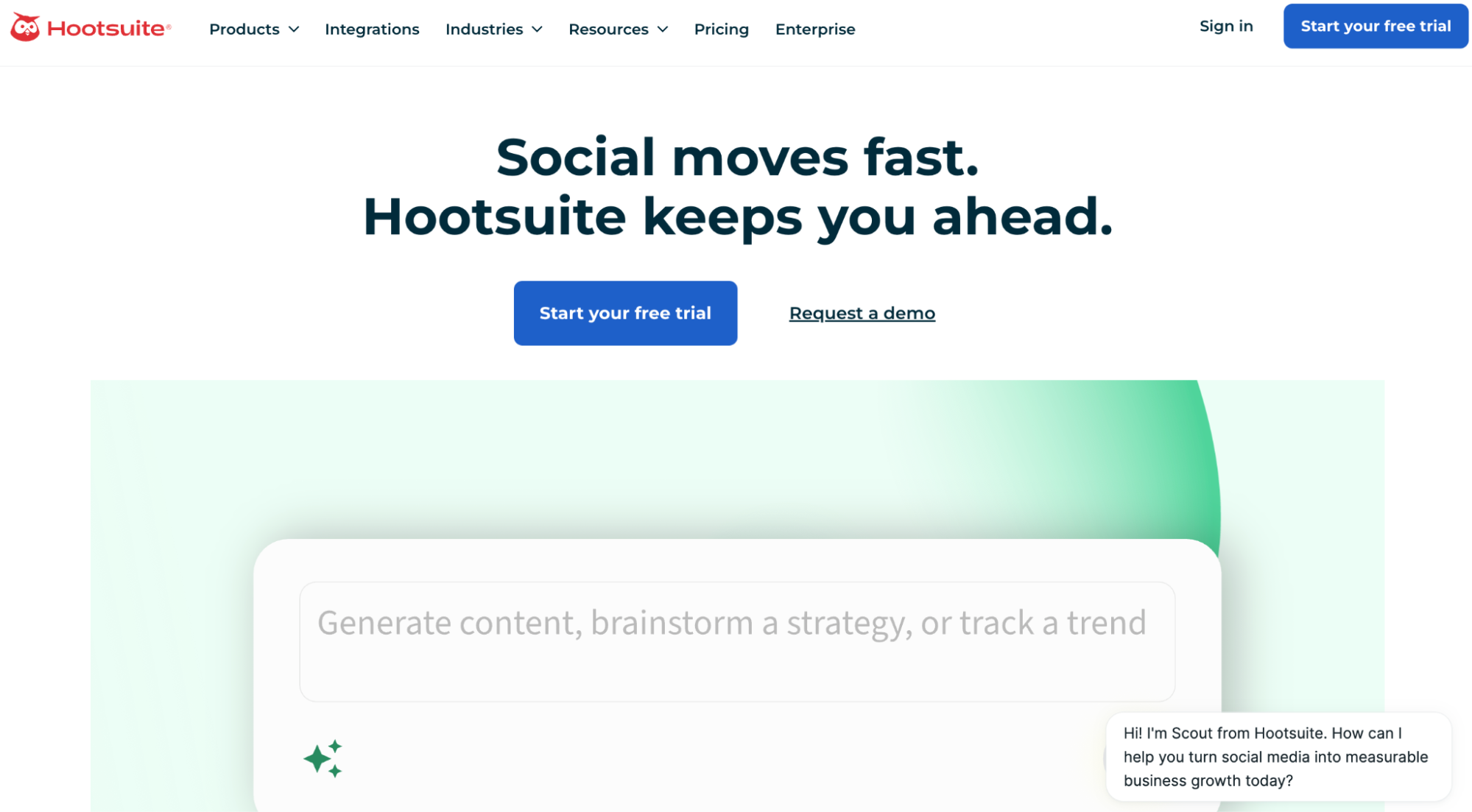
1. Hootsuite – AI Social Media Tool for Real-Time Intelligence and Large Workflows
Hootsuite has moved well beyond its original identity as a social media scheduler. Its current Social OS combines publishing, engagement, analytics, listening and AI, while Wisdom – the platform’s AI assistant – can work with live social conversations rather than relying only on generic model knowledge.
That distinction is important for social media. A generic chatbot can write ten captions about a trending subject, but it does not automatically know whether the conversation peaked three days ago, whether sentiment has turned negative or whether a different narrative is emerging around the brand this morning.
What Hootsuite AI actually does
Wisdom can generate content, summarize social signals and help teams connect content creation with what is happening in their market right now. It can produce captions and campaign ideas, work from uploaded documents and images, identify relevant topics and support analytics and listening workflows within the same platform.
Standard also provides publishing across up to 10 social accounts, unlimited scheduled posts, analytics, recommended posting times, competitor benchmarking and social listening. Higher plans add broader account coverage, collaboration, approvals, message routing and enterprise controls.
Who should use Hootsuite
Hootsuite makes the strongest case for brands that already treat social media as a substantial marketing, customer-care or reputation channel. A company running several networks, monitoring competitors, responding to customers and reporting performance to management can use far more of the platform than a solo creator who mainly needs scheduling.
It can also suit regulated or larger organizations that need approvals and governance. For a small business publishing a few posts each week, however, lower-cost platforms can cover the core workflow much more economically.
What Hootsuite users say
Hootsuite currently holds roughly 4.3 out of 5 on G2 across more than 7,400 reviews, giving it one of the largest user-feedback samples in this market. Users frequently praise multi-platform scheduling, centralized management and analytics, while recurring criticism focuses on price, account disconnections and limitations around certain network-specific publishing workflows.
That feedback reflects the product’s positioning rather than a simple quality problem. Hootsuite offers far more infrastructure than many small users need, which makes its value easier to see in a social department than in a one-person marketing operation.
Hootsuite pricing and trade-offs
Hootsuite’s Standard plan currently starts at about $99 per user per month, with more advanced plans rising substantially and Enterprise using custom pricing. Wisdom is built into the platform rather than sold as a completely separate caption generator, so buyers are primarily paying for the broader social-management environment around the AI.
Hootsuite is best viewed as social media infrastructure with AI built in. Companies that only need AI captions will overpay, but teams that need intelligence, publishing and customer care in one system have a much stronger reason to shortlist it.
| Pros | Cons |
|---|---|
| Broad publishing, analytics, listening and engagement stack | Expensive for small businesses |
| AI connected to live social context | Many features are unnecessary for simple scheduling |
| Strong competitor and trend intelligence | Per-user pricing increases team cost |
| Mature enterprise workflows | Some users report account or publishing friction |
| Useful customer-care capabilities | Requires more onboarding than lightweight tools |
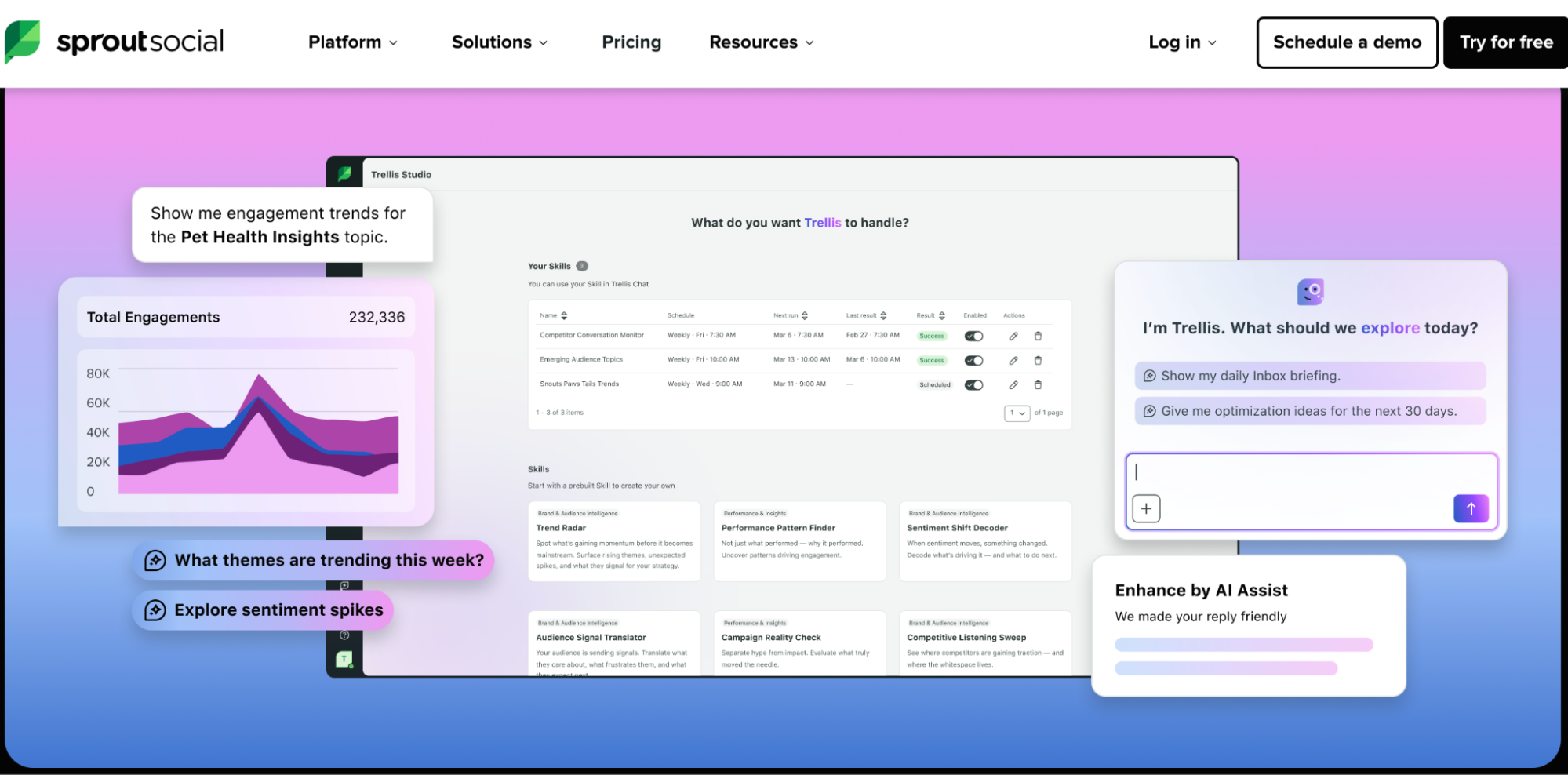
2. Sprout Social – AI Social Media Tool for Analytics, Listening and Customer Care
Sprout Social is one of the most analytics-heavy AI tools for social media and increasingly positions AI as a way to interpret large volumes of social information rather than merely generate more posts. Its platform combines publishing, the Smart Inbox, reporting, competitor intelligence and social listening, while Trellis acts as an AI layer across the product.
This makes Sprout particularly relevant when the difficulty is understanding what social activity means. A brand with several teams may already be publishing consistently but still struggle to connect audience sentiment, customer-care activity, campaign performance and competitor movement into one useful view.
What Sprout Social AI actually does
Trellis and AI Assist support content, replies, analytics and social intelligence at different levels of the platform. Standard includes the Trellis AI agent, while Professional adds AI assistance for posts and Advanced adds AI-assisted replies and sentiment functionality inside the Smart Inbox and review workflows.
The platform’s broader strength remains social data. Teams can monitor performance, benchmark competitors, manage high-volume engagement and use listening capabilities to understand conversations around brands, industries and audiences.
Who should use Sprout Social
Sprout is a stronger fit for mid-market and enterprise teams than for a solo marketer. Organizations with dedicated social managers, customer-care teams, multiple brands or executives asking for detailed reporting can use the depth of the product more effectively.
A small business with three profiles is unlikely to recover enough value from the analytics and collaboration layer to justify the per-seat cost. Buffer, Later, Metricool or SocialBee may cover its requirements for a fraction of the price.
What Sprout Social users say
Sprout Social currently holds about 4.4 out of 5 on G2 with thousands of reviews. Users consistently praise the Smart Inbox, ease of scheduling, centralized management and analytics, while cost is one of the most repeated negative themes in the review data.
That makes the buying question relatively straightforward. The platform tends to receive strong satisfaction from users who need its depth, but the pricing creates a much higher threshold for smaller teams.
Sprout Social pricing and trade-offs
Sprout’s newer Essentials plan starts at $79 per seat per month with annual billing, while Standard is $199, Professional $299 and Advanced $399 per seat. A 30-day trial is available without a credit card, which gives teams enough time to test reporting and engagement workflows before making a larger commitment.
Sprout Social earns its price when social data is important enough to influence business decisions outside the social team. If the company only wants to publish efficiently, much cheaper AI social media tools are available.
| Pros | Cons |
|---|---|
| Strong analytics and reporting | High per-seat price |
| Powerful centralized inbox | Overkill for simple publishing |
| Social listening and sentiment tools | Costs rise quickly with team size |
| AI integrated throughout the workflow | Some advanced capabilities require higher tiers |
| Excellent fit for customer-care teams | More complex than creator-focused tools |
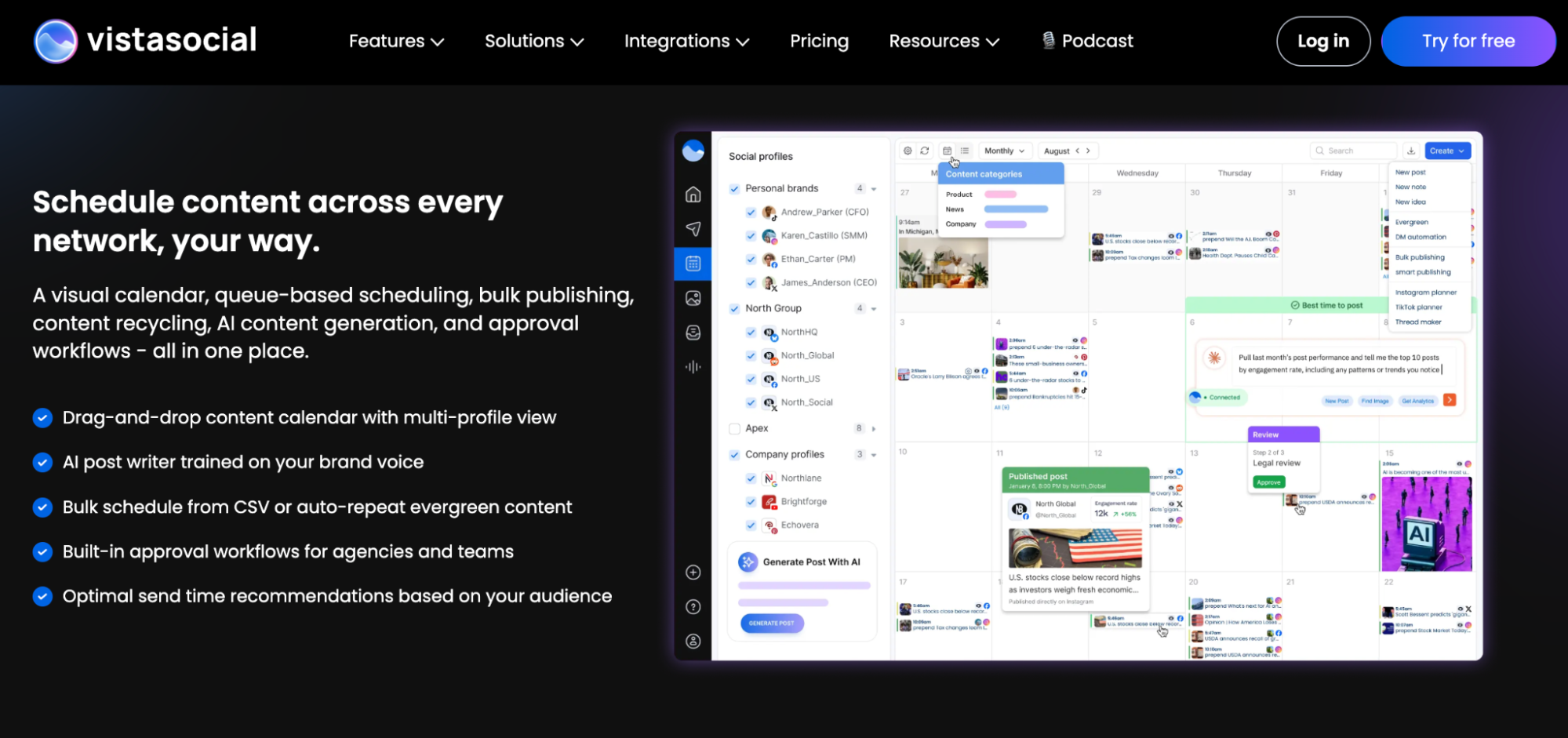
3. Vista Social – AI Social Media Tool for Teams Ready to Use Agents
Vista Social is one of the more aggressive examples of social media software moving from embedded AI assistance toward AI-operated workflows. Ask Vista lets users work with publishing, inboxes, analytics, media and tasks through natural-language requests, while higher plans can run recurring agents on schedules.
Instead of clicking through several dashboards to find what needs attention, a manager can ask for recent performance, unread conversations or scheduled posts. The assistant can then prepare reports, drafts or actions using the data already connected to the account.
What Vista Social AI actually does
Ask Vista can generate and refine content, inspect analytics, manage inbox workflows, search media and support publishing from the same interface. Advanced plans also support scheduled agents, reusable skills, training knowledge and external connectors, allowing recurring tasks such as weekly reports or sentiment checks to run without a new manual prompt every time.
The platform still keeps approval boundaries around public actions. That is important because an agent preparing a report is a much lower-risk automation than one publishing to a live brand account without review.
Who should use Vista Social
Vista Social is especially interesting to agencies and teams managing several brands because repetitive reporting, inbox monitoring and scheduling multiply quickly across clients. A manager can use automation to prepare work while keeping approval and client judgment with a person.
It also competes unusually aggressively on feature depth for its price. Smaller teams should still consider whether they need this much automation, but the value proposition is very different from paying several hundred dollars per user for an enterprise suite.
What Vista Social users say
Vista Social currently holds around 4.8 out of 5 on G2 from more than 1,100 reviews, one of the strongest user signals in this comparison. Review summaries repeatedly praise ease of use, centralized management, scheduling and real-time communication, while the broad feature set can create an initial learning curve and some users report limitations or connection issues with particular networks.
The review pattern is notable because agencies account for a meaningful share of the user base. That supports the platform’s positioning as something more than a lightweight creator scheduler.
Vista Social pricing and trade-offs
Professional currently costs $79 per month and includes 15 profiles and two users, while Advanced costs $149 with 30 profiles and four users. Scale costs $349, and optional services such as advanced listening and X access can add separate monthly charges.
Vista Social deserves attention from teams specifically interested in agents rather than basic AI generation. Its most distinctive value appears when recurring social work can be defined clearly enough to run on a schedule.
| Pros | Cons |
|---|---|
| Strong AI-agent direction | Higher starting price than lightweight schedulers |
| Broad publishing and engagement support | Advanced agents require higher plans |
| Attractive agency profile limits | Listening and some networks cost extra |
| Excellent verified user sentiment | Large feature set can take time to learn |
| Natural-language operation through Ask Vista | May be excessive for a single simple brand |
AI Social Media Tools for Lean Teams, Creators and SMBs
Smaller organizations usually need the opposite of an enterprise social stack: fewer clicks, predictable pricing and enough AI to remove routine work without creating another system to administer. Buffer, Later, Metricool and SocialBee all cover planning and publishing, but their strengths differ substantially once content volume and analytics become important.
Buffer prioritizes simplicity, Later is especially strong around visual planning and trend-aware scheduling, Metricool goes deeper into analytics and reporting, while SocialBee puts unusual emphasis on building a repeatable content strategy.
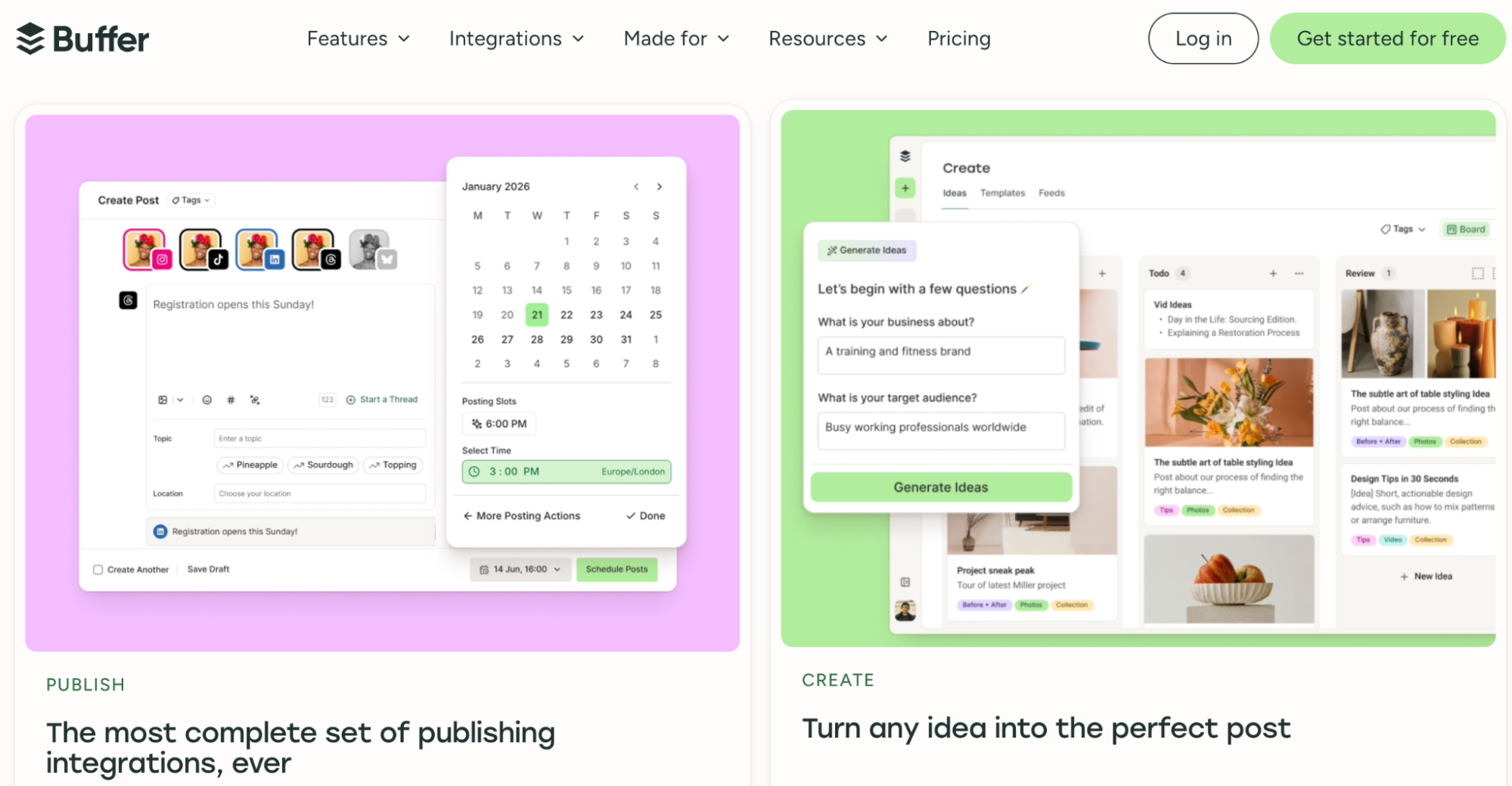
4. Buffer – AI Social Media Tool for Simple, Affordable Publishing
Buffer remains one of the easiest AI social media tools to recommend to solo marketers and smaller teams because it keeps the underlying workflow relatively simple. Its AI Assistant is available even on the free plan, and the company now supports AI-powered replies, performance takeaways and integrations that let users manage Buffer from tools such as ChatGPT and Claude.
The product still feels like a scheduler first. That is an advantage for businesses that do not want AI to become the center of the workflow but do want faster caption adaptation, analysis and community responses.
What Buffer AI actually does
The AI Assistant can refine and repurpose content while adapting it to different social networks, and the newer Insights product generates plain-language takeaways from performance data. Buffer also offers AI reply suggestions that can learn the user’s voice, while its public API and MCP integrations allow external assistants to draft, schedule and inspect content without constant copy-pasting.
This is a good example of embedded AI removing steps rather than creating another standalone workflow. A marketer can still control the content queue normally while using AI only where it provides a practical shortcut.
Who should use Buffer
Buffer is particularly suitable for creators, consultants, startups and small businesses managing a modest number of profiles. The per-channel model allows users to begin with only the platforms they actually maintain instead of paying for an enterprise bundle.
Agencies can also use it, especially because the Team plan includes unlimited users, approvals and permissions. However, organizations requiring deep listening, paid-ad analysis or sophisticated customer-care workflows will eventually hit limits.
What Buffer users say
Buffer currently sits around 4.3 out of 5 on G2 from more than 1,000 reviews. Users regularly praise the simple dashboard, scheduling and ease of managing several networks, while reported drawbacks include occasional failed posts, limitations in certain platform-specific features and lighter analytics than more expensive suites.
The feedback aligns closely with what Buffer is trying to be. It sacrifices some depth in exchange for a shorter learning curve and substantially lower cost.
Buffer pricing and trade-offs
The free plan supports three channels and up to 10 scheduled posts per channel, while Essentials costs $5 per channel per month on annual billing. Team costs $10 per channel annually billed and adds unlimited team members, permissions and approval workflows.
Buffer is one of the strongest choices when a company wants AI to make social publishing easier rather than transform the entire marketing operation. Its value is especially high when simplicity itself is part of the buying requirement.
| Pros | Cons |
|---|---|
| Excellent free entry point | Less sophisticated listening |
| Simple interface | Advanced analytics are lighter than enterprise tools |
| AI Assistant included | Cost rises as many channels are added |
| Transparent per-channel pricing | Some network-specific capabilities remain limited |
| Integrates with external AI assistants | Not designed as a full customer-care suite |
5. Later – AI Social Media Tool for Visual Planning and Trend-Aware Scheduling
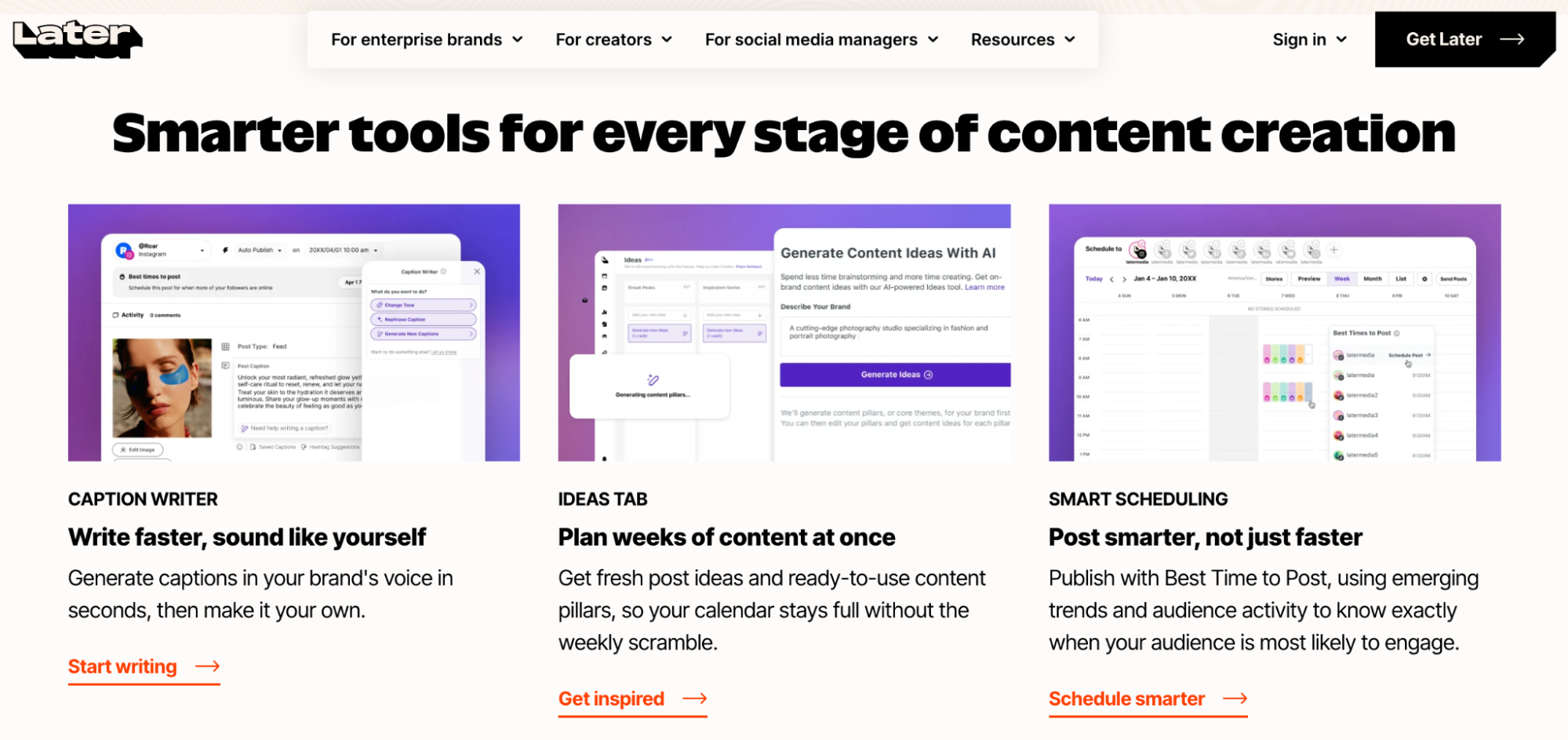
Later remains closely associated with Instagram, but its 2026 platform covers eight major social networks and increasingly uses AI to influence what teams publish as well as when they publish it. Caption Writer, Ideas, Best Time to Post, Future Trends and Smart Scheduling are integrated into the content-planning workflow instead of operating as separate generation tools.
That visual planning heritage still matters. Brands whose social strategy depends heavily on Instagram, TikTok and other creative formats often care as much about seeing the content calendar and media mix as they do about generating captions.
What Later AI actually does
Later uses AI for ideas, caption writing, publishing recommendations and trend-aware scheduling. Growth adds Smart Scheduling with Future Trends, collaboration and approval workflows, while Scale expands analytics, competitive benchmarking, brand monitoring and industry insights.
The Future Trends direction is particularly relevant because it attempts to move beyond historical “best time” recommendations. The practical value depends on the brand and network, so it should still be tested against actual performance rather than treated as a guarantee.
Who should use Later
Later fits social media managers and visually led brands that plan content around a calendar rather than an inbox or enterprise listening operation. Ecommerce, lifestyle, hospitality, beauty, fashion and creator-led companies are natural examples.
B2B teams focused mainly on LinkedIn can still use Later, but may find products with deeper reporting or content-recycling workflows more aligned to their needs.
What Later users say
Later Social currently holds around 4.5 out of 5 on G2 from nearly 400 reviews. Ease of use, post scheduling and the visual calendar are repeated strengths, while limitations in analytics, occasional publishing constraints and mobile or formatting glitches appear among the most common criticisms.
This suggests the product is strongest where planning and publishing are the main priorities. Teams expecting enterprise analytics should evaluate the higher Scale tier carefully rather than assuming the core Later experience is designed for that use case.
Later pricing and trade-offs
Starter currently costs $18.75 per month with annual billing and supports one social set across eight profiles. Growth costs $37.50 and adds a second social set, two users, 50 monthly AI credits, approvals, a social inbox and Smart Scheduling, while Scale costs $82.50.
Later makes the strongest case when planning itself is a major part of the creative process. Businesses that think visually will generally appreciate the workflow more than teams primarily trying to monitor thousands of conversations.
| Pros | Cons |
|---|---|
| Excellent visual content planning | Starter AI allowance is small |
| Strong Instagram and TikTok orientation | Analytics depth depends on plan |
| Trend and timing intelligence | Some users report publishing limitations |
| Good collaboration on Growth | Less appropriate for complex customer care |
| Eight social networks in each set | Scale is much more expensive than Starter |
6. Metricool – AI Social Media Tool for Analytics and Reporting
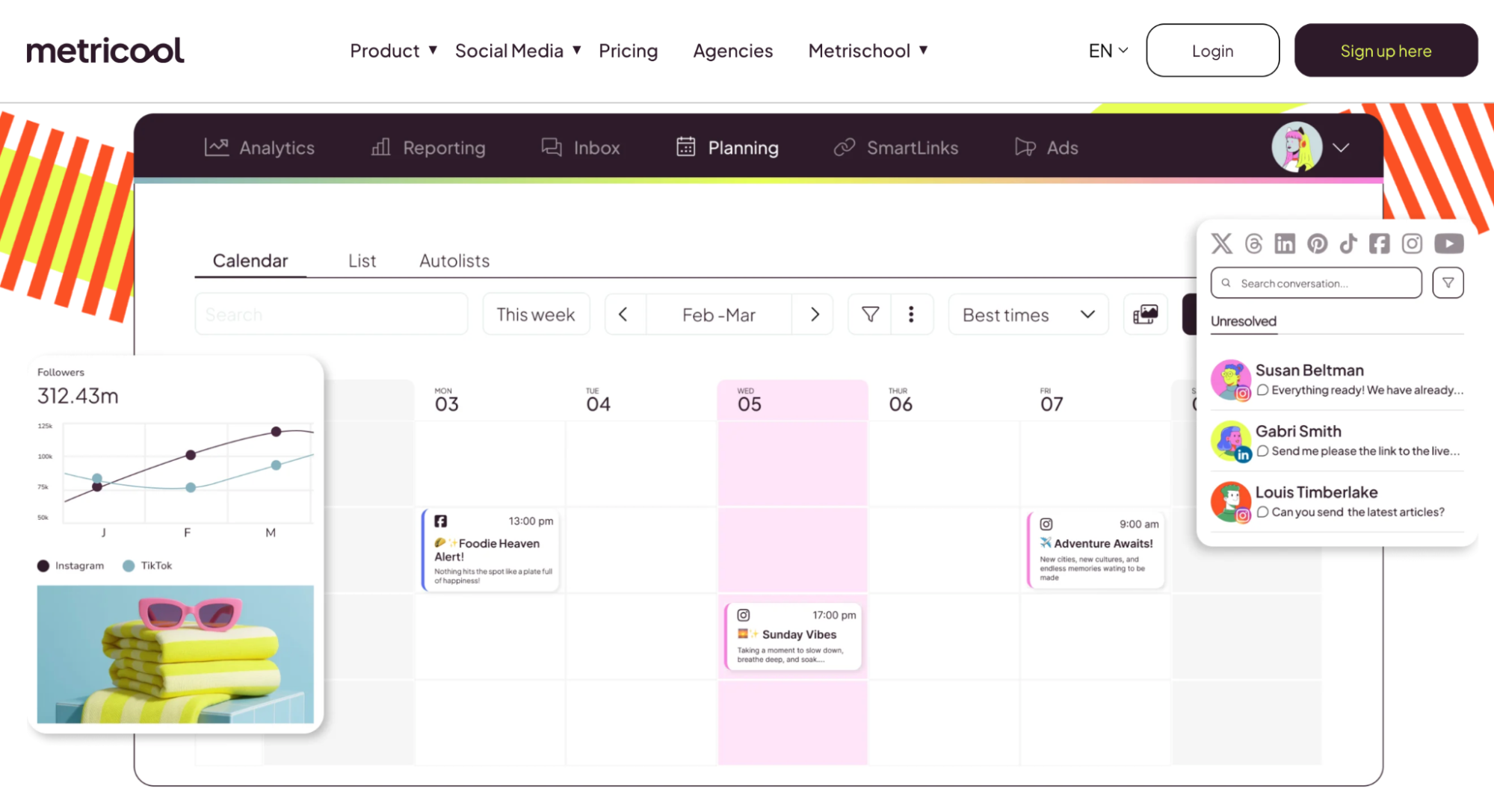
Metricool is particularly compelling for marketers who want publishing and analytics in one affordable product, including visibility into both organic social activity and paid advertising. Its newer AI layer extends beyond captions into reporting, data interpretation and integrations with external assistants.
That is a meaningful distinction for agencies. Creating posts may take less time than preparing the monthly report explaining what those posts achieved, especially when several networks and clients are involved.
What Metricool AI actually does
The AI Social Media Assistant can create and adapt posts for different networks, while Metricool Studio can generate reports from social data using natural-language instructions. The platform also offers an MCP connection that allows tools such as ChatGPT and Claude to interact with connected Metricool data.
Metricool’s broader platform includes scheduling, competitor analysis, analytics and ad-performance reporting. That combination makes it especially useful for marketers whose weekly workflow already moves between content creation and performance analysis.
Who should use Metricool
Metricool fits freelancers, agencies and marketing teams that care more about data than elaborate collaboration infrastructure. The ability to manage several brands on relatively inexpensive plans creates a particularly strong agency use case.
It also works well for businesses combining organic content with paid social or search campaigns. Teams needing a large customer-care inbox or deep enterprise listening may prefer another platform.
What Metricool users say
Metricool currently holds around 4.4 out of 5 on G2. Users frequently praise scheduling, ease of use and analytics, while criticism includes account disconnections, collaboration limitations and frustration with some recent interface changes.
The relatively modest review count compared with Hootsuite or Sprout should also be considered when interpreting the rating. The product nevertheless receives particularly consistent praise from users who rely on its reporting.
Metricool pricing and trade-offs
Metricool has a free plan for one brand, while Starter begins at $20 per month in current U.S. annual pricing and supports up to five brands at that level. Advanced begins at $53 and adds team management, approvals, more extensive analytics, customizable reports and API access.
Metricool is one of the better AI tools for social media when reporting is the part of the workflow teams most want to automate. It is especially easy to justify when monthly client or management reporting currently takes several hours.
| Pros | Cons |
|---|---|
| Strong analytics for the price | Collaboration becomes stronger only on Advanced |
| Organic and paid data in one product | Some users report account disconnections |
| AI-assisted reporting | Free plan excludes some major networks |
| Good multi-brand economics | Less sophisticated engagement than customer-care suites |
| Useful competitor analysis | Interface changes may require adjustment |
7. SocialBee – AI Social Media Tool for Content Strategy and Evergreen Publishing
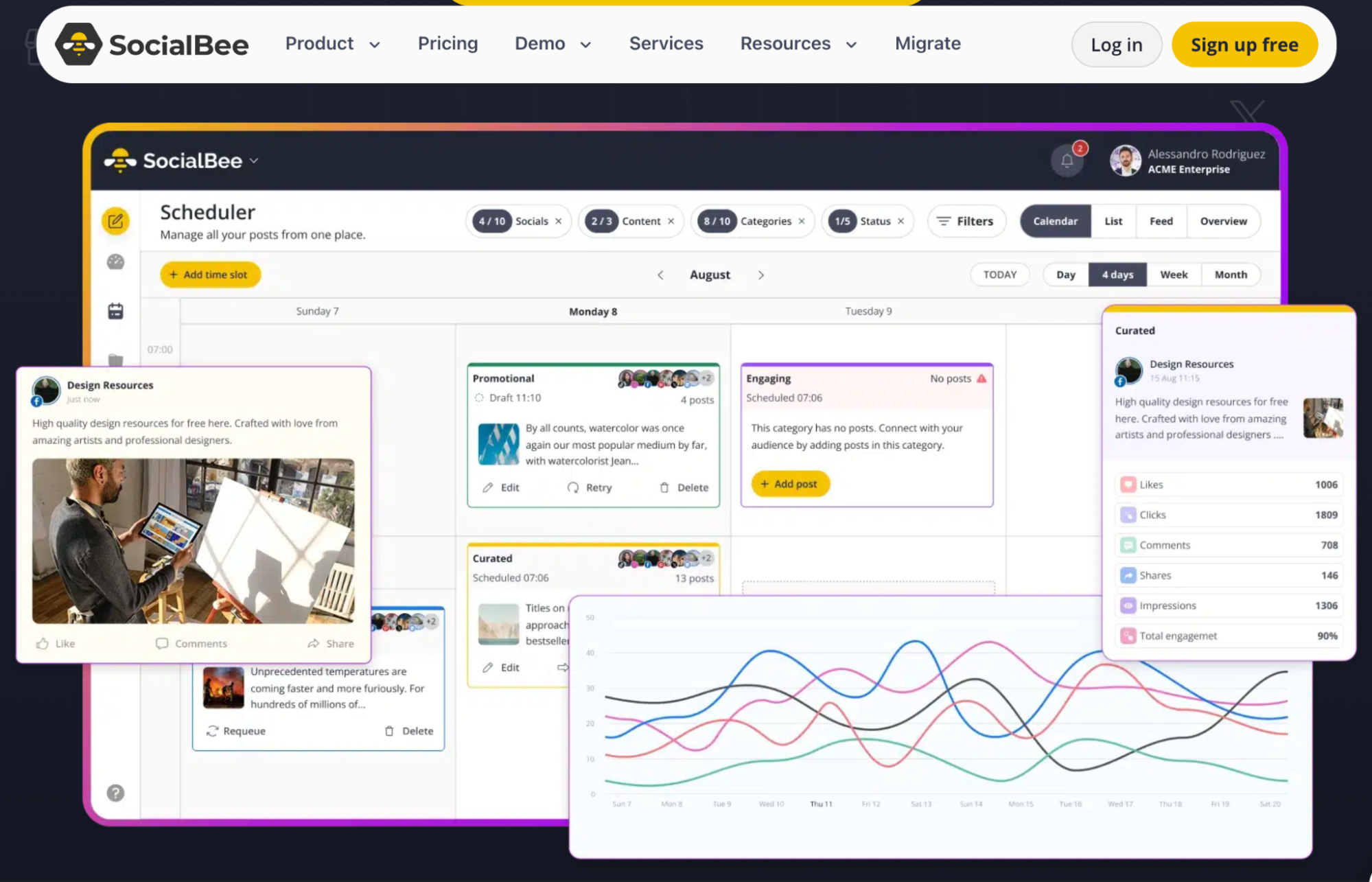
SocialBee is built around a different idea from a simple chronological scheduler: social content should be organized into categories that maintain a balanced publishing mix over time. Its AI Copilot now extends that approach by generating a broader strategy, suggesting social networks and content categories, creating a schedule and preparing draft posts.
That can be particularly useful for smaller businesses that know they need a consistent social presence but do not have a dedicated strategist planning themes every month.
What SocialBee AI actually does
Copilot can analyze information from a business website or guided setup, recommend relevant networks, build content categories and create ready-to-edit posts with captions and images. SocialBee can then automatically customize those posts by network and recycle evergreen content according to category rules.
The platform also supports inbox management, analytics and integrations with Canva, Unsplash and GIPHY. Its strongest differentiation remains the combination of AI strategy with content categories and re-queuing rather than pure generative output.
Who should use SocialBee
SocialBee is particularly useful for consultants, small businesses, agencies and B2B companies with a large amount of evergreen material. Blog articles, educational content, webinars and recurring product themes can be turned into categories that keep the social calendar populated without rebuilding the schedule every week.
Brands operating almost entirely around real-time trends may get less value from heavy evergreen recycling. In that situation, Hootsuite or Later may offer more relevant trend-oriented capabilities.
What SocialBee users say
SocialBee holds around 4.7 out of 5 on G2 from close to 500 reviews. Users frequently praise customer support, scheduling, content categories and the amount of time saved through recurring posting, while the interface and number of available options can feel complex to newer users.
That learning curve is connected directly to the product’s strongest feature. Category-based scheduling requires more setup than putting posts into a simple chronological queue, but it can reduce ongoing work once the system is configured properly.
SocialBee pricing and trade-offs
Bootstrap costs $29 per month or $290 annually, Accelerate $49 per month and Pro $99. A 14-day trial is available, and the AI content generator is included rather than sold as an additional standalone product.
SocialBee works best when social consistency is the problem the business wants to solve. Its AI is useful not because it writes another caption but because it helps build a repeatable publishing system around those captions.
| Pros | Cons |
|---|---|
| Strong AI strategy builder | Requires more initial setup |
| Excellent evergreen recycling | Interface can feel busy |
| Content categories reduce calendar gaps | Less suited to purely real-time content |
| AI captions and images included | No permanent free management plan |
| Strong verified user sentiment | Some advanced agency needs require Pro |
AI Tools for Social Media Content Creation and Engagement
Some teams already have a scheduler they like and do not need to replace it. Their bottleneck may instead be creating enough finished visual content or responding quickly when audience attention turns into comments and private messages.
Predis.ai, Canva and Manychat solve those problems much more directly. Predis.ai attempts to create complete social assets from a prompt, Canva gives teams a broad visual-production environment, and Manychat focuses on turning engagement into automated conversations and leads.
8. Predis.ai – AI Social Media Tool for Creating Complete Posts, Ads and Videos
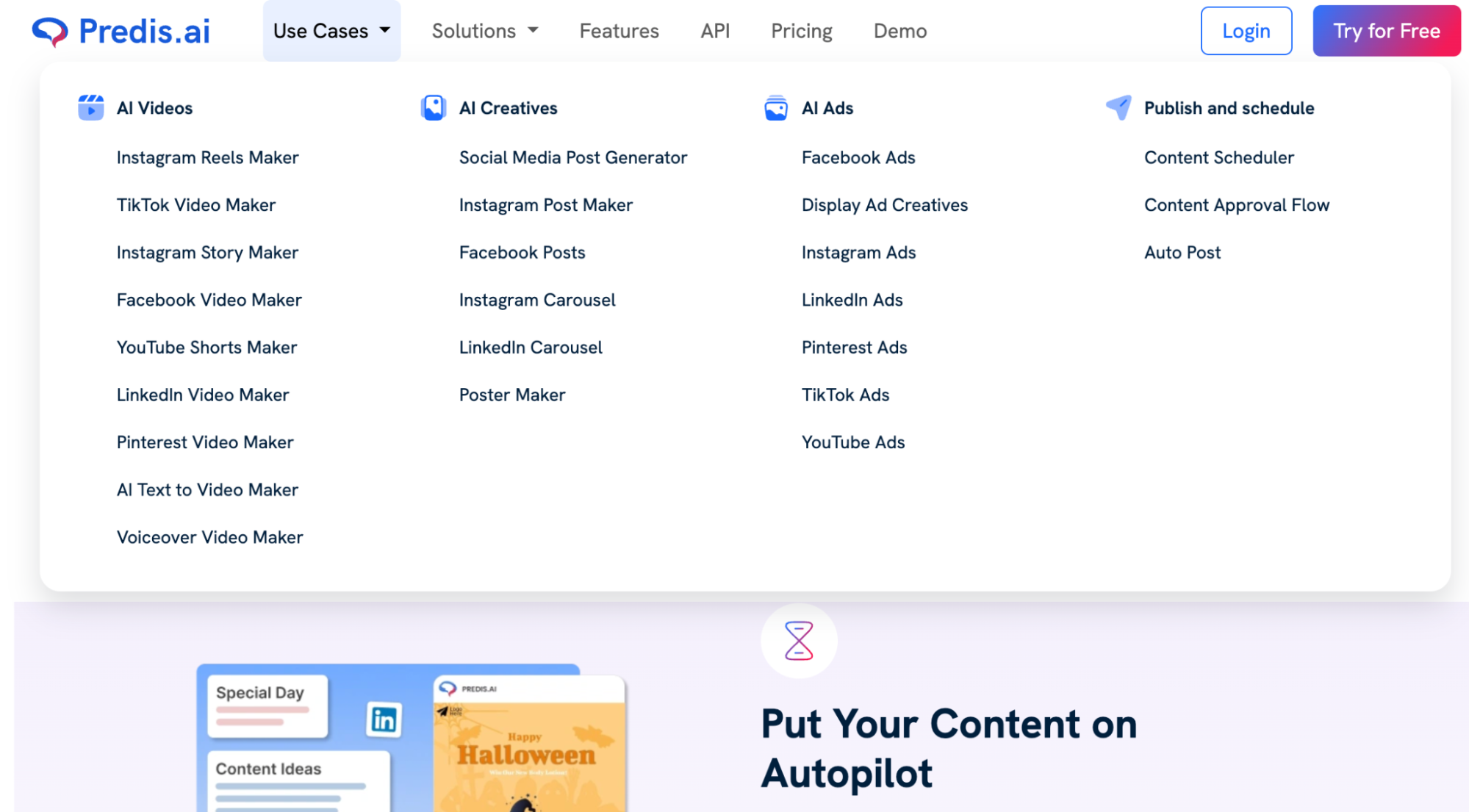
Predis.ai is one of the most creation-heavy AI tools for social media because it attempts to produce the full asset rather than simply suggest a caption. The platform generates static posts, carousels, videos, UGC-style ads, captions and hashtags, while also providing scheduling and competitor analysis.
That makes it particularly attractive to lean teams where design capacity is the limiting resource. Instead of drafting text in one application, finding images in another and assembling the post in a third, much of the process can happen inside a single product.
What Predis.ai actually does
Users can generate social posts, ad creatives, short videos, carousels and ecommerce content from a prompt or product information. Paid plans also include competitor analysis, publishing and brand settings so that generated assets can reflect defined colors, logos, tone and messaging.
The credit system matters because different content types consume very different amounts. Video generation is substantially more expensive in credits than static images, which means a video-heavy brand should calculate its expected monthly output before choosing a plan.
Who should use Predis.ai
Predis.ai fits ecommerce brands, agencies, creators and small marketing teams that need high creative volume without a dedicated production department. It can be particularly useful for creating first versions of ads and social assets that a human then selects and refines.
A company with an established in-house creative team may use it more selectively. In that environment, consistency and unique creative direction can matter more than production speed.
What Predis.ai users say
Predis.ai currently sits around 4.7 out of 5 on G2, although its review pool is much smaller than that of Canva or Hootsuite. Users frequently highlight time savings and the ability to replace several separate content-production steps, while some reviewers consider the pricing or credit allowances restrictive for heavier usage.
The limited sample means the rating should not be treated as directly comparable with platforms that have thousands of reviews. It nevertheless provides useful evidence that the end-to-end production model is valuable to small teams.
Predis.ai pricing and trade-offs
Core costs $24 per month with annual billing and includes one brand, 1,300 monthly credits and publishing to up to 10 channels. Rise costs $55 with more credits, up to four brands and automatic posting, while Enterprise+ starts at $212 per month.
Predis.ai makes the most sense when content production itself is the bottleneck. It is less compelling when a brand already has strong creative resources and mainly needs analytics or community management.
| Pros | Cons |
|---|---|
| Generates complete social assets | Credit consumption can be difficult to compare |
| Images, carousels and video in one tool | Core does not include auto-posting |
| Competitor analysis | AI creative still requires quality control |
| Ecommerce integrations | Less suitable for highly bespoke design |
| Unlimited team members on current plans | Video-heavy usage can consume credits quickly |
9. Canva – AI Social Media Tool for Visual Production and Brand Consistency
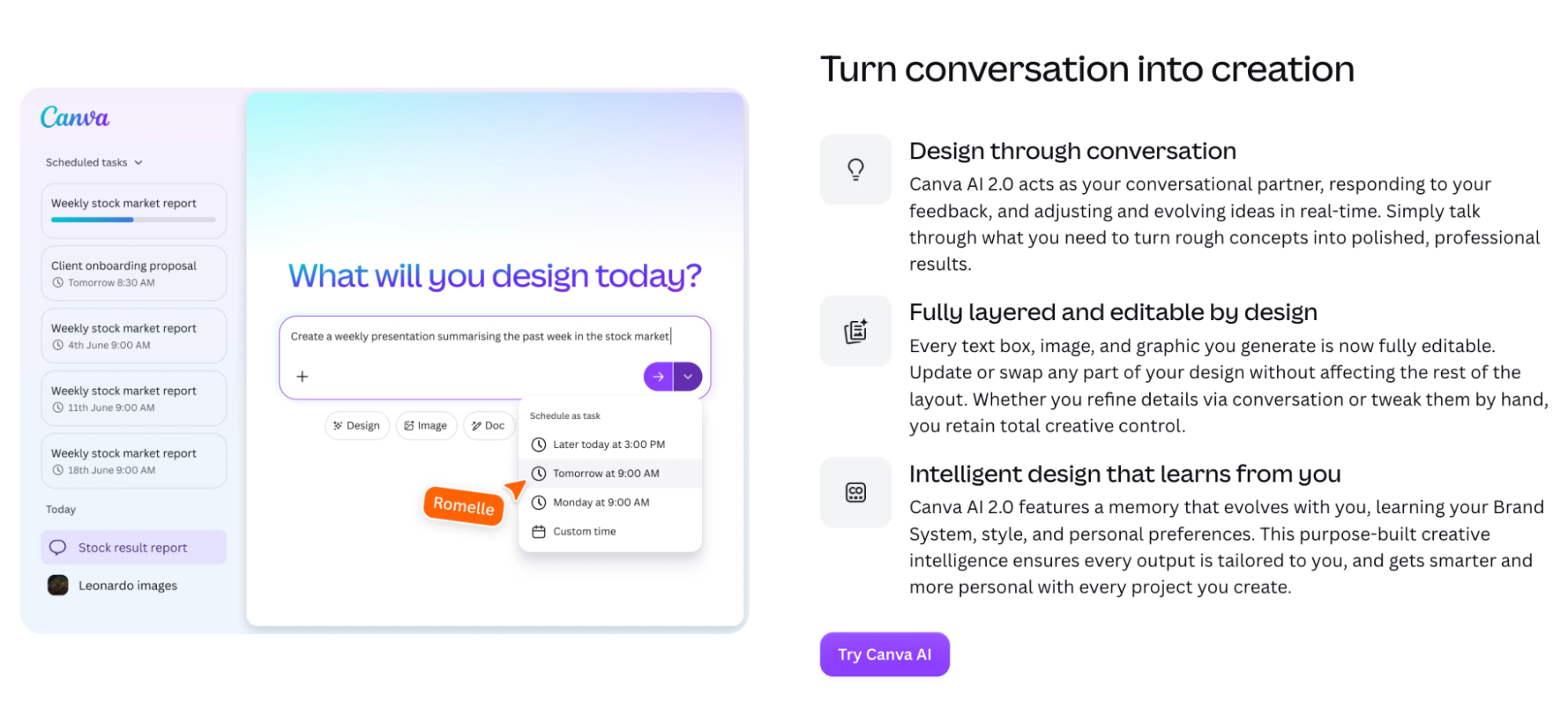
Canva remains one of the most broadly useful tools in social media because visual content creation is only part of what the platform now covers. Canva AI can generate and edit images, create video, transform designs, work with brand kits and help teams produce variations across formats, while Pro also includes social content scheduling.
Unlike dedicated social management platforms, Canva does not attempt to become a sophisticated engagement or listening system. Its strength is producing the assets those systems eventually publish.
What Canva AI actually does
Canva AI supports image generation, image-to-video workflows, background generation, resizing, translation and conversational design creation. Pro expands access to premium AI tools and stock assets, while Business increases AI allowance and adds far more brand kits, approvals and administration for teams.
For social teams, the biggest operational value often comes from adaptation. One approved campaign concept can be reformatted into Instagram, LinkedIn, Facebook and other placements without rebuilding each asset manually.
Who should use Canva
Canva is particularly valuable to marketers, small businesses, social media managers and agencies that need good visual output without routing every small request through a professional designer. It also works well when external clients or non-designers need to edit templates themselves.
Specialist design teams may continue using professional creative software for major campaigns while using Canva for rapid adaptations, social variants and editable client deliverables.
What Canva users say
Canva currently holds around 4.7 out of 5 on G2 across more than 8,000 reviews. Ease of use, template breadth and the ability for non-designers to create polished content dominate the positive feedback, while advanced creative control remains more limited than in specialist professional software.
That distinction is important when evaluating Canva as an AI tool for social media. Its advantage is production speed and accessibility, not replacing an experienced creative director.
Canva pricing and trade-offs
Canva maintains a substantial free plan, while Pro provides higher AI allowances, premium media, brand kits and scheduling. Canva Business is currently listed at $250 per person per year and adds larger brand controls, approval capabilities and higher AI usage. Public Pro pricing can vary by current account display and offer, so businesses should confirm the price shown at checkout.
Canva is often the best complement to another social media platform rather than its replacement. A team may use Buffer, Later or Metricool for publishing while Canva remains the main environment for visual production.
| Pros | Cons |
|---|---|
| Extremely broad visual toolkit | Not a complete social-management platform |
| Very easy for non-designers | Advanced designers may find control limiting |
| Strong AI image and video features | Some AI tools have monthly allowances |
| Social scheduling included on Pro | Engagement and listening need another platform |
| Excellent template ecosystem | Generated creative still needs brand review |
10. Manychat – AI Social Media Tool for Turning Engagement Into Conversations
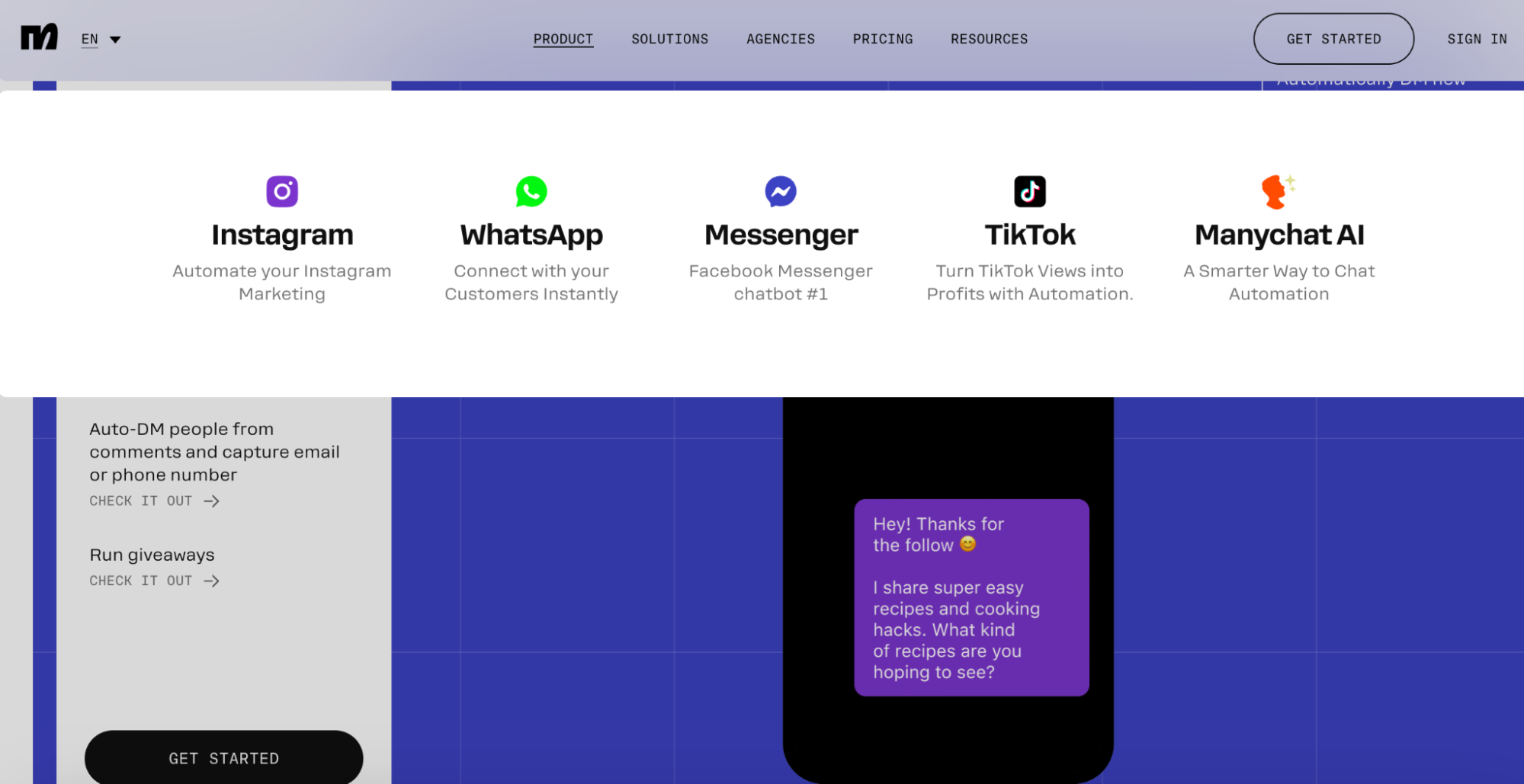
Manychat solves a part of social media that traditional scheduling platforms often treat as secondary: what happens after someone comments, replies or sends a message. Its automation flows can respond to Instagram and TikTok engagement, collect information and move the conversation toward a lead, purchase or human handoff.
The platform is therefore better understood as conversational marketing software than a publishing scheduler. For brands whose social channels generate inquiries or sales directly, that difference can make Manychat more commercially important than the tool used to schedule posts.
What Manychat AI actually does
Manychat Pro includes AI-powered conversations that can learn business information and tone of voice, reply to comments and DMs, answer routine questions and guide users toward defined goals. It also supports automation and broadcasts across combinations of Instagram, TikTok, Messenger, WhatsApp, Telegram, SMS and email depending on the plan.
This enables workflows such as automatically messaging someone after a keyword comment, collecting an email address, answering a common product question or moving an interested person into another sales process.
Who should use Manychat
Manychat is particularly effective for ecommerce brands, creators, educators, coaches and businesses whose audience already interacts actively through social comments and messaging. It makes far less sense for a B2B brand that publishes thought leadership but receives almost no inbound conversation.
The more direct the link between social engagement and revenue, the easier the platform is to justify. This is why Manychat should not be compared directly with Buffer or Hootsuite even though all three sit somewhere inside the social media stack.
What Manychat users say
Manychat currently holds around 4.5 out of 5 on G2. Users regularly praise ease of automation, quick setup and the time saved responding to social engagement, while recurring criticisms include pricing, limited lower-tier functionality and increasing complexity as automation flows become larger.
The feedback highlights an important distinction. Building a simple “comment to DM” flow can be easy, but large conversational journeys eventually become a form of marketing automation that requires structure and maintenance.
Manychat pricing and trade-offs
The current Free plan supports 25 active contacts and two eligible channels, Essential starts at $14 per month annually and Pro at $29. Pro includes 2,500 active contacts, three connected channels and AI-powered conversations, while larger Business and Advanced plans support much higher contact volumes.
Manychat is one of the best AI tools for social media when engagement itself is a conversion channel. Brands that measure success mainly through impressions and publishing consistency will get more value from a different category of software.
| Pros | Cons |
|---|---|
| Excellent comment and DM automation | Not a traditional social scheduler |
| Strong Instagram and messaging workflows | Costs rise with active contacts |
| AI can answer routine conversations | Complex flows become harder to manage |
| Low starting price | Free plan is very limited |
| Useful for lead generation and social commerce | Dependence on third-party platform rules |
What Users Say About the Top AI Social Media Tools
Review scores are useful as a signal, but they should not be treated as a universal ranking. Hootsuite and Canva have feedback from thousands of users, while smaller AI-first products may have only a few hundred reviews, so the confidence behind two identical star ratings can be very different.
The most consistent pattern is that users reward software that removes a clearly defined recurring task. Complaints increase when the tool adds another layer of complexity, makes network-specific publishing difficult or requires too much checking after automation has supposedly completed the work.
| Tool | Current G2 signal | Common strengths in reviews | Common concerns |
|---|---|---|---|
| Hootsuite | ~4.3/5 | Scheduling, centralized management, analytics | Price, disconnections, platform limitations |
| Sprout Social | ~4.4/5 | Smart Inbox, analytics, ease of use | High price, some missing features |
| Vista Social | ~4.8/5 | Ease of use, features, scheduling, centralized workflows | Learning curve, some connection limitations |
| Buffer | ~4.3/5 | Simplicity, scheduling, time savings | Lighter analytics, occasional publishing issues |
| Later | ~4.5/5 | Visual calendar, scheduling, usability | Analytics and publishing limitations |
| Metricool | ~4.4/5 | Analytics, scheduling, usability | Connections and collaboration limitations |
| SocialBee | ~4.7/5 | Content categories, automation, support | Learning curve and interface complexity |
| Predis.ai | ~4.7/5 | Content-production speed and automation | Credits and pricing for heavier use |
| Canva | ~4.7/5 | Ease of use, templates, fast visual production | Less advanced creative control |
| Manychat | ~4.5/5 | Automation, setup and engagement workflows | Pricing and complexity at scale |
Which AI Social Media Tool Is Best for Different Team Sizes?
Team size changes the economics of social media software because some platforms charge per user while others charge primarily by channel, brand or active contact. A product that looks affordable for one social manager can become dramatically more expensive when five people need seats, while another may include unlimited collaborators.
The important distinction is not simply employee count. A five-person ecommerce company receiving 2,000 Instagram messages per week may need more sophisticated automation than a 200-person B2B company that publishes only several LinkedIn posts each month.
Instagram places unusually heavy demands on both creative production and audience interaction, so no single tool dominates every part of the workflow. Later remains attractive for visual planning and timing, Canva and Predis.ai help create assets, Metricool provides strong performance analysis, and Manychat becomes particularly valuable when comments and DMs generate leads.
A practical Instagram stack might use Canva for brand templates, Later or Metricool for planning and analysis, and Manychat only when conversation volume becomes commercially meaningful. Businesses should avoid paying for three tools that all generate captions while leaving the real bottleneck – such as video production or DM response time – unsolved.
| Team type | Tools worth testing first | Why |
|---|---|---|
| Solo creator | Buffer, Later, Canva | Low cost and simple workflows |
| Small business | Buffer, SocialBee, Metricool | Strong publishing without enterprise overhead |
| Small agency | Metricool, Vista Social, SocialBee | Multi-brand management and reporting |
| Growing marketing team | Later, Vista Social, Hootsuite | Collaboration and broader workflows |
| Mid-market brand | Hootsuite, Sprout Social, Vista Social | Analytics, listening, customer care |
| Enterprise social team | Sprout Social, Hootsuite | Governance, reporting and intelligence |
| Social-commerce business | Manychat, Predis.ai, Canva | Conversations plus high-volume creative production |
Which AI Tools Are Best for TikTok?
TikTok requires faster creative iteration than most traditional social networks, making video production and trend awareness more important than long-term feed planning. Predis.ai can generate short-form video concepts and assets, Canva supports video creation and adaptation, Later brings trend-aware scheduling, while Metricool provides useful analytics around TikTok performance.
The platform is also increasingly saturated. Metricool’s 2026 TikTok study found that content volume rose while average views, reach and interactions declined substantially year over year, which makes publishing more content without improving the creative idea a particularly weak strategy.
Which AI Tools Are Best for LinkedIn?
LinkedIn social media management usually benefits more from strong ideas, writing and performance analysis than from high-volume visual production. Buffer and SocialBee are good options for consistent publishing, Metricool adds deeper reporting, and Hootsuite or Sprout Social become more relevant when a larger organization needs listening, employee workflows or executive reporting.
LinkedIn performance is also changing in less obvious ways. Metricool’s 2026 LinkedIn research found that visible reactions such as likes, comments and shares fell while broader engagement rose because users increasingly interact through clicks, swipes, views and other less visible behaviors. That means teams should avoid evaluating every AI-generated LinkedIn post solely through public reaction counts.
AI Social Media Pricing in 2026: Why Starting Price Is Misleading
AI software for social media is increasingly priced around several different units at once. Seats, connected channels, brands, active contacts, AI credits, listening, social profiles and even specific networks such as X can all affect the actual bill.
A company should therefore model its expected social operation before comparing prices. An agency with 40 profiles and six employees may find a product with a higher starting price cheaper overall than software that charges separately for every user or channel.
| Pricing model | Examples | What increases the cost |
|---|---|---|
| Per channel | Buffer | Number of social profiles |
| Per seat | Sprout Social, Hootsuite | Team size |
| Per brand | Metricool | Number of brands or clients |
| Profile bundles | Vista Social | Number of connected profiles |
| Social sets | Later | Number of brands and platform groups |
| AI credits | Later, Predis.ai | Generation volume |
| Active contacts | Manychat | Audience conversation volume |
| Fixed plan tiers | SocialBee | Accounts, workspaces and users |
What AI Should and Should Not Automate in Social Media
AI is strongest when the task repeats frequently and the cost of a first draft being imperfect is low. Caption variations, resizing, basic reporting, scheduling recommendations and recurring analytics summaries fit that description, while crisis communication and culturally sensitive brand decisions do not.
This balance is increasingly important because the quality gap is becoming visible to audiences. AI can make production faster, but copying generic generated language directly into every channel creates the same recognizable patterns across brands.
| Good AI automation candidates | Keep stronger human control |
|---|---|
| Caption first drafts | Brand positioning |
| Repurposing approved content | Sensitive replies |
| Scheduling recommendations | Crisis communication |
| Routine reporting | Humor tied to live events |
| Basic comment classification | Political or social issues |
| FAQ responses | Complex customer complaints |
| Image resizing and variations | Final creative direction |
| Trend discovery | Deciding whether a trend fits the brand |
How to Test AI Social Media Software Before Paying for a Year
A useful trial should reproduce one complete social media week rather than evaluating isolated features. Generating an impressive caption says very little about whether the platform will still save time after scheduling, approvals, client feedback, analytics and engagement are included.
A strong evaluation should cover the following process:
- Connect the real networks the team uses. Check whether posts, formats, mentions and network-specific settings behave correctly on those channels rather than assuming broad “multichannel” support means every feature is identical.
- Build one week of real content. Use actual campaign themes and brand material so AI output can be judged against existing standards.
- Customize posts by network. Determine whether the tool makes LinkedIn, Instagram and TikTok adaptations easier or merely duplicates the same caption everywhere.
- Test the approval workflow. If more than one person touches content, confirm that reviews, comments and permissions are genuinely easier than the current process.
- Check engagement features. Import real comments and messages where possible and evaluate whether the inbox or AI responses save time without creating risky replies.
- Generate a report. Compare how long it takes to explain performance and whether the platform surfaces useful conclusions rather than simply presenting charts.
- Calculate the real monthly price. Add profiles, users, AI credits, listening, contacts and other extras the team would actually need.
After the trial, the team should be able to explain exactly which manual steps disappeared. If the new AI social media tool generates more content but does not reduce planning, publishing, response or reporting work, it has probably added capacity without solving the actual bottleneck.
Do Businesses Really Need Several AI Tools for Social Media?
Not necessarily, even though current usage trends are moving in that direction. Metricool’s 2026 research found that 37% of social media professionals use more than four AI tools, up sharply from the previous year, but a larger stack is not automatically a better one.
A small brand may operate efficiently with Canva plus Buffer. An agency could use Canva or Predis.ai for creation, Metricool for publishing and reporting, and Manychat only for clients with significant DM-based lead generation. A larger organization may consolidate more of that work into Hootsuite, Sprout Social or Vista Social.
The best stack has clear ownership of each job. When three tools all create captions, two report on the same metrics and nobody knows which calendar is authoritative, AI software has increased operational complexity rather than reduced it.
AI Policy for Social Media Teams Is Becoming a Business Requirement
AI adoption has moved much faster than internal rules around how employees should use it. Metricool’s 2026 study found that only 12% of respondents had clearly defined AI policies, while more than a third reported no formal restrictions or guidance.
A practical social media AI policy does not need to become a 30-page legal document. It should at minimum define:
- Which tools are approved. Employees should know where brand and customer information may safely be entered.
- What requires human approval. Publishing, sensitive replies and crisis responses should have clear boundaries.
- How facts are checked. AI-generated statistics, claims and product details should never be assumed correct.
- How customer data is handled. Private messages and personal information require more care than a public caption.
- What visual generation is allowed. Brands should define acceptable use of generated people, products and imagery.
- How brand voice is protected. Generated content should follow real examples and editorial rules rather than vague prompts such as “sound authentic.”
The more autonomous AI becomes, the more important these rules are. An assistant that drafts a post creates limited risk; an agent with access to publishing, messages and customer information requires far clearer permissions.
The Best AI Tools for Social Media in 2026 by Business Priority
There is no useful single winner across the entire category because the platforms solve fundamentally different problems. A more practical shortlist begins with the outcome the business wants to improve and then evaluates the tools designed around that outcome.
The most important question is therefore not “Which platform has the most AI?” It is “Which repetitive part of our social media operation do we want to stop doing manually?”
A team that answers that question clearly will usually end up with a much shorter shortlist and a better chance of actually recovering the time the software promises to save.
| Business priority | Tool to investigate |
|---|---|
| Full social media operating system | Hootsuite |
| Analytics and social intelligence | Sprout Social |
| AI agents and agency workflows | Vista Social |
| Affordable publishing and scheduling | Buffer |
| Visual planning and trend-aware scheduling | Later |
| Reporting and multi-brand analytics | Metricool |
| Evergreen content and AI strategy | SocialBee |
| Automated post, ad and video creation | Predis.ai |
| Visual production and brand templates | Canva |
| DM and comment automation | Manychat |
Frequently Asked Questions
- What is the best AI tool for Instagram?
- Later is strong for visual planning and scheduling, Canva and Predis.ai help create content, Metricool provides performance analytics, and Manychat is especially useful for automating comments and DMs.