The best AI tools for email in 2026 do far more than finish a sentence or rewrite an awkward reply. The strongest products can prioritize an overloaded inbox, search years of correspondence using natural language, draft responses that reflect previous conversations, identify messages that still need action, summarize long threads, manage follow-ups and, in sales or marketing environments, run entire email workflows at scale.
That breadth also makes the category confusing. Superhuman Mail and Shortwave are alternative email clients designed to change how people work through a busy inbox, while Gemini and Microsoft Copilot add AI directly to email systems businesses may already use. Fyxer and SaneBox sit on top of existing inboxes, Lavender improves sales emails, Instantly is built around outbound campaigns, and Brevo and Mailchimp use AI inside marketing automation rather than personal correspondence.
Those tools should not be judged by the same standard. A founder receiving 200 messages a day needs a different AI email tool from an SDR sending outbound campaigns or a retailer managing a newsletter list of 50,000 customers. The right comparison starts with the type of email work that is consuming time, not with the number of AI features shown on a pricing page.
For this guide, we focused on 10 products with clearly different roles and checked current product capabilities, pricing and available user feedback as of September 2026. The aim is to identify where each tool earns its place, where it overlaps with software a business may already have, and when the additional subscription stops making financial sense.
Best AI Tools for Email in 2026 – Quick Comparison
Most businesses should not buy all of these tools, because several solve completely different problems and others overlap heavily. A company already running Google Workspace may get enough everyday assistance from Gemini in Gmail, while a high-volume executive may still justify Superhuman or Fyxer because those products automate inbox work before the user asks for help.
*Prices reflect public U.S. pricing or the closest current published entry point and may require annual billing. Contacts, sends, credits, additional inboxes, AI usage or higher plan requirements can materially change the total cost.
The lowest price does not automatically produce the best value. Email is one of the clearest software categories where time saved per user can matter more than subscription price, because an employee who spends two hours every day inside an inbox has far more opportunity for automation than someone who checks email twice each afternoon.
| AI email tool | Best for | What AI does | Starting price* | Free option |
|---|---|---|---|---|
| Superhuman Mail | Executives and heavy email users | Auto Drafts, Ask AI, labels, search and prioritization | $25/user/month annually | No |
| Shortwave | Gmail users wanting deep AI search and organization | Search, summaries, writing personalization, filters and inbox actions | $30/user/month | Limited free access |
| Gemini in Gmail | Google Workspace teams | Summaries, drafting, search, organization and scheduling | Included from $7/user/month Workspace Starter | With eligible plan |
| Microsoft Copilot for Outlook | Microsoft 365 organizations | Summaries, drafting, coaching and work-data context | Copilot Business from $18/user/month promotional annual price | Trial |
| Fyxer | Professionals wanting a proactive AI assistant | Prioritizes inbox, pre-drafts replies and takes meeting notes | $22.50/user/month annually | Trial |
| SaneBox | People who mainly need a quieter inbox | Learns priority, filters low-value email and manages reminders | $4.54/month on long-term billing | Trial |
| Lavender | Salespeople writing one-to-one emails | Scores, coaches and personalizes sales emails | Free / $29/month | Yes |
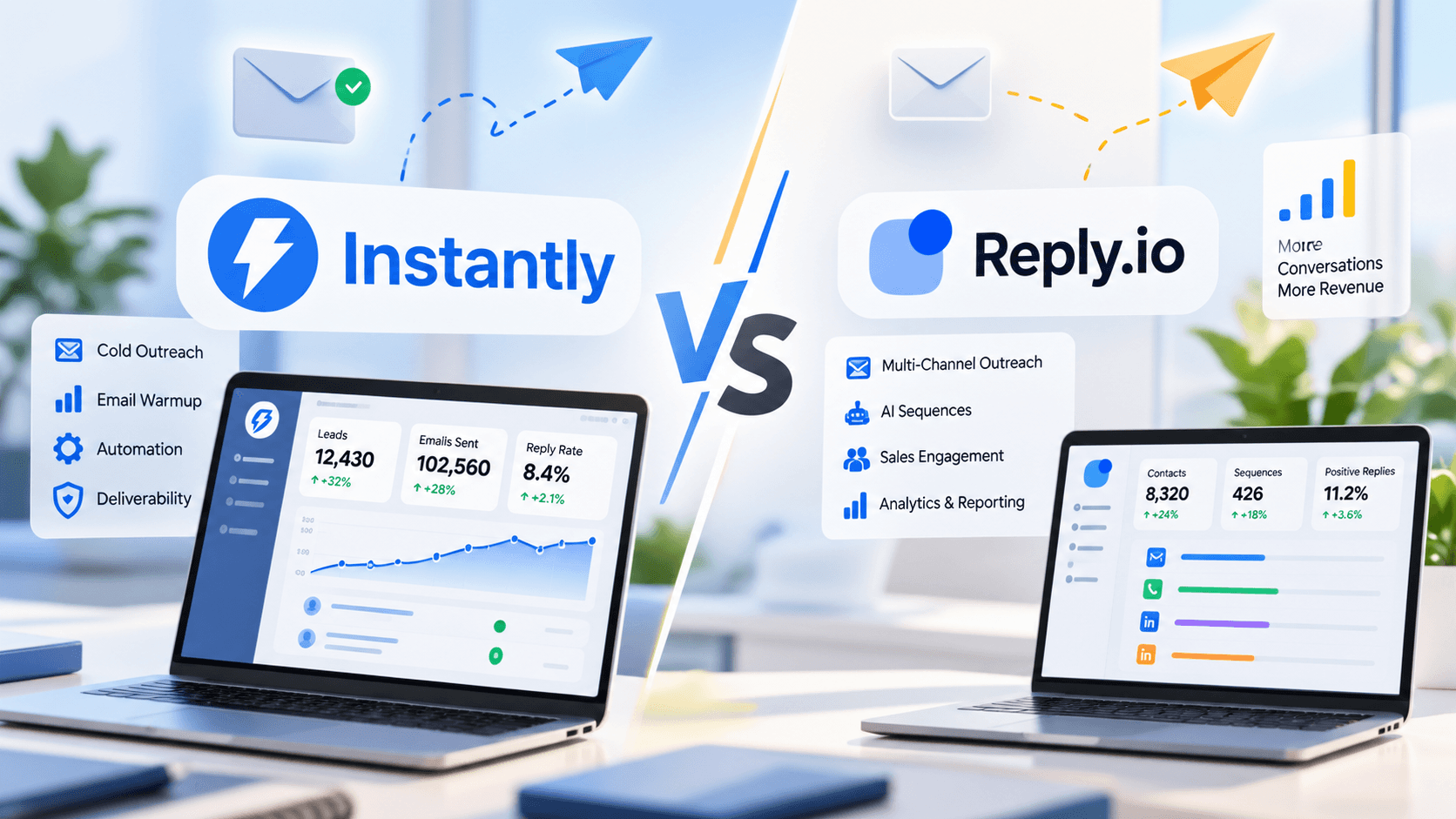
| Instantly | B2B cold email and outbound teams | AI sequences, research, replies and large-scale outreach | $47/month | Trial |
| Brevo | SMB email marketing and automation | Email copy, subject lines, segmentation and automation | Free / $9/month | Yes |
| Mailchimp | Established email marketing programs | AI content, brand voice, personalization and campaign optimization | Free / Standard from $20/month | Yes |
There Are Three Different Types of AI Tools for Email
Searching for “AI email software” now mixes at least three separate markets: personal inbox assistants, sales-email systems and email-marketing platforms. Understanding that distinction prevents a business from buying a sophisticated campaign tool when the real problem is inbox overload, or paying $30 per user for a premium email client when the requirement is sending automated newsletters to customers.
The boundaries are becoming less rigid. Superhuman now connects CRM data, Instantly includes lead research and AI agents, while Brevo extends beyond email into SMS, WhatsApp and CRM functionality. Even so, the primary job each tool was built to solve remains the best way to compare it.
| Category | Main problem it solves | Typical tools |
|---|---|---|
| AI inbox assistants | Too much email, slow replies, difficult search and missed follow-ups | Superhuman, Shortwave, Gemini, Copilot, Fyxer, SaneBox |
| AI sales email tools | Prospect research, cold outreach and one-to-one sales messaging | Lavender, Instantly |
| AI email marketing tools | Campaign creation, segmentation, automation and subscriber communication | Brevo, Mailchimp |
AI Email Tools for Inbox Management and Everyday Business Email
Email productivity software has changed significantly because AI can now work with the history of an inbox rather than only the message currently being written. That enables natural-language search, personalized drafts, thread summaries and, in some products, proactive organization before the user opens the inbox.
The six tools in this section all attack email overload differently. Superhuman and Shortwave replace the normal inbox experience, Gemini and Copilot embed intelligence into existing ecosystems, Fyxer behaves more like an executive assistant working in the background, and SaneBox deliberately solves the narrower problem of deciding what deserves attention.
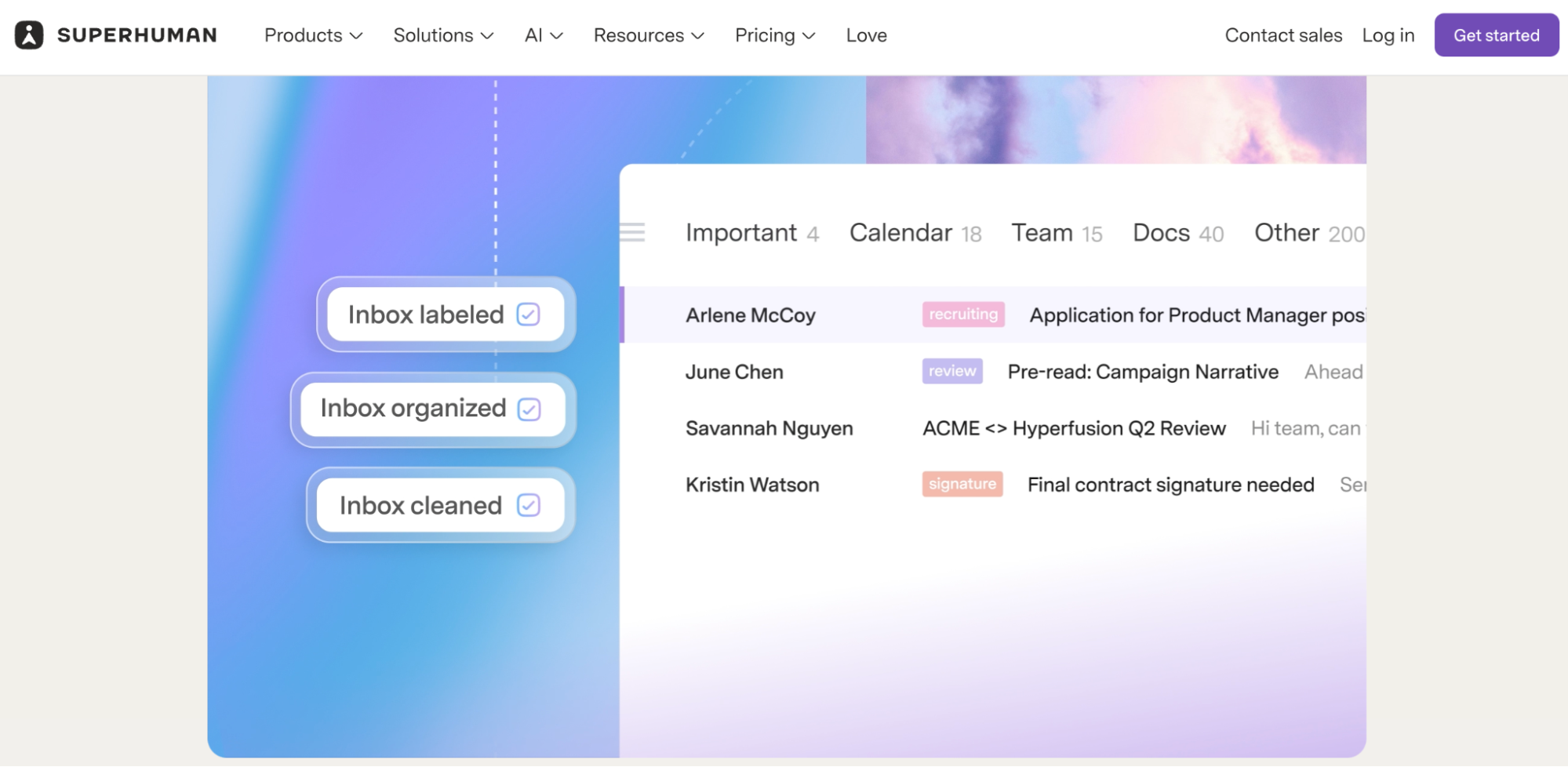
1. Superhuman Mail – Premium AI Email Tool for High-Volume Inbox Users
Superhuman Mail is designed for people who treat email as a major part of their job and are willing to pay a premium to move through it faster. The product combines a keyboard-focused interface with AI-powered drafting, inbox organization, scheduling, follow-up reminders and collaboration rather than trying to bolt an assistant onto a conventional mailbox.

The current Starter plan costs $25 per member per month with annual billing and includes most Superhuman AI features alongside email productivity, shared conversations, team comments and scheduling. Business costs $33 per member annually and adds the more advanced AI layer, including Auto Drafts, Ask AI, custom AI labels, CRM integrations and a recent-opens feed.
What Superhuman AI does inside email
The most interesting feature is Auto Drafts because it shifts AI from an on-demand writing tool into something that can prepare work before the user starts typing. Superhuman can generate draft responses, help users search or question inbox history, organize messages with custom AI labels and use CRM context from platforms such as HubSpot and Salesforce on supported plans.
This matters most in repetitive client or management communication. If the user receives variations of the same operational questions every day, a reasonable first draft appearing automatically can remove more work than an AI tool that waits for a carefully written prompt before producing anything.
Superhuman also remains unusually focused on speed outside the AI layer. Keyboard shortcuts, reminders and inbox triage are central to the product, so even users who do not delegate every reply to AI may recover time through the interface itself.
Who should use Superhuman Mail
The strongest fit is an executive, salesperson, consultant, founder or client-facing manager whose inbox is already a meaningful operating system for the job. At 20 emails a day, the economics are much weaker; at 150 or 300 messages a day, small improvements in search, response and follow-up can compound quickly.
Teams that already use Outlook or Gmail casually should compare the product with the AI now included in those ecosystems before migrating. Superhuman becomes easier to justify when native tools still leave a persistent workload problem rather than simply because its interface feels faster.
What Superhuman Mail users say
Superhuman Mail currently carries a G2 rating around 4.7 out of 5 from more than 1,300 reviews, with speed, keyboard shortcuts, AI drafting and inbox organization appearing repeatedly among the positive themes. G2's review analysis also shows two recurring objections: the price remains high compared with conventional email, and some users need time to learn enough shortcuts and workflow conventions to benefit fully.
A particularly useful pattern in current reviews is that experienced users often justify the subscription in terms of hours recovered rather than feature count. That is the right way to evaluate Superhuman, because a premium inbox makes little sense if the user's email workload is not large enough for those minutes to accumulate.
Superhuman Mail should be evaluated as a premium productivity system, not as the cheapest way to add AI to email. Its business case is strongest when the employee's time is expensive and the inbox is large enough that even modest daily savings produce a clear monthly return.

| Pros | Cons |
|---|---|
| Excellent for heavy inbox volume | Expensive compared with native Gmail or Outlook |
| Personalized AI drafts and search | Requires workflow adjustment and shortcut learning |
| CRM integrations on Business | Many users already have AI in existing email suites |
| Strong follow-up and triage tools | Overkill for low-volume email users |
| Mature email-focused interface | Full AI value requires Business rather than Starter |
2. Shortwave – AI Email Tool for Deep Search and Gmail-Based Workflows
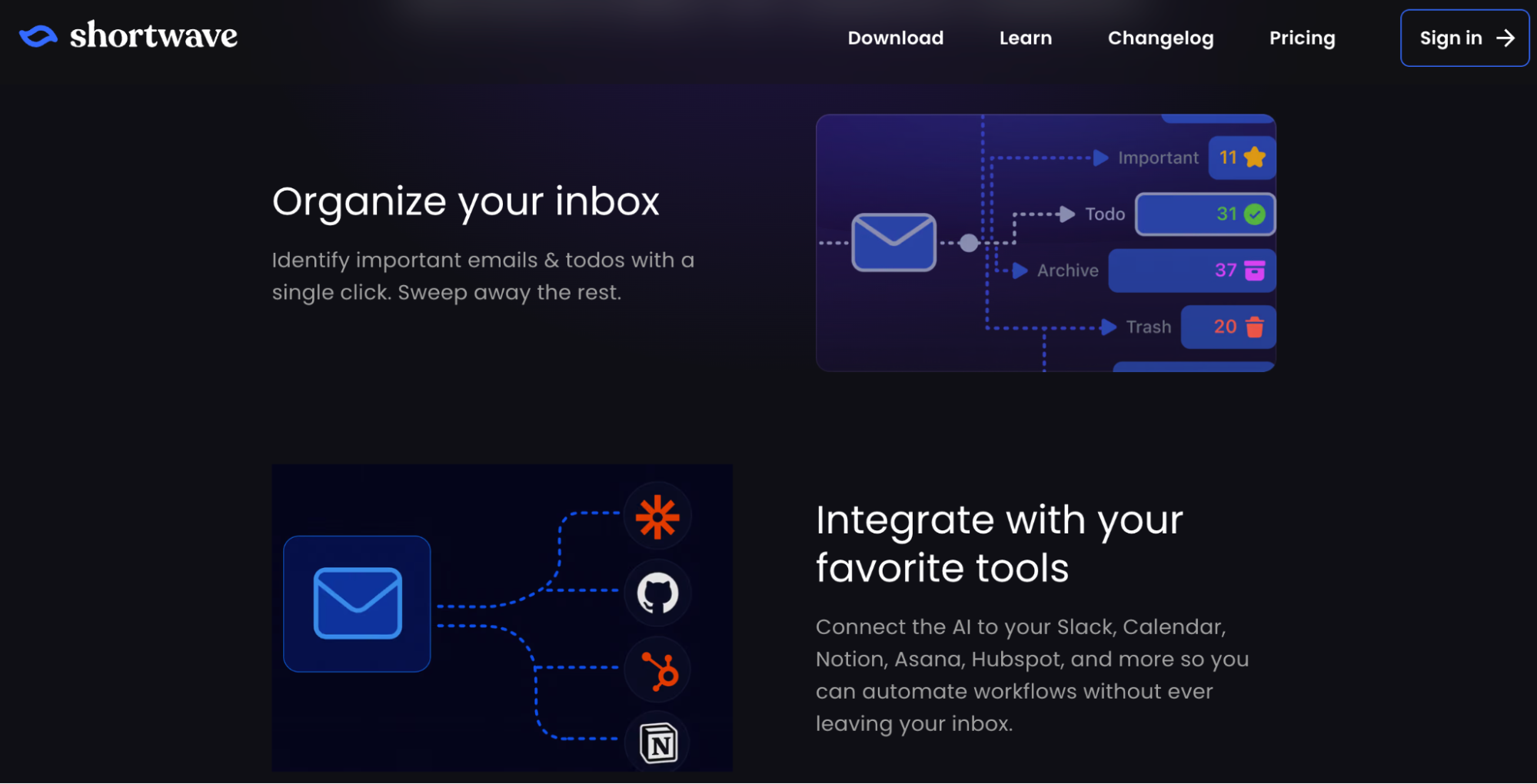
Shortwave takes a more AI-centric approach to email and is particularly attractive to Gmail users who want the inbox itself to become searchable and queryable like a company knowledge base. The AI Assistant can search conversations in natural language, summarize threads, analyze attachments, browse the web, use calendar context and perform multiple steps from a single request.
Shortwave's Business plan currently costs $30 per seat per month, Premier $45 and Max $120. Business includes five years of AI-search history, personalized AI writing, up to three AI filters and a standard intelligence tier powered by Claude Sonnet 4.6; higher plans expand context, search history, filters and model capability.
What makes Shortwave different
The biggest distinction is that Shortwave treats old email as data that can be analyzed rather than simply searched by sender or keyword. A user can ask what customers have said about a feature, find messages related to a project without remembering the exact subject line, identify unresolved issues or request a summary across several threads.
The product also uses AI filters that can label, archive, delete or star new messages based on instructions expressed in natural language. This moves organization beyond static rules such as “everything from this sender goes to this folder” and allows the filter to interpret the actual meaning of the incoming message.
Shortwave added Tasklet integration in 2026 for further automation, allowing workflows such as automatically drafting responses and connecting email activity to thousands of other applications.
Who should use Shortwave
Shortwave is a strong candidate for founders, consultants, product leaders and customer-facing teams whose Gmail history contains valuable business context they regularly need to retrieve. It is more compelling when the problem is not merely writing faster but understanding what has happened across months or years of correspondence.
The trade-off is that it replaces the familiar Gmail interface with a different workflow. Teams that are unwilling to change email clients should compare Fyxer, Gemini or SaneBox instead.
What Shortwave users say
Shortwave currently holds about 4.4 out of 5 on G2 from a relatively small review base of around 70 users. Positive reviews frequently mention inbox organization, natural-language search and the ability to work with historical email context, while recurring criticisms include price, the learning curve and occasional integration limitations.
The smaller review sample matters. Shortwave has strong advocates, but its user-feedback base is far less mature than that of Superhuman, Gmail or Outlook, so businesses should put more weight on a hands-on trial than the headline rating alone.
Shortwave is particularly impressive when email functions as an informal database for the business. If users frequently think “I know somebody emailed us about this six months ago, but I cannot remember where,” its AI-search layer solves a much more meaningful problem than another email-writing button.
| Pros | Cons |
|---|---|
| Excellent natural-language email search | Starts at $30 per seat |
| AI can analyze years of inbox history | Requires changing the email interface |
| Powerful AI filters and summaries | Smaller review base |
| Personalized writing and calendar context | Best suited to Gmail-centric workflows |
| Strong attachment and thread analysis | Advanced intelligence becomes expensive |
3. Gemini in Gmail – Best AI Email Tool for Google Workspace Teams
Gemini in Gmail has one enormous structural advantage over independent email assistants: millions of businesses already use the inbox it is built into. Google now includes Gemini AI assistance in Gmail even with Business Starter, which has a standard U.S. price of $7 per user per month on the annual plan, while Business Standard costs $14 and expands Gemini across more Workspace applications.
This changes the economics of the AI email market. A company that is already paying for Google Workspace may not need to purchase another assistant unless that specialist product automates something Gemini does not.
What Gemini can do inside Gmail
Gemini can summarize long threads, draft and refine messages, search for details inside the inbox, organize email, propose meeting times and work with connected Google Workspace information. Users can ask it to archive, delete, label, star or mark matching messages, while its Gmail panel can also refer to Calendar, tasks and Drive sources where the relevant feature is available.
The search capability is particularly useful because it removes some dependence on remembering exact Gmail syntax. A user can ask for a summary of recent messages about a project or request action items from related correspondence instead of manually opening every thread.
Google is also rolling out more proactive Gmail intelligence, including AI Inbox for certain eligible personal Google AI plans in the U.S., although availability varies by account type and geography.
Who should use Gemini in Gmail
Any organization already standardized on Google Workspace should test Gemini before paying for another AI inbox assistant. It may not offer every proactive feature found in Fyxer or every workflow shortcut available in Superhuman, but the marginal cost can effectively be very low because the functionality is bundled into the existing productivity subscription.
The case is particularly strong for teams that also work in Docs, Drive, Meet and Calendar. Gemini's value becomes broader than email when the assistant can combine context from the other tools employees use throughout the day.
What users say about Gemini and Gmail AI
G2's 2026 hands-on Gemini review highlights Gmail integration as one of the practical reasons the product has improved, including the ability to search recent email and turn overlooked messages into clear action items. The broader user feedback analyzed by G2 remains mixed around occasional inaccuracies and inconsistency, which is especially important in email because a confidently incorrect summary can cause the user to miss a commitment or deadline.
That means Gemini should still be treated as an assistant rather than an authoritative record of what happened in a thread. Important contractual, financial or customer commitments should be verified against the original messages.
Gemini is the benchmark every Gmail-focused AI email tool now has to beat. A specialist assistant needs to deliver enough additional automation or time savings to justify charging on top of functionality Google already bundles with the business inbox.
| Pros | Cons |
|---|---|
| Already included in Google Workspace business plans | Some newest features have regional restrictions |
| Strong integration with Gmail and Calendar | Less proactive than specialist executive-assistant tools |
| Can search, summarize and organize email | Accuracy still needs checking |
| Low incremental cost for Workspace customers | Best value depends on using the Google ecosystem |
| Can reference Workspace information | Advanced capabilities vary by plan |
4. Microsoft Copilot for Outlook – Best AI Email Tool for Microsoft 365 Companies
Microsoft Copilot serves the same strategic role for Outlook users that Gemini does for Gmail users: it brings AI into an existing productivity environment rather than asking the company to adopt a separate email system. Copilot in Outlook can work with email while the broader Microsoft 365 assistant has access to business context through Work IQ and connected Microsoft applications.
Microsoft currently lists Copilot Business from $21 per user per month, with promotional annual pricing of $18 through the end of 2026 for eligible customers. Businesses buying Microsoft 365 and Copilot together can choose Business Standard with Copilot at $23.50 per user per month annually or Business Premium with Copilot at $32.
What Copilot can do with email
In Outlook, Copilot can summarize threads, draft messages, help refine tone and use relevant work information from the Microsoft ecosystem to support responses. The broader Copilot environment also connects with Teams, Word, Excel and company data, which can make an email draft more useful when the information required to answer is scattered across several workplace applications.
For Microsoft-centric businesses, this reduces a familiar problem with independent AI tools: employees do not have to manually paste confidential context from one system into another just to get a useful response.
The benefit grows in organizations already using Microsoft 365 deeply. If email conversations regularly relate to Teams meetings, Word documents, shared files or other Microsoft business data, the assistant has a much stronger context advantage than a generic writing tool.
Who should use Microsoft Copilot for Outlook
Copilot is the logical first AI email tool to test for businesses already paying for Microsoft 365 and operating heavily in Outlook and Teams. A separate product may still be worthwhile for executives who need more aggressive inbox prioritization or automatic draft preparation, but Microsoft's native option should establish the baseline.
The purchasing calculation differs from a $10 email add-on because Copilot is not an email-only product. The subscription should be evaluated across Outlook, Word, Excel, PowerPoint, Teams and other work rather than requiring email alone to justify the full cost.
What Microsoft 365 users say about Copilot
Current G2 feedback on Microsoft 365 includes users praising Copilot for gathering context from several applications and reducing the manual work required to reconstruct information from email and other sources. Cost appears as a recurring concern among lighter users, particularly when comparable individual AI tools can be purchased for less.
That distinction is important. Copilot's business case improves when employees benefit from AI throughout Microsoft 365; it is much weaker if a company is considering the subscription only to draft occasional Outlook replies.
Copilot makes the most sense as part of a Microsoft productivity strategy, not as a standalone email-writing purchase. Businesses already committed to Microsoft 365 should calculate the value across all applications before comparing it directly with inbox-only software.
| Pros | Cons |
|---|---|
| Deep Microsoft 365 integration | More expensive than simple email assistants |
| Useful work-data context | Harder to justify for email alone |
| Works inside Outlook | Benefits depend on Microsoft ecosystem adoption |
| Enterprise security and management | AI output still needs review |
| Broader productivity value beyond email | Pricing and plan structure require comparison |
5. Fyxer – AI Email Assistant That Works Before You Open the Message
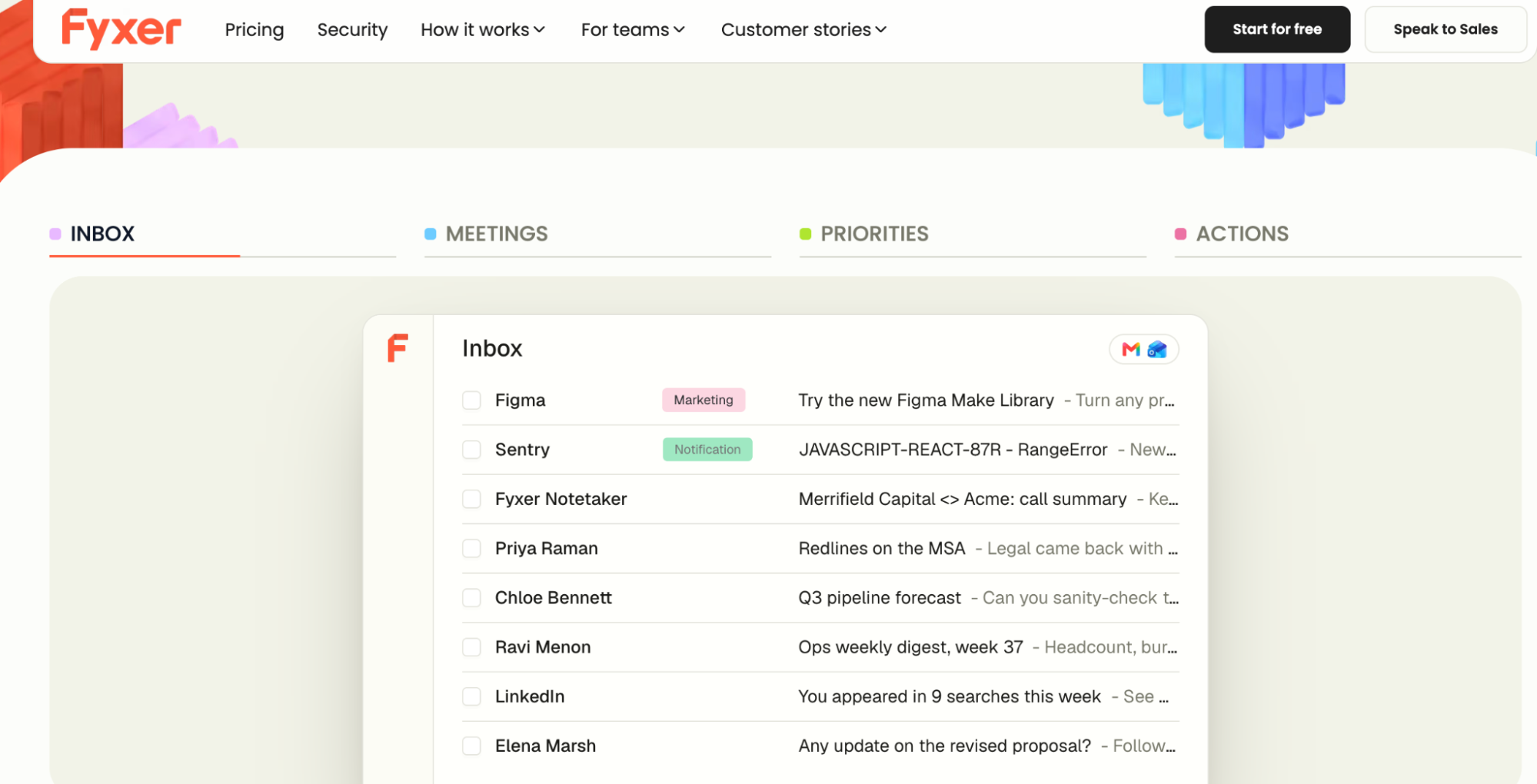
Fyxer is built around a more proactive idea than most native inbox assistants: instead of waiting for the user to ask AI for help, it organizes incoming email and prepares draft responses automatically. It works with Gmail and Outlook, learns from previous messages and combines inbox management with calendar and meeting assistance.
Starter costs $22.50 per user per month with annual billing and supports one inbox and calendar. Professional costs $37.50 annually billed and adds multiple inboxes, team scheduling, Fyxer Chat, HubSpot integration, uploaded reference material and deeper personalization.
What Fyxer actually automates
The core experience is closer to having a digital executive assistant than opening a chatbot inside email. Fyxer sorts messages into prioritized categories and creates reply drafts using patterns learned from previous email, while its meeting notetaker captures conversations and can prepare follow-up communication.
That combination can be unusually useful for consultants, executives, lawyers, real-estate professionals and founders whose email and meetings form a continuous workflow. A client question may arrive by email, lead into a call and then require a follow-up message; Fyxer attempts to automate parts of all three stages.
Because the tool operates in Gmail or Outlook rather than replacing the inbox, adoption can also be easier for users who do not want to learn a completely new email client.
Who should use Fyxer
Fyxer makes the strongest case for professionals who already know inbox administration is consuming several hours each week. The value is much less obvious for a person receiving mostly newsletters, automated notifications or low-volume correspondence.
Professional is also more interesting to people managing several inboxes, such as a founder with personal, company and client accounts. Users who need only sorting may find SaneBox significantly cheaper.
What Fyxer users say
Fyxer's current G2 profile is still small, with about 20 reviews and a rating around 4.1 out of 5, so it should not be treated as statistically comparable with mature products that have thousands of ratings. Positive 2026 reviewers report meaningful time savings from automated sorting and reply drafts, while the limited feedback pool also includes serious privacy and product concerns from individual users.
The mixed signal makes a trial particularly important. Fyxer may save substantial time for the right workflow, but businesses should verify both output quality and security requirements before giving any proactive assistant continuous access to customer email.
Fyxer is most compelling when the goal is reducing administrative email work rather than merely improving individual sentences. Its proactive behavior is the key differentiator, but it is also the reason security review and real-world testing matter more.
| Pros | Cons |
|---|---|
| Automatically prioritizes inboxes | Small independent review base |
| Drafts replies before users request them | More expensive than simple filtering tools |
| Works with Gmail and Outlook | Requires broad email access |
| Combines email and meeting notes | Quality depends on learning the user's style |
| Professional tier supports multiple inboxes | Native Gmail and Outlook AI may cover some needs |
6. SaneBox – AI Email Tool for People Who Mainly Want Less Inbox Noise
SaneBox deliberately solves a narrower problem than most modern AI assistants: it learns which email matters and moves lower-priority messages away from the primary inbox. That sounds simple compared with autonomous agents, but for many professionals the biggest email problem is not writing – it is being interrupted by messages that never deserved immediate attention.
SaneBox works with existing email providers rather than replacing the client. Snack starts at $4.54 per month on its two-year billing option for one email account and two selected features, Lunch costs $7.46 for two accounts and six features per account, while Dinner costs $22.04 for four accounts and the full feature set.
What SaneBox does differently
The product focuses on attention management rather than content generation. SaneLater moves less important email away from the main inbox, daily digests make it easier to review those messages in batches, and additional tools can handle follow-up reminders, newsletters, unwanted senders and temporary do-not-disturb behavior.
That approach has two practical advantages. First, users do not need to move their email history into a new interface, and second, the product can be useful even to people who have no interest in AI-generated writing.
For an executive or consultant who already writes efficiently but keeps losing focus every time another automated notification arrives, filtering may save more time than another drafting assistant.
Who should use SaneBox
SaneBox is most useful when the inbox is noisy rather than cognitively complex. Professionals with several accounts, high newsletter volume or large amounts of copied and automated mail can reduce interruption without changing the client they already use.
Users who need deep search, content-aware question answering or auto-drafted replies should look at Superhuman, Shortwave, Gemini, Copilot or Fyxer instead.
What SaneBox users say
SaneBox currently holds about 4.8 out of 5 on G2 from more than 240 reviews, with users repeatedly describing time savings, reduced inbox stress and better control without losing visibility into messages. The main concerns relate to pricing across multiple accounts and the occasional possibility of an important email being classified incorrectly, especially while the system is still learning.
The review pattern supports the product's narrow proposition. People who actually suffer from inbox overload often value SaneBox highly, while users expecting a full generative AI assistant may find the feature set too limited.
SaneBox is a useful reminder that AI email software does not need to write anything to create value. If the largest problem is deciding what to ignore, better filtering may deliver a higher return than a sophisticated drafting system.
| Pros | Cons |
|---|---|
| Very low starting price | Does not provide deep generative AI workflows |
| Works with existing email | Classification needs monitoring initially |
| Excellent user-review sentiment | Multiple inboxes require higher plans |
| Reduces interruptions and inbox clutter | Not designed for sales or marketing automation |
| Simple problem and clear value | Native inbox tools may be sufficient for light users |
AI Tools for Sales Email and Outbound
Sales email is a different category because the objective is not simply to process messages faster. Teams need to identify prospects, personalize communication, maintain deliverability, manage follow-ups and ultimately turn conversations into pipeline.
Lavender and Instantly sit at opposite ends of that spectrum. Lavender improves the quality of messages a salesperson writes, while Instantly is infrastructure for sending and managing outbound campaigns at much larger scale.
7. Lavender – AI Email Tool for Writing Better Sales Messages
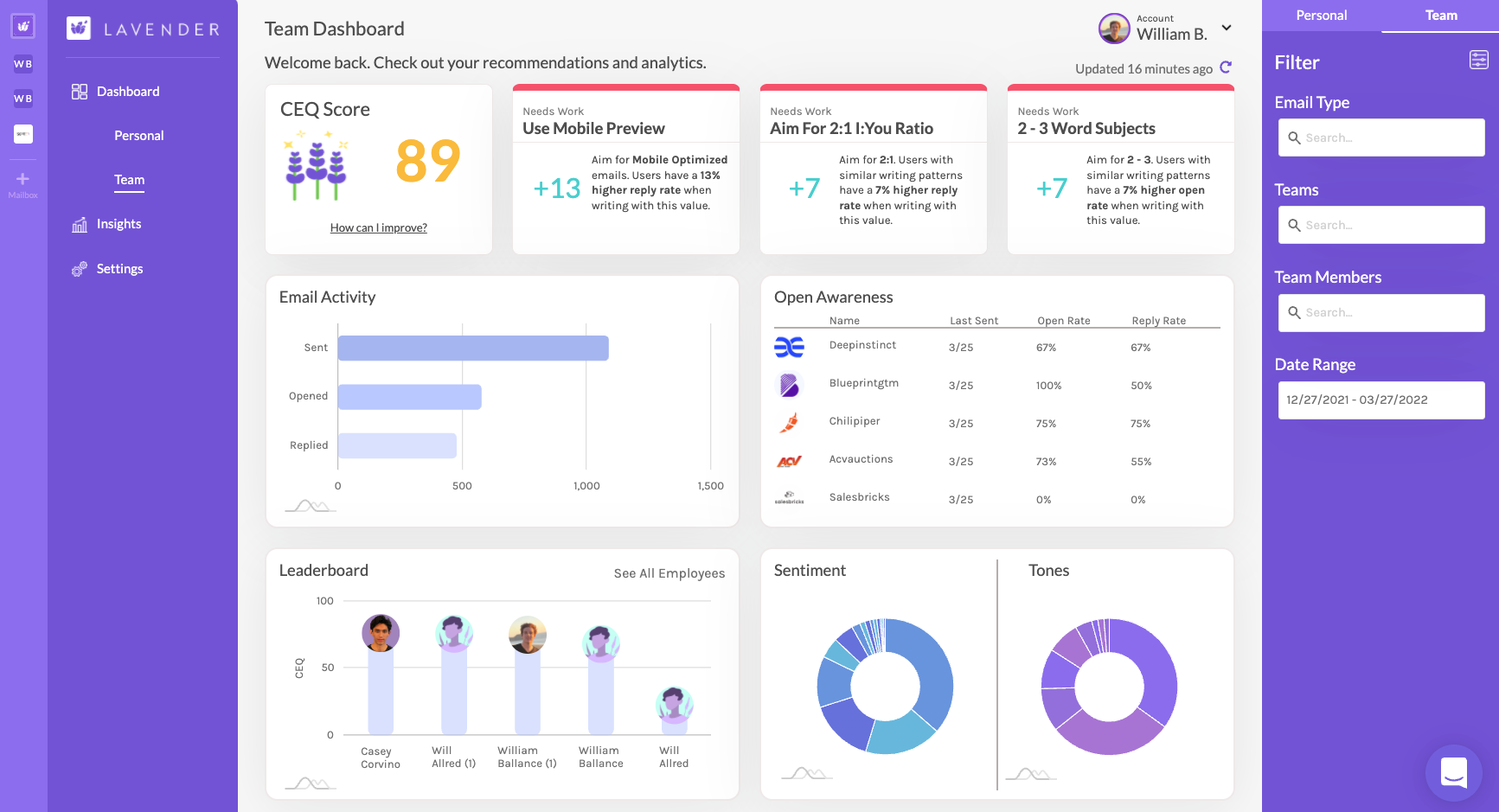
Lavender is one of the most specialized AI email tools in this guide because it does not try to replace the CRM, inbox or outreach platform. Its job is to coach salespeople while they write, scoring emails and suggesting ways to improve clarity, personalization, length and readability before the message is sent.
A free plan allows limited monthly analysis and personalization. Starter costs $29 per user per month, Pro $49 and Teams $69, with Gmail and Outlook integrations available across the relevant paid tiers.
What Lavender AI does for sales email
The platform behaves more like an always-available sales-email coach than a generic copy generator. It can evaluate the draft, provide a score, suggest changes and help representatives research the recipient before writing.
That makes Lavender particularly valuable in organizations where sales managers spend significant time reviewing SDR emails manually. Instead of waiting for weekly coaching, a rep gets feedback at the exact moment the message is being composed.
The limitation is equally clear: improving an email does not fix a bad offer or poor targeting. A concise, readable message sent to the wrong prospect still does not become good sales.
Who should use Lavender
Lavender makes the strongest case for SDR and BDR teams sending meaningful volumes of personalized one-to-one email. It can also help founders doing early outbound if writing effective cold emails takes too much time.
Teams running mostly automated mass sequences may not recover enough value from per-message coaching. In that scenario, Instantly or another campaign platform may have a larger operational impact.
What Lavender users say
Lavender currently carries around 4.8 out of 5 on G2 from approximately 60 reviews. Users frequently praise the immediate coaching and the ability to make sales emails shorter and clearer, but the relatively small review sample means the rating should be interpreted more cautiously than products with several thousand users.
The narrow scope also appears in the buying trade-off. Reviewers who value the email-coaching problem tend to be enthusiastic, while businesses that need broader prospecting or sales automation will still require additional tools.
Lavender should be purchased to improve the behavior of individual salespeople, not to automate the entire sales funnel. That narrower promise can actually make the ROI easier to measure through writing time, reply quality and reduced manager coaching.
| Pros | Cons |
|---|---|
| Purpose-built for sales email quality | Narrow use case |
| Real-time coaching inside Gmail and Outlook | Does not provide campaign infrastructure |
| Useful for manager-independent rep development | Small review base |
| Free plan for light testing | Per-seat cost adds up for large teams |
| Clear focus on message quality | Cannot fix poor targeting or weak offers |
8. Instantly – AI Email Tool for High-Volume B2B Outreach
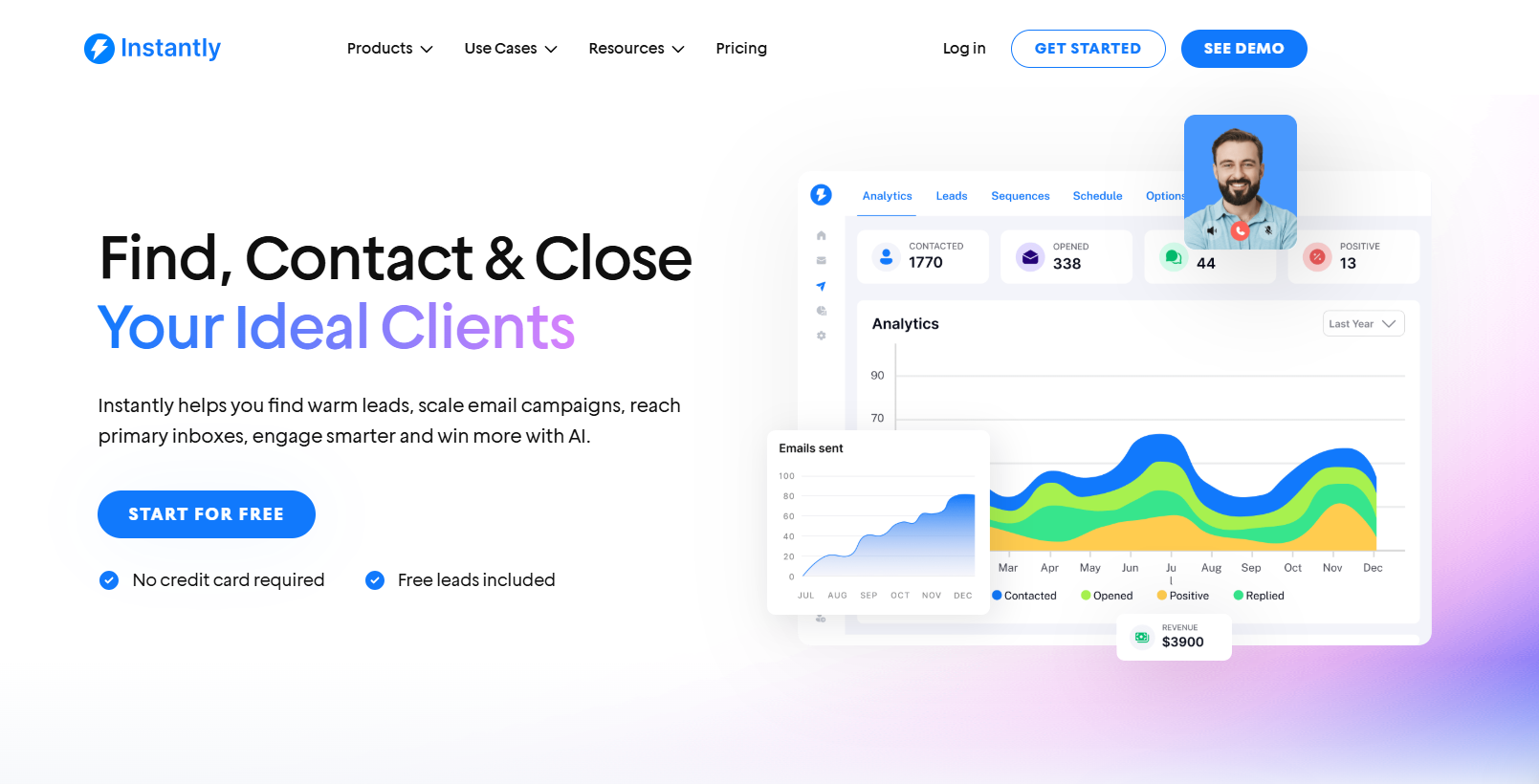
Instantly is built around cold email at scale rather than normal inbox productivity. The platform combines outreach, unlimited connected sending accounts on paid outreach plans, warm-up, lead research, verification, AI writing and increasingly agent-based workflows that can support replies and sales execution.
Growth costs $47 per month and supports 1,000 uploaded contacts and 5,000 monthly emails, while Hypergrowth costs $97 with 25,000 contacts and up to 125,000 emails under the current plan documentation. Light Speed is $358 for 100,000 uploaded contacts and up to 500,000 monthly sends.
What Instantly AI does
Instantly now separates outreach infrastructure from the credits used for research and AI. Its credit system powers SuperSearch, verification, enrichment, the AI Reply Agent and other agent functionality, with credit plans starting from smaller usage packages and scaling to very large outbound operations.
The platform also includes AI sequence generation, spintax assistance and spam-word checks on paid outreach plans. More advanced bundles combine outreach and credit allowances so teams can research prospects, generate messaging and handle replies inside the same wider system.
This makes Instantly fundamentally different from Lavender. Lavender tries to improve the quality of one salesperson's email, while Instantly is trying to run a repeatable outbound machine.
Who should use Instantly
Instantly is best for agencies, outbound sales teams and B2B companies that already know cold email is a viable acquisition channel. Its economics become more attractive when many sending accounts are involved because the outreach plans do not charge per mailbox.
A company still testing its ideal customer or offer should be cautious. Automating 100,000 emails before targeting and positioning are proven usually scales noise rather than pipeline.
What Instantly users say
Instantly has a very large current G2 review pool, with around 4.8 out of 5 from more than 4,000 reviews. Users often praise rapid setup, campaign management, warm-up and the combination of prospecting with outreach, while recent negative feedback includes concerns about credit complexity, data freshness, Microsoft-account connectivity and the total cost once several Instantly components are combined.
That last point deserves particular attention. The $47 Outreach plan does not automatically mean the business has every research, AI and CRM function it may want; a real-world outbound stack can involve separate outreach, credits and other modules.
Instantly belongs in an AI email guide because outbound email has become one of the most automated email workflows in business. It should not, however, be confused with an inbox assistant; its purpose is acquiring customers through email rather than helping an employee survive their daily inbox.
| Pros | Cons |
|---|---|
| Designed for high-volume cold email | Pricing becomes more complex across modules |
| Unlimited sending accounts on paid outreach | Contact and email limits vary sharply by plan |
| Built-in warm-up and deliverability tools | Requires careful compliance and targeting |
| AI research and reply agents available | Some users report data-quality issues |
| Strong user-review volume | Overkill for normal business email |
AI Email Marketing Tools for Campaigns and Customer Communication
Marketing email adds another layer of complexity because the writing itself is only one part of the process. Businesses also need lists, consent management, segmentation, templates, automation, analytics and deliverability infrastructure.
Brevo and Mailchimp both use AI inside that larger marketing system. Their value should therefore be judged not by whether they can generate a subject line – almost any AI can do that – but by how well AI works with the customer data, automation and campaign tools around it.
9. Brevo – AI Email Tool for Affordable Marketing Automation
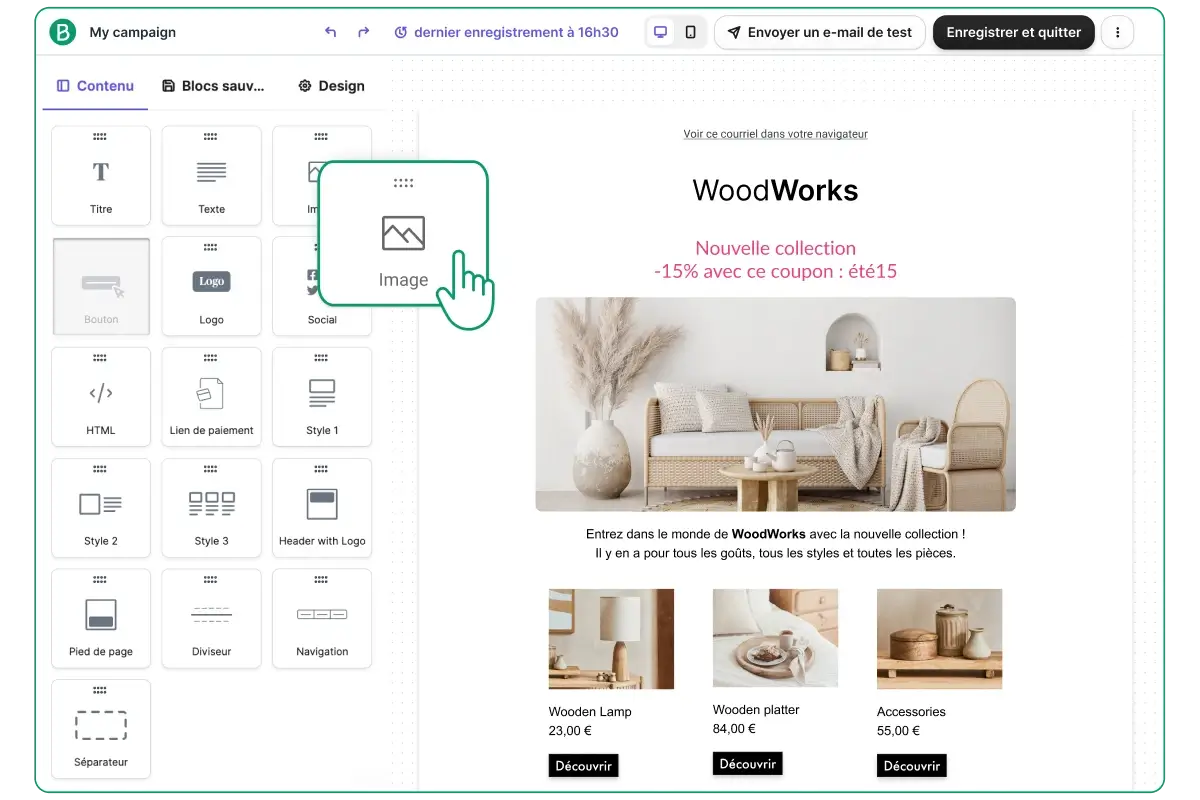
Brevo is one of the more accessible all-in-one options for businesses that want email marketing, transactional communication and automation without immediately moving into enterprise pricing. Its AI content generator can create subject lines and email copy and adjust tone, while the wider platform covers segmentation, SMS, transactional messaging and customer-management functions.
Brevo has a free plan with up to 300 emails per day. Starter begins at $9 per month, Standard at $18 and Professional at $499, with the amount paid also depending on sending requirements and other plan-specific limits.
What Brevo AI does for email marketing
The useful part of Brevo's AI is that it sits directly inside a campaign system rather than creating copy in isolation. A marketer can draft email language and subject lines, then combine that content with segmentation, automation and the same customer records used for SMS or other channels.
Brevo has also been expanding its agent capabilities, with current user feedback mentioning AI assistance for segmentation and building automations from natural-language instructions. This points toward a broader shift in email marketing where the system helps construct the workflow rather than simply writing the words inside it.
For a smaller company, this can reduce the need to maintain separate email, SMS and light CRM systems.
Who should use Brevo
Brevo is particularly attractive to small and midsize companies that need more than a newsletter tool but still care heavily about price. Ecommerce, service businesses, clinics, education companies and other organizations maintaining recurring customer communication can use the combination of campaigns, transactional email and automation.
Businesses requiring exceptionally advanced marketing analytics or huge enterprise-scale customization may eventually outgrow it, although Professional and Enterprise plans extend the platform much further.
What Brevo users say
Brevo currently holds around 4.5 out of 5 on G2 from more than 2,600 reviews. Ease of use, affordability, list management and combining several communication channels appear frequently in positive reviews, while recurring complaints include some limits in advanced customization, occasional editor friction and confusion around the way pricing scales with sends or contacts.
Current September 2026 reviews also explicitly mention AI agents and natural-language automation creation as useful newer capabilities, suggesting that users are beginning to value the platform's intelligence beyond simple email-copy generation.
Brevo is one of the stronger AI email tools for a growing small business because it connects generation with actual campaign infrastructure. Its appeal is not that its AI writes better than every general model, but that the business can go from draft to segmented automated campaign without rebuilding the workflow somewhere else.
| Pros | Cons |
|---|---|
| Low starting price | Price rises as email volume grows |
| Email, SMS and automation in one platform | Some advanced workflows are less flexible |
| AI content generator | Email editor can feel clunky to some users |
| Useful free plan | Professional tier is a major price jump |
| Strong current user-review base | Plan limits need careful checking |
10. Mailchimp – AI Email Marketing Tool for Established Campaign Workflows
Mailchimp remains one of the most recognizable email marketing platforms, and its current AI capabilities are increasingly embedded into campaign creation rather than offered as a separate novelty feature. Users can generate sections of an email from a website URL or supplied text, refine content, work with brand voice and use generative functionality inside the broader automation and audience platform.
Mailchimp maintains a free plan for lists under current limits, while Essentials starts around $13 per month and Standard around $20 for the entry contact tier. Standard is the more relevant AI plan because several generative and optimization features are included there, while pricing rises significantly as contact volume increases.
What Mailchimp AI does for email
Mailchimp can use source material such as a website URL, product description or other text to generate complete email sections rather than only suggesting a subject line. The user can then regenerate, adjust tone, change length and work with brand-voice guidance inside the email builder.
This is valuable because marketing teams often spend more time turning existing business content into campaigns than inventing messages from nothing. An AI that can convert a product page, article or promotion into several structured email blocks can reduce a repetitive part of campaign production.
The platform also connects that content to segmentation, automations, testing and customer data, which remains the larger reason to pay for an email-marketing system instead of generating copy in a general AI chat.
Who should use Mailchimp
Mailchimp works best for businesses that already want a mature email-marketing and automation platform and see AI as an additional productivity layer. It is particularly relevant to ecommerce, consumer brands, service companies and organizations maintaining a substantial subscriber list.
A small company that simply sends a monthly update can find cheaper alternatives. Mailchimp's value rises when automations, segmentation, testing and integrations become important enough to justify the more complicated contact-based pricing model.
What Mailchimp users say
Mailchimp's broader product ecosystem has one of the largest review bases in this comparison, with more than 18,000 reviews across its G2 seller profile and an average rating around 4.3 out of 5. Users frequently praise templates, drag-and-drop campaign creation, automation and integrations, while cost, contact-based pricing and the increasing complexity of the platform remain recurring complaints.
Current reviews also show a familiar pattern for established marketing software: users appreciate that much of the campaign can be managed in one place, but smaller companies can feel that the platform becomes expensive as their database grows. That makes list size and expected send volume essential parts of the buying calculation.
Mailchimp is best evaluated as an email-marketing platform that now happens to use substantial AI, rather than as a pure AI email assistant. That distinction matters because its real value comes from everything surrounding the generated text.
| Pros | Cons |
|---|---|
| Mature email-marketing ecosystem | Costs increase with contact count |
| AI-generated email sections | Some AI functions require Standard or higher |
| Strong templates and automation | More complex than lightweight tools |
| Large integration ecosystem | Free plan is heavily limited |
| Extensive user base and documentation | Businesses may pay for features they do not use |
What Users Say About the Best AI Tools for Email
User ratings are useful for identifying recurring strengths and frustrations, but they should not be treated as an overall ranking because the products serve completely different jobs. SaneBox can receive a very high rating by solving inbox clutter brilliantly, while Mailchimp can satisfy a much more complex marketing workflow and still receive a lower average rating because there are more opportunities for pricing or feature friction.
Review volume is as important as the rating itself. Fyxer's 4.1 is based on only a few dozen responses, while Instantly and Mailchimp have thousands of reviews and therefore expose far more edge cases and critical feedback.
| Tool | Current review signal | What users commonly like | Recurring concern |
|---|---|---|---|
| Superhuman Mail | ~4.7/5 on G2 | Speed, shortcuts, AI drafting and inbox control | Price and learning curve |
| Shortwave | ~4.4/5 on G2 | Search, organization and email context | Price and workflow adjustment |
| Gemini in Gmail | Strong broader Gemini/Workspace adoption | Gmail search and Workspace context | Accuracy and inconsistent newer features |
| Microsoft Copilot | Mixed-to-positive Microsoft 365 feedback | Cross-app context and productivity | Cost for lighter users |
| Fyxer | ~4.1/5 on G2, small sample | Automatic drafts and inbox sorting | Privacy concerns and limited review history |
| SaneBox | ~4.8/5 on G2 | Inbox filtering and time savings | Occasional misclassification |
| Lavender | ~4.8/5 on G2 | Immediate email coaching | Narrow feature set |
| Instantly | ~4.8/5 on G2 | Outreach scale, warm-up and workflow | Pricing complexity and data quality |
| Brevo | ~4.5/5 on G2 | Value, usability and multichannel marketing | Limits, pricing clarity and editor friction |
| Mailchimp | ~4.3/5 across G2 seller profile | Templates, automations and integrations | Cost and complexity at scale |
Which AI Email Tool Is Best for Different Business Needs?
There is little value in declaring one universal winner because a tool that is excellent at cold email can be almost useless for managing an executive inbox. The more practical way to shortlist software is to begin with the email problem a business can describe in one sentence.
A company should therefore avoid starting the buying process with “we want AI for email.” A much more useful brief is “our executives spend two hours a day triaging email,” “our SDR team wastes time rewriting cold emails,” or “our marketing team takes six hours to build every campaign.”
| Main email problem | Tool to investigate first |
|---|---|
| Executive inbox takes hours every day | Superhuman Mail |
| Need to search and analyze Gmail history | Shortwave |
| Company already runs on Google Workspace | Gemini in Gmail |
| Company already runs on Microsoft 365 | Copilot for Outlook |
| Want email organized and replies drafted automatically | Fyxer |
| Inbox contains too much low-priority noise | SaneBox |
| Sales reps write weak cold emails | Lavender |
| Need large-scale B2B cold outreach | Instantly |
| Need affordable marketing automation | Brevo |
| Need mature email marketing and integrations | Mailchimp |
AI Email Pricing in 2026: What Businesses Actually Pay For
AI email software uses several completely different pricing models, which makes headline prices difficult to compare. Inbox assistants usually charge per user, marketing systems scale with contacts or sends, and outbound platforms increasingly combine flat subscriptions with separate AI or data credits.
This difference can reverse an apparently obvious price comparison. A $25 per-user assistant may cost more than a $47 flat-fee outbound system for a five-person team, yet the two products solve unrelated problems and should never have been compared on price in the first place.
| Pricing model | Examples | What makes the bill grow |
|---|---|---|
| Per user | Superhuman, Shortwave, Fyxer, Lavender | Team size |
| Workspace bundle | Gemini, Microsoft Copilot | Number of employees and suite tier |
| Per inbox/account level | SaneBox | Number of email accounts and features |
| Flat outreach subscription | Instantly | Contact and sending volume |
| AI/data credits | Instantly | Research, enrichment and agent activity |
| Email sends | Brevo | Monthly campaign volume |
| Contacts + sends | Mailchimp | Subscriber database size and campaign volume |
Do You Need a Separate AI Email Tool if Gmail or Outlook Already Has AI?
For many businesses, the answer is increasingly no. Google includes Gemini in Workspace business plans, and Microsoft offers Copilot deeply integrated into Outlook and the rest of Microsoft 365, so native AI should now be tested before another email application is added to the stack.
A separate product still makes sense when it solves a problem the native assistant does not solve well enough. Superhuman can justify itself through speed and proactive workflow, Shortwave through deep inbox search, Fyxer through automatic sorting and pre-drafted responses, and SaneBox through low-cost attention filtering.
The purchasing test is therefore straightforward: run the same real inbox workflow using the AI already included in the company's productivity suite, then test the specialist product. The additional subscription is justified only if the difference is large enough to recover the extra cost.
What AI Should Automate in Email – and What It Should Not
Email is unusually suitable for automation because much of the work is repetitive, but it is also a channel where a small mistake can create contractual, reputational or legal consequences. The safest strategy is to automate classification and first drafts more aggressively than final decisions or sensitive communication.
A useful rule is that the closer an email gets to creating an obligation, changing a relationship or committing money, the stronger the human review should become. Drafting a meeting confirmation and agreeing to a six-figure pricing concession should never have the same automation policy.
| Good candidates for AI | Keep stronger human control |
|---|---|
| Thread summaries | Contractual commitments |
| Low-priority inbox filtering | Pricing negotiations |
| First-draft replies | Employee disciplinary communication |
| Follow-up reminders | Legal or regulatory notices |
| Meeting scheduling | Sensitive customer complaints |
| Newsletter subject-line ideas | Public crisis responses |
| Cold-email variants | High-value negotiation |
| Campaign segmentation suggestions | Messages involving confidential judgment |
How to Test an AI Email Tool Before Paying for a Year
The trial should reproduce a normal week of email work rather than testing whether the software can generate an impressive sample reply. A product earns its place by reducing the amount of attention required across dozens or hundreds of real messages, not by performing well on one carefully chosen demonstration.
A useful test should include:
- Use a representative inbox. Include newsletters, internal threads, customer requests, calendar messages and the ambiguous email that is difficult to categorize.
- Measure baseline time first. Record how much time users currently spend processing email, searching for information and writing replies.
- Test search and summaries. Ask questions whose answers are already known and verify whether the AI retrieves the correct threads and details.
- Review generated replies. Count how many drafts are usable with minor edits, require substantial rewriting or contain incorrect assumptions.
- Check missed-email risk. For tools that automatically filter or prioritize messages, confirm whether anything important is hidden.
- Test follow-up behavior. Make sure reminders and action items actually reduce dropped conversations rather than create another notification system.
- Calculate full pricing. Include every user, inbox, contact tier, AI credit or send volume that will apply after the trial.
- Measure time again. Compare the new workflow with the original baseline after employees have had enough time to learn the product.
A product should remain on the shortlist only if it produces measurable time savings without creating an equivalent amount of checking, correction or anxiety about missed messages. AI that needs constant supervision can easily move administrative work rather than remove it.
AI Email Security Matters More Than AI Writing Quality
Giving an AI tool inbox access can expose far more sensitive information than asking a chatbot to write a generic marketing paragraph. Email contains contracts, invoices, customer details, private HR conversations, internal strategy, authentication messages and attachments that employees may not even remember are stored in their history.
Before connecting a third-party AI email assistant, businesses should examine:
- Model-training policy. Determine whether email or generated content is used to train external models.
- Data retention. Understand how long message data, drafts and attachments are stored.
- Scope of access. Check whether the tool needs full mailbox history or only specific permissions.
- Third-party processors. Identify which AI and infrastructure companies receive or process the content.
- Administrative controls. Larger teams should look for SSO, SCIM, user provisioning and permission management.
- Auditability. If the AI can take actions, managers need visibility into what it did and why.
- Offboarding. Access should be removed cleanly when an employee or contractor leaves.
- Sensitive workflows. Companies in healthcare, finance, legal services and regulated sectors need to confirm that the specific setup meets their compliance requirements.
This is one area where native Google or Microsoft AI can have a structural advantage for existing customers because businesses may prefer to keep email intelligence within the productivity environment they already govern. Specialist tools can still be the better workflow choice, but security review should be part of the purchasing process, not an afterthought after every executive has connected an inbox.
The Best AI Tools for Email in 2026 Depend on What You Want to Stop Doing Manually
The email market is splitting into increasingly specialized layers rather than converging on one universal AI inbox. Native assistants such as Gemini and Copilot make basic AI widely available, which pushes specialist products to justify themselves through deeper automation, faster workflows or a clearly defined commercial use case.
A company that already knows its bottleneck can usually reduce this list to two or three serious candidates very quickly. The best AI tool for email is not the product with the most automation; it is the one that removes the largest amount of repetitive email work without weakening accuracy, deliverability or human judgment.
| Priority | Tool to shortlist |
|---|---|
| Premium high-volume inbox productivity | Superhuman Mail |
| Deep Gmail search and analysis | Shortwave |
| Native Google Workspace AI | Gemini in Gmail |
| Native Microsoft workplace AI | Copilot for Outlook |
| Proactive executive-assistant workflow | Fyxer |
| Affordable inbox filtering | SaneBox |
| Sales email coaching | Lavender |
| Automated cold email outreach | Instantly |
| Affordable SMB email marketing | Brevo |
| Mature email-marketing ecosystem | Mailchimp |
Frequently Asked Questions
- What are the best AI tools for email in 2026?
- Superhuman Mail, Shortwave, Gemini in Gmail, Microsoft Copilot for Outlook, Fyxer, SaneBox, Lavender, Instantly, Brevo and Mailchimp are strong options for different email workflows. The right choice depends on whether the main problem is inbox management, writing, sales outreach or email marketing.
- What is the best AI email assistant for business?
- Superhuman and Shortwave are strong premium assistants for heavy inbox users, while businesses already using Google Workspace or Microsoft 365 should test Gemini or Copilot before buying another tool. Fyxer is particularly interesting when automatic inbox sorting and pre-drafted replies are the priority.
- What is the best AI email tool for Gmail?
- Gemini is the obvious starting point because AI is already included in Google Workspace plans. Shortwave provides much deeper AI-centric search and inbox organization, while Fyxer and SaneBox can add automation without requiring users to abandon Gmail.
- What is the best AI email tool for Outlook?
- Microsoft Copilot is the native choice for organizations using Microsoft 365. Fyxer can add proactive sorting and drafts, while SaneBox works well when the main need is filtering lower-priority messages.
- What is the best AI tool for writing emails?
- For normal business correspondence, Gemini, Copilot, Superhuman and Shortwave all provide strong drafting features. Lavender is more specialized and makes the most sense for salespeople who want coaching on the quality of outbound email rather than general writing assistance.
- What is the best AI tool for cold email?
- Instantly is one of the strongest options in this comparison for high-volume B2B cold outreach because it combines sending infrastructure, warm-up, sequencing and AI/data capabilities. Lavender is better for improving individual sales messages rather than running large campaigns.
- What is the best AI tool for email marketing?
- Brevo is particularly attractive to small and midsize businesses because of its lower entry price and multichannel automation. Mailchimp offers a more mature marketing ecosystem with broad templates, automations and integrations but can become more expensive as the contact database grows.
- What is the best free AI email tool?
- Google Workspace users already receive Gemini in eligible business plans rather than as a separate free product. Brevo and Mailchimp both provide limited free marketing tiers, while Lavender has a free level for occasional sales-email analysis.
- Can AI automatically reply to email?
- Yes. Products such as Superhuman and Fyxer can prepare responses based on inbox context, while sales and marketing systems can automate certain types of outbound or follow-up messaging. Sensitive or high-value communication should still be reviewed before sending.
- Can AI organize an inbox automatically?
- Yes. SaneBox specializes in learning which messages should be moved away from the primary inbox, Fyxer automatically prioritizes messages, Shortwave supports AI filters and Gemini can perform organization actions when instructed.
- Is Superhuman better than Gmail with Gemini?
- They solve overlapping but different problems. Gmail with Gemini provides powerful AI at a much lower incremental cost for Workspace customers, while Superhuman adds a highly optimized email workflow, shortcuts, proactive AI features and premium productivity tooling around the inbox.
- Is Shortwave better than Superhuman for AI email?
- Shortwave is particularly strong for natural-language search and analysis across Gmail history, while Superhuman emphasizes speed, triage and high-volume email productivity. Businesses should test both with a real inbox because the preferred workflow is highly personal.
- Is SaneBox still useful now that Gmail and Outlook have AI?
- It can be because its main purpose is not generating content but reducing inbox noise automatically across existing email systems. People whose biggest problem is distraction may prefer a simple filtering tool to a more expensive AI assistant.
- Can AI email tools save money for a business?
- They can when email consumes significant employee time. The relevant calculation is usually the number of hours saved per employee each month compared with the subscription cost and the time required to review AI output.
- Are AI email tools safe?
- Safety depends on the provider, account type and configuration. Businesses should review permissions, encryption, retention, model-training practices, subprocessors and administrative controls before granting an AI tool access to company inboxes.
- Do companies need a separate AI email tool in 2026?
- Not always. Google Workspace and Microsoft 365 now include substantial native AI functionality, so specialist software should be added only when it provides a clear additional benefit such as proactive drafting, deeper inbox analysis, better filtering or specialized sales and marketing automation.
- How should a business compare AI email tools?
- Use the same real email workload across the shortlisted products and measure inbox-processing time, draft accuracy, search quality, follow-up reliability and total cost. A tool should be judged on how much work disappears after adoption rather than how impressive its AI demo looks