AI for Startups
8 AI Tools for Freelancers That Can Actually Give Billable Hours Back in 2026
Freelancers do not need 20 AI subscriptions. They need a small stack that cuts non-billable work without making client deliverables look generic. We compared eight AI tools that can genuinely earn a place in a solo business, including current pricing, limitations and what existing users are saying.

The best AI tools for freelancers in 2026 are not necessarily the most advanced products on the market. They are the tools that reduce the hours spent on research, proposals, email, meetings, revisions, design and scheduling without lowering the quality clients are paying for.
That distinction matters more for freelancers than it does for large companies. A business with 500 employees can pay for overlapping software and absorb an underused subscription. A solo consultant, designer, writer or developer feels every unnecessary $20 monthly charge directly in take-home income, while every extra hour spent on administration is an hour that cannot be billed to a client.
Freelancers are also dealing with a more complicated effect of artificial intelligence: clients increasingly know these tools exist. In freelance communities, professionals describe clients arriving with AI-generated drafts, asking whether work should now be cheaper or expecting one freelancer to deliver what previously required several specialists. Experienced freelancers repeatedly make the same counterpoint – AI can accelerate production, but raw AI output still needs judgment, verification, editing and subject expertise before it becomes professional work.
That is the standard used in this guide. Instead of creating another list of 20 or 30 AI products, we narrowed the field to eight tools that solve recurring problems in a freelancer's working week and examined them in much more detail.
Best AI Tools for Freelancers in 2026 – Quick Comparison
Most freelancers only need two or three paid AI tools, not all eight products in this guide. A writer may get more value from Claude and Grammarly, while a consultant with six client calls a day could save more time with MeetGeek and SaneBox. A designer may not need either of those but could justify Canva Pro immediately.

*Pricing was checked against current vendor information in September 2026. Regional pricing, billing periods, usage allowances and taxes can change the amount paid at checkout.
The most important part of this table is not the price column. A $20 tool that consistently removes two hours of unpaid work every month is easier to justify than a $5 tool that merely adds another dashboard to check.
| **Tool** | **Best for freelancers who need** | **Starting paid price*** | **Free option** | **Main reason to use it** |
|---|---|---|---|---|
| **ChatGPT** | One flexible AI assistant for many types of work | $20/month | Yes | Research, analysis, writing, files, images and problem-solving in one place |
| **Claude** | Long documents, careful writing and deep analysis | $17/month equivalent annually or $20 monthly | Yes | Strong document work, reasoning, Projects and research |
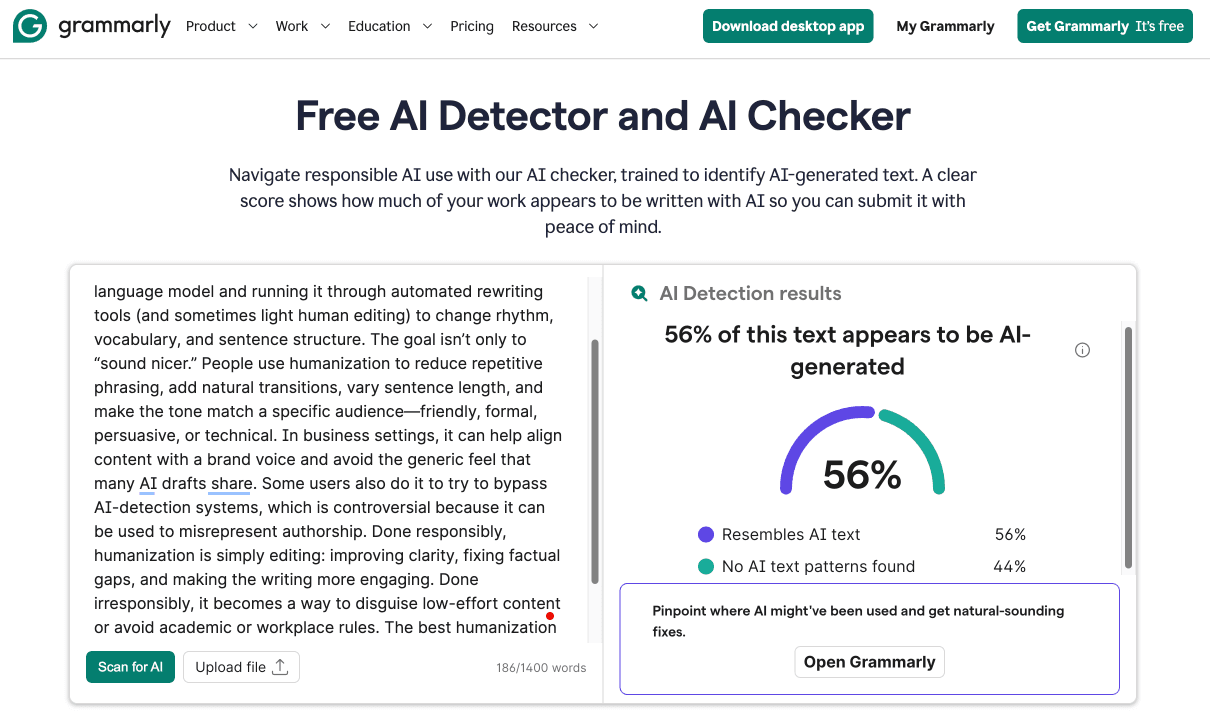
| **Grammarly Pro** | Cleaner client-facing writing | $12/month equivalent annually | Yes | Editing, clarity, tone and writing assistance wherever you work |
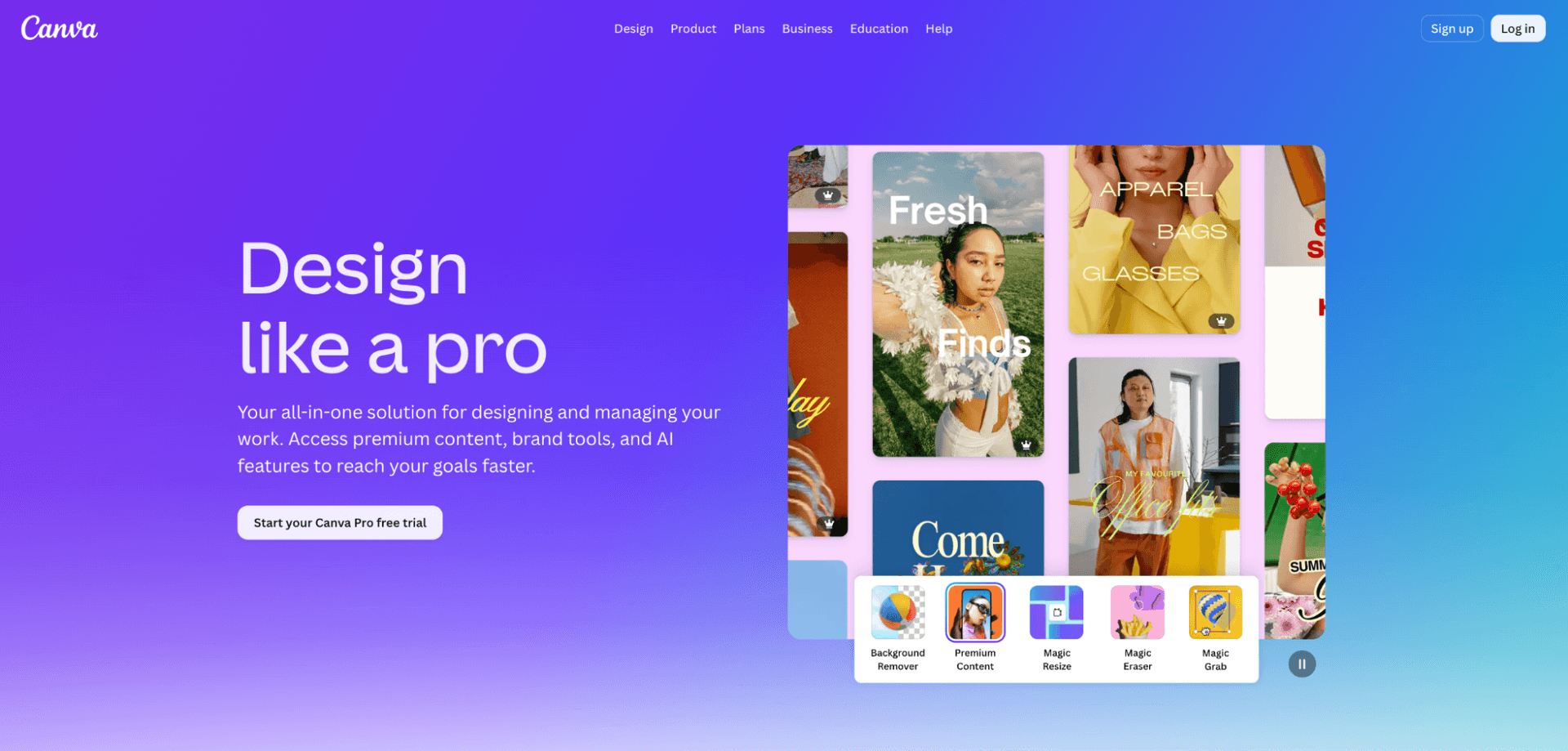
| **Canva Pro** | Client visuals without a full design workflow | About $15/month on annual U.S. pricing | Yes | Social assets, presentations, PDFs, proposals and AI-assisted design |
| **MeetGeek** | Automatic notes from client meetings | $9.99/user/month annually | Yes | Records, transcribes, summarizes and extracts action items |
| **Reclaim.ai** | Protecting billable and deep-work time | $12/seat/month | Yes | Automatically reorganizes calendars around priorities |
| **SaneBox** | Reducing inbox overload | From $4.54/month on a long-term billing plan | Trial | Learns which email deserves immediate attention |
| **Beautiful.ai** | Faster proposals and client presentations | $14.50/month annually | 14-day trial | Turns content into polished, consistently formatted decks |
How We Chose the Best AI Tools for Freelancers
Freelancers need a different buying framework from startups or larger businesses because the relevant return is usually measured in billable hours, client quality and mental overhead. Enterprise security and team administration can matter later, but they should not outweigh simplicity and day-to-day usefulness for a person running the entire business alone.
We prioritized five factors when narrowing the list:
• The tool solves work freelancers repeat. Client emails, project research, meeting notes, visual production and scheduling happen often enough to justify automation. • A solo professional can use it without an implementation project. Software that requires an administrator or weeks of configuration has a much harder case in a one-person business. • The price makes sense outside an enterprise budget. A freelancer should be able to recover the cost through saved time or better deliverables. • The output can remain under human control. Client-facing work still needs professional judgment, especially when factual accuracy, tone or brand reputation matters. • There is enough real user feedback to identify weaknesses. Product pages explain what software is designed to do; reviews are often better at showing where the workflow breaks.
That last point is especially important in 2026. Most AI software now has a polished demonstration, so the differences often become visible only after weeks of real work – when usage limits appear, meeting transcripts miss context or an automated design turns out to be difficult to customize.
Detailed Reviews of the Best AI Tools for Freelancers
The eight tools below are not intended to form one universal freelancer stack. Each solves a different part of freelance work, so the more useful question is not which product ranks first overall but which one removes the largest recurring source of non-billable work in your own business.
1. ChatGPT – Best AI Tool for Freelancers Who Want One Versatile Subscription
ChatGPT is the most obvious starting point for freelancers who want one AI subscription that can handle many different kinds of work rather than a separate product for every task. It can help with proposals, research, spreadsheets, coding, client communication, document analysis, images and planning, making it unusually useful to freelancers whose working week changes from project to project.
ChatGPT Plus costs $20 per month and expands access beyond the free plan, including higher model limits, advanced reasoning, file uploads and analysis, image generation, voice and Deep Research where available. OpenAI also offers a lower-cost Go plan in supported markets, but Plus remains the more relevant individual tier for freelancers using the platform professionally every day.
Its biggest advantage is breadth rather than one narrowly superior function. A freelance marketer can use the same account to examine a client's spreadsheet, research a market, work through positioning, critique an email campaign and generate a visual concept without moving between several specialist interfaces.
Useful freelance workflows include:
• Turning discovery-call notes into the first structure of a proposal. • Comparing client briefs and identifying missing requirements before quoting. • Reviewing spreadsheets, CSV files and performance reports. • Building research briefs before entering a new industry. • Drafting client emails that are then rewritten in the freelancer's own voice. • Debugging code or explaining technical issues to nontechnical clients. • Developing project checklists, scope documents and operating procedures. • Creating rough visual concepts before investing time in finished design.
ChatGPT becomes much more valuable when freelancers stop treating every conversation as a blank chat. Reusable project instructions, example deliverables, uploaded references and clear constraints can reduce the generic tone that makes unedited AI work immediately recognizable.
User feedback is strongest around versatility, ease of use and speed, while factual mistakes and inconsistent performance on specialized tasks remain recurring complaints. G2 currently shows a rating around 4.6 out of 5 from more than 2,500 reviews in its AI product profile, with reviewers frequently mentioning productivity, writing, coding and problem-solving as strengths. The same review data repeatedly flags inaccurate answers and usage limitations as reasons important output still needs checking.
Freelance discussions also show people using ChatGPT beyond content generation. One Upwork freelancer described feeding it job details and a prospective client's previous hiring behavior to decide whether the opportunity was worth pursuing, which is a good example of AI improving the business decision around a project rather than merely producing the deliverable.
The danger is trusting fluent output because it sounds complete. Research, technical statements, financial assumptions and client-specific claims still need verification, while writing usually needs enough editing to restore the freelancer's own judgment and voice.
It can also encourage tool overreach. ChatGPT may help organize leads, draft meeting notes and create invoice wording, but that does not automatically make it the best permanent system for CRM, accounting or project management. Once a workflow becomes frequent and structured, specialist software can be more reliable.
Plus makes the clearest case for generalists, consultants, marketers, developers, researchers and freelancers who work across several types of deliverable every week. If the free plan already covers occasional brainstorming and email drafting, there is no reason to upgrade simply because AI is fashionable; the paid plan starts making sense when limits or missing capabilities are regularly interrupting client work.
2. Claude – Best AI Tool for Freelancers Working With Long Documents and Complex Briefs
Claude is particularly attractive to freelancers whose work begins with a large amount of context – long briefs, contracts, reports, research material, codebases or several documents that need to be understood together. It overlaps with ChatGPT in many areas, but the working experience often appeals to writers, strategists, consultants and developers who spend more time refining complex material than generating quick standalone assets.
Claude Pro costs $20 monthly or an effective $17 per month on the discounted annual plan. Pro expands usage, adds Projects, Research, integrations and Google Workspace connections, while heavier users can move to significantly more expensive Max tiers.
Claude works especially well when the first step is understanding before writing. A consultant can give it a long client report and ask for contradictions, unanswered questions and strategic implications; a copywriter can load tone references before rewriting a landing page; a developer can use Claude Code for more involved technical work.
Its strongest freelance use cases include:
• Reviewing long briefs before estimating scope. • Comparing several documents without manually switching between them. • Building first drafts of detailed reports and proposals from source material. • Rewriting dense client material into clearer language. • Working through technical documentation and code. • Maintaining project-specific context inside Projects. • Conducting structured research before creating a client deliverable.
This makes Claude a particularly strong alternative when the freelancer's work involves fewer, deeper projects rather than dozens of small transactional tasks.
Users repeatedly praise Claude's natural writing, long-context work and careful reasoning, while usage limits are the complaint that appears most consistently among heavier users. G2's current AI profile rates Claude around 4.4 out of 5, and recent review analysis highlights its ability to work with large PDFs, detailed documents and technical material without reducing everything to a shallow summary.
The same downside appears in both G2 and Reddit discussions. Pro subscribers working on coding or long agentic tasks report reaching session or token limits before completing the work they intended to do, which matters much more to a freelancer facing a client deadline than it does to someone using AI casually.
The main purchasing risk is paying for Pro and discovering that your most intensive workflow still requires rationing usage. Freelancers working with large codebases or long autonomous tasks should test their real workload before assuming the $20 plan is effectively unlimited.
Claude is also less of an all-in-one multimedia toolbox than some competitors. For a freelancer who constantly needs image creation alongside writing and analysis, that may mean keeping another creative tool open anyway.
Claude is worth testing first for long-form writers, researchers, consultants and developers whose work depends heavily on source material and sustained context. Most solo freelancers do not need both subscriptions permanently, so the practical approach is to run the same real client tasks through each for a few weeks and keep the one that removes more editing and friction.
3. Grammarly – Best AI Tool for Freelancers Whose Reputation Depends on Their Writing
Grammarly remains useful because it works at a different stage from a general AI assistant: instead of helping produce the first draft, it follows the freelancer into everyday writing and catches problems before the client sees them. That distinction matters for writers, consultants, virtual assistants, recruiters, marketers and non-native English speakers who may send dozens of client-facing messages every week.
Grammarly Pro costs $30 when billed monthly, $60 for three months or $144 annually, which works out to $12 per month on the annual subscription. Pro now combines advanced writing assistance with AI-agent access and multilingual features, while a free plan remains available for basic writing support.
Its strongest advantage is that editing happens inside the places where freelancers already write. A proposal does not need to be copied into an AI chat just to check clarity, and a hurried client email can be reviewed before it leaves the browser or document.
Grammarly can help with grammar, spelling, clarity, tone and rewriting, which is particularly valuable when the freelancer is switching between very different communication styles. A formal project update, friendly follow-up, concise invoice reminder and long client report should not all sound alike.
The value is less dramatic than asking an AI agent to build an app, but it is also easier to measure. One embarrassing typo or confusing sentence in a proposal can matter more commercially than a dozen clever generated paragraphs.
Grammarly has one of the largest bodies of user feedback in this comparison, with G2 showing roughly 4.7 out of 5 across more than 13,000 reviews. Positive reviews repeatedly mention fast grammar correction, tone assistance, clarity and the ability to polish professional writing in real time, particularly for people who write frequently for work.
The criticism is more mixed. Some users complain that the interface can interfere with other applications or that suggestions occasionally make a sentence sound less natural, while recent Reddit discussions include freelancers questioning whether the paid plan is worth its full monthly price. That suggests Grammarly is most valuable when writing quality is central to the service being sold rather than as a default subscription for every freelancer.
No freelancer should accept every suggestion automatically, especially when the work has a distinctive voice or specialized terminology. A grammatically cleaner sentence can still be worse copy if it removes personality, changes emphasis or makes every client's content sound the same.
The annual plan is also much easier to justify than the $30 monthly option. A freelancer who only needs occasional proofreading may be able to stay on Free and use a general AI assistant for deeper revisions.
Professional writers, editors, consultants and freelancers working in a second language have the clearest case for Pro. For visual designers, developers or other professionals who write relatively little client-facing copy, it may be useful but not essential.
4. Canva – Best AI Tool for Freelancers Who Need Professional Visuals Without Becoming Designers
Canva is one of the most practical AI-enabled tools for freelancers because even people who do not sell design still need visual work. Proposals, social posts, client presentations, PDFs, reports, lead magnets, thumbnails and simple videos all create small design jobs that can otherwise interrupt billable work.
Canva still offers a substantial free tier. Its U.S. Pro pricing currently appears around $180 per year for an individual on the main pricing page, although displayed pricing can vary by market and account, and Canva now also offers additional AI capacity through its AI Pass model.
The real benefit is not that artificial intelligence creates a perfect design from one prompt; it is that Canva shortens dozens of small production steps around an existing idea. Templates, resizing, background removal, translation and AI-assisted creation make it much easier to adapt a piece of work into several client-ready formats.
A social-media freelancer can create one campaign concept and resize it across channels. A consultant can turn a report into a clean presentation. A virtual assistant can prepare branded PDFs, while a coach can create course materials without opening professional design software for every small change.
Canva becomes especially useful when a client expects visual polish but the freelancer's actual service is marketing, strategy, social media, education or administration rather than graphic design.
The user base is enormous, and G2 currently shows Canva around 4.7 out of 5 across more than 8,000 reviews on the company profile. Ease of use and templates dominate positive feedback, with many small-business users saying the platform allows non-designers to produce polished assets quickly and keep visual work consistent.
The AI-specific feedback is less universally positive. Recent G2 reviewers still praise the speed of templates and AI-assisted workflows, but Reddit discussions include experienced Canva users who feel some newer AI features are unreliable or that product changes have made fine control more frustrating. The takeaway is useful for freelancers: Canva remains an excellent production platform even if you do not rely on AI to make every creative decision.
Professional designers can quickly hit the limits of a template-driven environment when they need precise typography, complex illustration or highly customized production. Canva can produce polished client materials, but it does not remove the advantage of specialist design skill.
Freelancers should also inspect AI-generated imagery carefully. Brand consistency, visual artifacts and client policies around generative imagery can create revision work if the output is accepted too quickly.
Social-media managers, marketers, coaches, virtual assistants, consultants and content freelancers can often justify Pro quickly because the same subscription touches several deliverables. A professional designer already working in a more advanced creative suite may use Canva mainly for fast adaptations or client-editable files rather than as the center of the design workflow.
5. MeetGeek – Best AI Tool for Freelancers Who Spend Too Much Time Taking Client Notes
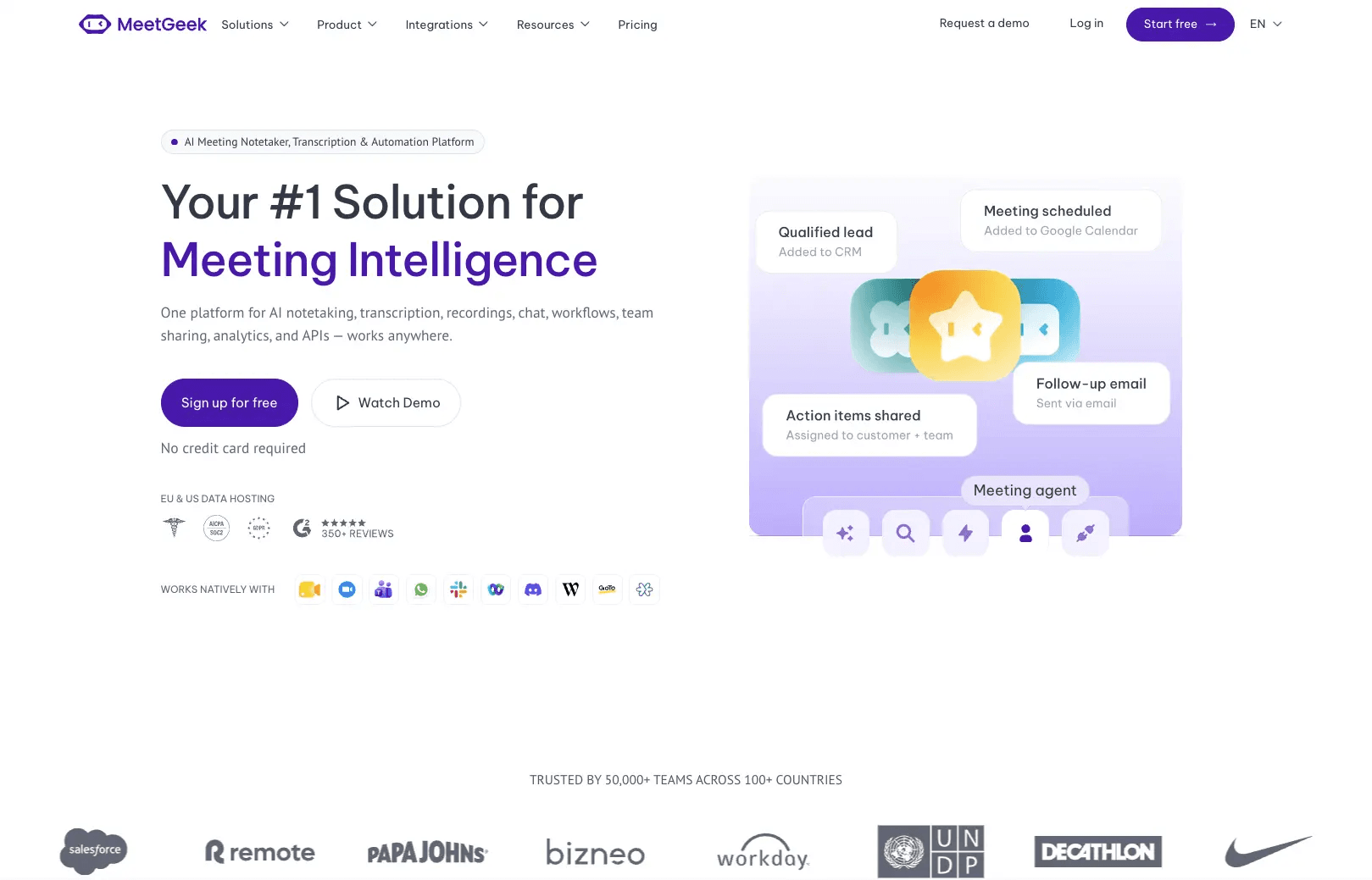
MeetGeek is one of the easiest AI tools to justify when client meetings are a major part of the working week. Instead of splitting attention between listening and typing, the freelancer can keep the conversation moving while the software records, transcribes, summarizes and extracts action items.
The Basic plan is free and currently includes three hours of transcription per month. Pro costs $9.99 per user per month on annual billing and expands transcription, integrations, AI chat and workflows, while Business moves to $17 per user per month annually with unlimited transcription and additional team features.
Meeting automation has value beyond saving note-taking time because it also creates a record of what the client actually asked for. This can be useful when project scope changes, feedback becomes contradictory or several decisions need to be transferred into the freelancer's project-management system after a call.
MeetGeek can work with major meeting platforms, automatically identify meeting types, generate summaries and make previous conversations searchable. For consultants, coaches and agencies operating with contractors, that meeting history can become a practical client knowledge base rather than a pile of personal notes.
The Pro tier also supports automation with services such as Zapier, Make and n8n, which opens another useful workflow: a finished client call can produce notes, action items and follow-up tasks without the freelancer manually rebuilding the meeting inside another system.
G2 currently rates MeetGeek about 4.6 out of 5 from close to 500 reviews, with time savings and the ability to stay focused during meetings appearing repeatedly in positive feedback. Consultants and small-business users also praise quick setup, automatic calendar integration and clear post-meeting summaries.
The recurring weakness is accuracy. Reviewers note that summaries or transcripts can occasionally miss context, small details or language nuances, which means a freelancer should still review important deliverables, approvals and commitments before treating an AI meeting summary as the definitive project record.
The product becomes less compelling when meetings are rare or when clients are uncomfortable with automated recording. Recording consent rules also vary by jurisdiction and client policy, so a freelancer should not treat automatic attendance by a meeting bot as something that can simply be enabled everywhere without discussion.
The free plan is generous enough for occasional calls, making it sensible to prove that automated notes change the workflow before paying.
Consultants, coaches, account managers, recruiters and freelancers who hold several discovery, review or strategy calls every week have the clearest case. A copywriter who receives almost every brief asynchronously may save more money elsewhere.
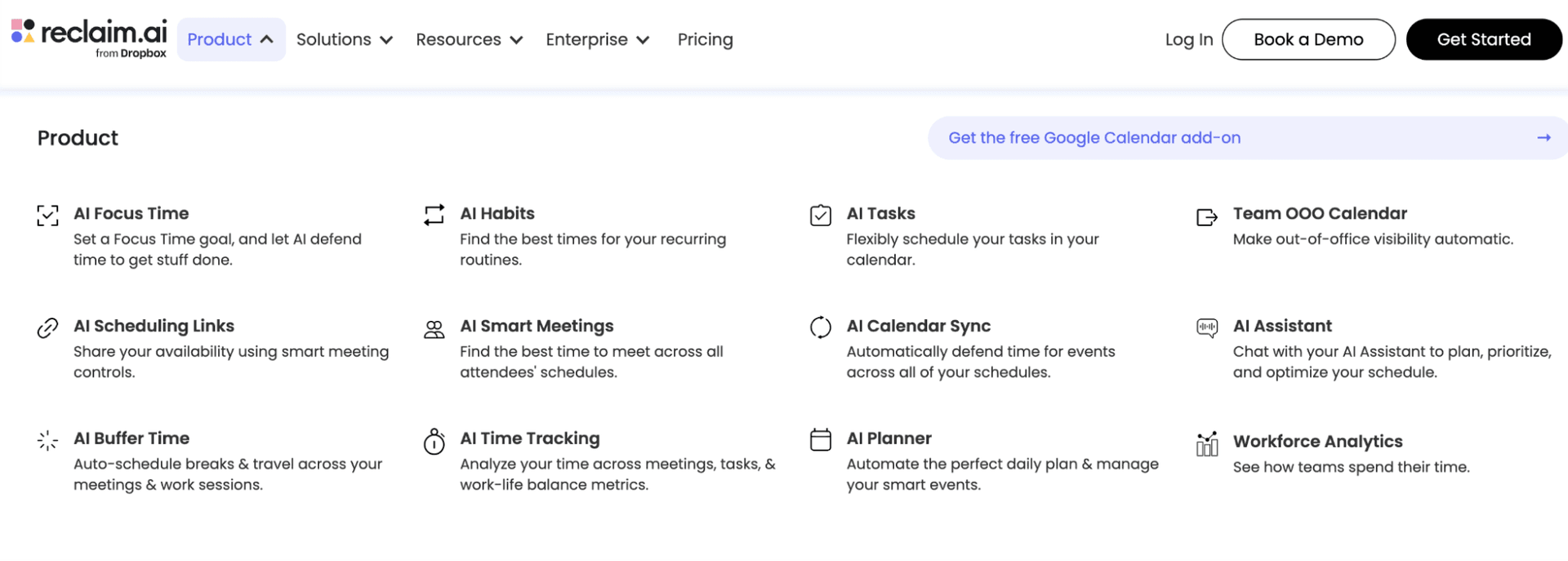
6. Reclaim.ai – Best AI Tool for Freelancers Whose Calendar Keeps Destroying Their Workday
Reclaim.ai addresses a problem that is less visible than writing or design but can be expensive for freelancers: a calendar filled with small meetings that fragments the hours needed for actual client work. Instead of behaving like a normal booking tool, Reclaim automatically protects and moves focus blocks, habits and tasks as the calendar changes.
A free Lite plan is available for individuals. Starter costs $12 per seat per month, adds more scheduling control and up to 10 AI agents per seat, while Business costs $18 and significantly expands those automation capabilities.
The value comes from treating uninterrupted work as something that deserves calendar protection rather than something fitted around meetings. A freelancer can set a weekly focus-time target, define recurring habits and let the system move flexible work when new client calls appear.
That can be particularly useful for consultants and creatives who accept booking links from several clients. Without automated protection, a day can easily become four unrelated 30-minute meetings with unusable gaps between them; Reclaim attempts to preserve larger working blocks around those commitments.
Its newer task recommendations can also turn meeting action items into suggested work, reducing the chance that a verbal promise disappears between the calendar and the project list.
G2 currently shows Reclaim around 4.8 out of 5 from roughly 140 reviews, with automatic prioritization, calendar integration and rescheduling frequently mentioned as strengths. Reviewers particularly value the ability to protect focus time without repeatedly rearranging the calendar by hand.
Recent solo-business discussions on Reddit echo that benefit: users describe Reclaim moving deep-work blocks automatically when meetings interfere, and some argue that protecting concentration produces more practical value than adding yet another AI content generator.
Negative feedback tends to focus on product limitations rather than the core scheduling concept, including requests for stronger mobile functionality, additional customization and more flexibility in lower-priced plans.
It cannot create focus if the freelancer ignores the calendar it builds. Someone who constantly overrides protected work periods, accepts every meeting request and never estimates tasks realistically may simply end up with a more sophisticated version of the same schedule.
Freelancers with very few meetings can often achieve something similar with basic calendar blocks, so the paid plan earns its keep mainly when rescheduling itself has become ongoing administrative work.
Consultants, developers, strategists, writers and designers who need long periods of uninterrupted work but also maintain a client-facing calendar are the strongest fit. The free Lite tier is enough to determine whether automated time blocking changes behavior before committing to Starter.
7. SaneBox – Best AI Tool for Freelancers Whose Inbox Has Become a Second Job
SaneBox is less flashy than a generative AI assistant, but it targets one of the most persistent sources of freelancer interruption: email that looks equally urgent until someone manually opens it. The service learns from email behavior and separates lower-priority messages so the main inbox becomes a shorter list of things that may actually need attention.
Its current plans start with Snack at about $4.54 per month when paid on the longest billing cycle, followed by Lunch at about $7.46 and Dinner at roughly $22.04. The plans differ by the number of email accounts and features available, and a seven-day trial lets users train the system before committing.
The strongest use case is not spam filtering in the traditional sense but attention filtering. Newsletters, copied threads and lower-priority senders can be moved away from the primary inbox while important correspondence remains visible.
Features such as SaneLater, SaneBlackHole and follow-up tools can reduce the amount of time a freelancer spends repeatedly making the same decisions about email. That becomes more valuable as the business accumulates clients, subscriptions, vendors, platforms and automated notifications.
For freelancers who work from email rather than a project portal, this can also protect response quality. Opening the inbox five times per hour makes it harder to spend 90 uninterrupted minutes on the actual project a client is paying for.
SaneBox has unusually strong user sentiment, with G2 currently showing roughly 4.8 out of 5 across more than 240 reviews. Long-term users frequently praise its ability to learn which messages matter and say the product becomes most valuable precisely because it fades into the background rather than demanding regular configuration.
The weakness is also predictable: filtering is never perfect. Some users say they still need to train or double-check the system, while a recent Reddit discussion from a long-term user complained about important messages occasionally being classified incorrectly. For a freelancer, that means the first weeks should involve checking filtered folders regularly before trusting the system with minimal supervision.
Freelancers with low email volume are unlikely to recover enough time to justify another subscription. Modern email providers also already include increasingly capable spam and priority controls, so the paid service needs to perform materially better than what the existing inbox can do for free.
It is best viewed as a product for people who know they have an inbox problem, not as a standard part of every AI stack.
Consultants, recruiters, account managers, virtual assistants and established freelancers managing several active clients simultaneously are the strongest candidates. If email regularly determines the rhythm of the day, improving what reaches the primary inbox can have more impact than adding another generation tool.
8. Beautiful.ai – Best AI Tool for Freelancers Who Win Work With Presentations
Beautiful.ai is designed for professionals who need polished presentations without spending the same amount of time on slide mechanics as they do on the ideas. For freelancers, that makes it particularly relevant to proposals, workshops, consulting decks, client reports and pitches where the presentation itself influences whether the work looks premium.
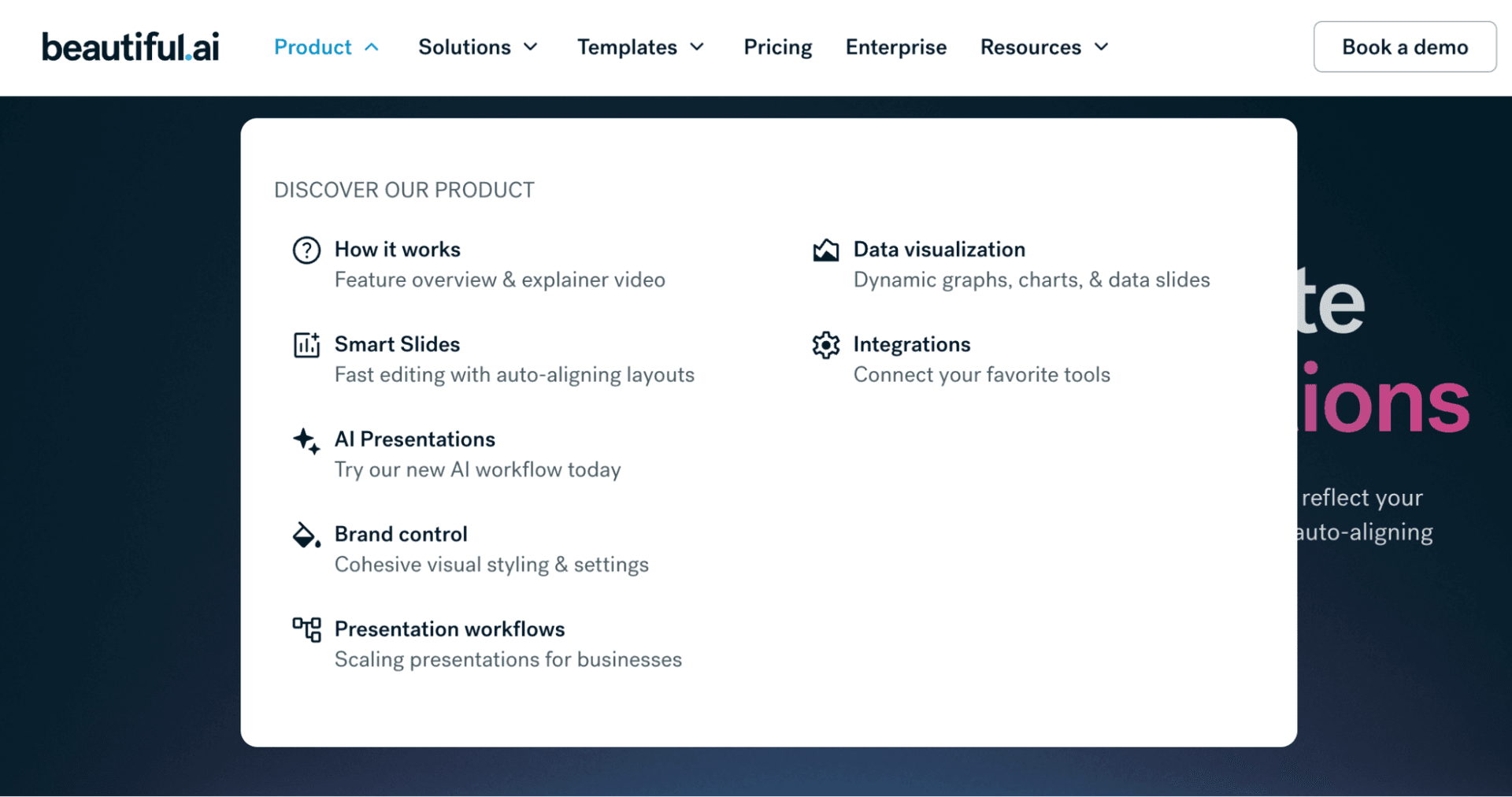
The individual Pro plan currently costs $14.50 per month when billed annually and includes AI-generated presentations, AI writing and images, custom brand styling, more than 300 Smart Slide layouts and PowerPoint import and export. A 14-day trial is available, while a one-off monthly presentation option is significantly more expensive for people who only need the tool temporarily.
Beautiful.ai is narrower than Canva, and that is partly the point. Canva handles a huge range of visual content, while Beautiful.ai focuses on keeping presentations aligned, formatted and visually coherent as content changes.
Smart Slides automatically reorganize elements when text, charts or visuals are edited. That means a consultant can spend more time deciding what a slide needs to communicate and less time nudging text boxes into alignment.
The distinction matters for freelancers producing recurring decks. A strategy consultant who sends three presentations per month may value this specialized workflow more than someone who needs occasional Instagram graphics, PDFs and video.
G2 currently shows Beautiful.ai around 4.6 out of 5 from nearly 200 reviews, with ease of use, professional-looking output and time savings appearing repeatedly in positive feedback. Small-business reviewers often say the software lets them focus on the content of the presentation because layouts remain clean without constant manual formatting.
Customization is the most common trade-off. Users who want unusual process diagrams or highly specific layouts sometimes find the same guardrails that make Beautiful.ai easy to use restrictive, and PowerPoint exports can occasionally require manual cleanup.
A freelancer who only creates one presentation every few months may struggle to justify a permanent subscription. Canva or PowerPoint may already be sufficient, especially when the presentation requires unusually customized design rather than fast consistency.
The tool also cannot rescue weak strategic content. A proposal with a beautiful layout still loses if the freelancer has misunderstood the client's problem, scope or commercial priorities.
Consultants, coaches, trainers, strategists and B2B freelancers who regularly sell ideas through slides are the strongest fit. It is easier to justify when presentations help win or expand client work rather than simply documenting work that has already been sold.
What Existing Users Tell Us About These AI Tools for Freelancers
Review ratings should not be treated as a ranking because the products solve different problems and have very different review volumes. They are more useful for spotting the pattern behind satisfaction: where users consistently see value and where complaints continue to appear after the initial novelty wears off.
These scores are snapshots rather than permanent product grades, and some profiles cover thousands of reviews while others contain far fewer. The more useful pattern is that users tend to value AI most when it quietly removes an existing task, while frustration rises when the AI makes a decision that still has to be checked or redone manually.
| **Tool** | **Current user-review signal** | **What users most often like** | **Recurring complaint** |
|---|---|---|---|
| **ChatGPT** | ~4.6/5 on G2 | Breadth, speed, productivity | Incorrect answers and limits |
| **Claude** | ~4.4/5 on G2 AI | Long-context work, reasoning, writing | Usage limits for heavy workflows |
| **Grammarly** | ~4.7/5 on G2 | Real-time corrections, tone, clarity | Suggestions can be intrusive or unnatural |
| **Canva** | ~4.7/5 on G2 | Ease of use, templates, quick production | Advanced control and some AI output |
| **MeetGeek** | ~4.6/5 on G2 | Meeting summaries and saved note-taking time | Occasional transcript/context errors |
| **Reclaim.ai** | ~4.8/5 on G2 AI | Focus protection and automatic rescheduling | Mobile/customization limitations |
| **SaneBox** | ~4.8/5 on G2 | Accurate inbox prioritization over time | Occasional misclassification |
| **Beautiful.ai** | ~4.6/5 on G2 | Fast professional slide design | Less freedom for custom layouts |
Best AI Tools for Freelancers by Type of Work
Freelance specialization matters more than popularity when choosing AI software. A copywriter and a management consultant may both work alone, but the time they need to automate sits in completely different parts of the working day.
The table is deliberately selective. A freelance writer does not become more competitive by subscribing to every design and scheduling platform, and a developer does not need a presentation generator simply because it appears on a list of top AI tools for freelancers.
| **Freelancer type** | **Tools worth testing first** | **Why** |
|---|---|---|
| **Writer / editor** | Claude or ChatGPT + Grammarly | Research, drafting, long documents and final polish |
| **Consultant** | Claude or ChatGPT + MeetGeek + Beautiful.ai | Research, calls, proposals and client presentations |
| **Marketing freelancer** | ChatGPT + Canva Pro + Grammarly | Strategy, content and fast visual production |
| **Social media manager** | ChatGPT + Canva Pro + Reclaim | Content planning, visuals and calendar control |
| **Developer** | ChatGPT or Claude + Reclaim | Technical assistance plus protected deep-work time |
| **Virtual assistant** | ChatGPT + Grammarly + SaneBox | Communication, drafting and inbox management |
| **Coach / trainer** | MeetGeek + Beautiful.ai + Claude | Session notes, learning materials and presentations |
| **Recruiter** | MeetGeek + SaneBox + ChatGPT | Calls, communication and candidate/client organization |
How Much Should Freelancers Spend on AI Software?
A solo freelancer should usually be able to explain the purpose of every paid tool in one sentence and connect that purpose to time or revenue. If a subscription cannot pass that test after a full month of normal work, it is a strong cancellation candidate.
A sensible budget can be built in stages:
The goal is not to keep software spending as low as possible. A consultant charging $150 per hour can rationally pay $20 for software that consistently saves an hour, while a new freelancer making $300 per month needs a very different threshold.
| **Monthly budget** | **What it can realistically cover** |
|---|---|
| **$0** | Free AI assistant + Canva Free + Reclaim Lite + limited MeetGeek |
| **$20–$35** | One paid general AI assistant, with free specialist tools around it |
| **$40–$70** | General AI + one or two tools tied directly to client delivery |
| **$70–$120** | Mature freelance stack covering creation, communication and admin |
| **$120+** | Usually justified only when several tools are directly supporting substantial recurring revenue |
Should Freelancers Pay for Both ChatGPT and Claude?
For most solo freelancers, paying for both from the beginning is unnecessary because there is substantial overlap in the work they can handle. The better approach is to test each on the freelancer's actual deliverables, not generic benchmark prompts, and keep both only when each has a clearly different role.
A consultant might prefer Claude for long research documents and still use ChatGPT for data analysis or image-related work. A developer may discover one is noticeably better for the specific stack being used, while a copywriter may prefer whichever needs less rewriting to reach the desired voice.
The decision becomes simple when framed financially: if the second $20 subscription does not regularly save at least $20 worth of time or improve work that produces more than $20 of value, it is not yet part of a lean freelance stack.
How to Test AI Software for Freelance Work Before Paying
The best trial uses real freelance work rather than made-up prompts designed to make the product look good. A freelancer should test the same recurring task that currently consumes time and compare not only speed but also the amount of correction required afterward.
A practical evaluation can follow this sequence:
• Choose one recurring workflow. Use a real proposal, meeting, client email, presentation or research task that happens frequently enough to matter. • Record how long the current process takes. This establishes whether the AI tool is actually saving time rather than merely feeling faster. • Run the same work through the tool several times. One excellent result can be luck, while recurring work shows whether quality is dependable. • Count the correction time. A first draft generated in three minutes is not efficient if another 45 minutes are needed to repair incorrect information or generic wording. • Check whether the result is client-ready. Review facts, confidentiality, tone, formatting and anything that could affect professional credibility. • Calculate the monthly value. Compare the expected hours saved with the price of the subscription and the freelancer's effective hourly rate.
A tool should stay in the stack only when the benefit survives this test. The most impressive AI feature is irrelevant if it creates more review work than it removes.
AI Tools Should Raise a Freelancer's Effective Rate, Not Lower It
Using AI does not automatically mean freelance work should become cheaper because clients are paying for the finished professional result, not for the number of keystrokes required to create the first draft. What AI can change is the freelancer's effective hourly rate: if a high-quality deliverable takes four hours instead of six, a fixed-price project becomes more profitable without reducing what the client receives.
Freelance community discussions in 2026 show increasing tension around this point. Clients are arriving with generated drafts or assuming that access to AI eliminates professional expertise, while freelancers report that fixing confident but inaccurate AI output can be harder than producing correct work from the start.
The commercially useful approach is to automate the parts clients do not value and keep human expertise concentrated where they do. Research preparation, transcription, resizing assets and inbox sorting can be accelerated heavily; strategic judgment, factual responsibility, brand understanding and final approval should not disappear simply because software has become faster.
Which AI Tools for Freelancers Are Worth Paying for First?
For a freelancer starting from zero, the first paid AI subscription should usually solve the broadest existing problem rather than the most specialized future problem. That often means ChatGPT or Claude for general knowledge work, but the answer changes when another bottleneck is already obvious.
The point is to solve the bottleneck that exists now. Buying Beautiful.ai because you might eventually pitch enterprise clients or paying for meeting automation when almost all work arrives through email is simply another form of software clutter.
| **Your biggest problem** | **First tool to consider** |
|---|---|
| Too much general research, drafting and analysis | **ChatGPT or Claude** |
| Writing looks less polished than your expertise deserves | **Grammarly Pro** |
| Too much time spent making client visuals | **Canva Pro** |
| Client calls produce hours of note-taking | **MeetGeek** |
| Meetings keep breaking up billable work | **Reclaim.ai** |
| Important email disappears inside inbox noise | **SaneBox** |
| Proposals and decks take too long to format | **Beautiful.ai** |
The Best AI Stack for Freelancers Is Usually Smaller Than Expected
A strong freelance business can run with a surprisingly small paid stack because the most capable tools now cover more than one job. The right combination is usually one general AI platform plus one or two specialist tools attached to the most repetitive parts of the freelancer's work.
For many knowledge workers, that might mean Claude or ChatGPT plus Grammarly and MeetGeek. A marketing freelancer may prefer ChatGPT, Canva and Reclaim, while a consultant with heavy client communication could justify Claude, MeetGeek, SaneBox and Beautiful.ai.
There is no advantage in owning the most AI subscriptions. The competitive advantage comes from knowing exactly where automation ends and professional judgment begins.
FAQ About the Best AI Tools for Freelancers in 2026
What are the best AI tools for freelancers in 2026?
ChatGPT and Claude are strong general-purpose choices, while Grammarly is useful for client-facing writing, Canva for visual work, MeetGeek for meetings, Reclaim for calendar management, SaneBox for email and Beautiful.ai for presentations. The best choice depends on which part of freelance work consumes the most unpaid time.
What is the best AI tool for freelancers overall?
There is no universal winner, but ChatGPT is one of the broadest starting points because one subscription can cover writing, analysis, research, files, images and technical assistance. Claude is a particularly strong alternative for freelancers working heavily with long documents and detailed source material.
What is the best free AI tool for freelancers?
ChatGPT and Claude both have free access tiers, while Canva, MeetGeek and Reclaim also provide usable free plans for narrower workflows. A new freelancer can therefore build a useful AI stack before paying for several subscriptions.
What are the best AI tools for freelance writers?
Claude or ChatGPT can handle research, outlining and first drafts, while Grammarly is valuable for final editing and tone. The AI-generated text should still be reviewed for factual accuracy, originality and the writer's own voice before client delivery.
What are the best AI tools for freelance designers?
Canva is useful for fast social content, presentations and client-editable materials, particularly when speed matters more than advanced design control. Professional designers may still prefer specialist creative software for complex visual work and use AI mainly for ideation or repetitive production.
What is the best AI tool for freelance consultants?
Claude or ChatGPT can assist with research and analysis, MeetGeek can capture client calls, and Beautiful.ai can reduce presentation-production time. The best combination depends on whether research, meetings or deck creation is currently the larger bottleneck.
Which AI tool is best for client meetings?
MeetGeek is one of the strongest options in this comparison because it can record, transcribe and summarize calls while extracting action items. Its free plan is sufficient for occasional meetings, while paid tiers support heavier use and more automation.
Can AI tools help freelancers get clients?
They can help research prospects, improve proposals, create portfolio assets and respond to leads more efficiently, but software does not replace positioning, credibility or a strong service offer. AI is more effective at improving a proven acquisition process than inventing demand for a poorly defined service.
Should freelancers disclose that they use AI?
There is no single rule for every client or profession. Freelancers should follow contractual requirements, platform policies, confidentiality obligations and any industry-specific rules, particularly when client data or generated material is involved.
Is it safe to put client information into AI tools?
It depends on the data and the provider's terms. Freelancers should review data-use policies and avoid uploading confidential client material unless the chosen service and account type are appropriate for that information.
How many AI tools does a freelancer really need?
Most freelancers can cover the majority of their workflow with two or three well-chosen paid tools plus free software. Additional subscriptions should be added only when a recurring problem is specific enough that the existing stack no longer handles it efficiently.
Is ChatGPT or Claude better for freelancers?
ChatGPT generally offers a broader set of multimodal tools, while Claude is particularly attractive for long documents, writing and context-heavy analysis. The most reliable way to choose is to test both on several real client tasks and compare how much editing each output requires.
Is Canva Pro worth it for freelancers?
It can be highly valuable for marketers, virtual assistants, social-media freelancers, consultants and other professionals who regularly need polished visual content without a full professional design workflow. Freelancers who rarely create visual assets may be well served by the free version.
Is Grammarly Pro worth paying for in 2026?
It makes the strongest case for freelancers who write frequently and whose credibility depends on polished English. Occasional writers may find the free plan sufficient, particularly if they already pay for another general AI assistant.
How can freelancers calculate the ROI of an AI tool?
Track how much time the task took before adoption, how long it takes with the tool, how much correction the AI output needs and the freelancer's effective hourly rate. A tool that saves two hours per month for a freelancer billing $75 an hour has a very different value proposition from a tool that merely saves five minutes.
Can AI tools replace a freelancer?
AI can replace or reduce parts of a workflow, particularly repetitive drafting and administrative work, but professional freelance services also depend on judgment, accountability, client context and final quality control. The stronger long-term strategy is to use AI to increase the value delivered per hour rather than compete with raw automated output on price alone.
Claap or Spiky.ai

Written by
Alex Rivers
Alex Rivers advises early-stage operators on lean software stacks: what to buy in year one versus what to postpone.
Last reviewed September 21, 2026
More in this topic
- Distribution Business Plan: Build a Bankable B2B Growth Blueprint
Build a bankable wholesale distribution business plan covering market, suppliers, logistics, and 12-month milestones.
- Distribution Business License Requirements: What You Need and When
Learn which licenses, permits, and registrations distributors typically need before first invoices.
- How Much Does It Cost to Start a Distribution Business?
Startup budget ranges for distribution — inventory, warehouse, software, freight, and working capital buffers.