AI Tools
Best AI Research Tools in 2026: 11 Platforms Compared
AI research tools can now search hundreds of sources, review scientific papers, trace citations and build detailed reports in minutes. The challenge is choosing the right system for the evidence you need. We compared 11 serious research platforms by workflow, source quality, pricing and real-world usefulness.

Best AI Research Tools in 2026: 11 Platforms for Web, Academic and Professional Research
The best AI research tools in 2026 are no longer simply chatbots that search the web before answering a question. The category now includes autonomous research agents that spend several minutes investigating a topic, specialist platforms that screen thousands of scientific papers, tools that verify how research has been cited, and source-grounded workspaces that refuse to move beyond the documents a researcher provides.
That variety is useful, but it makes comparisons harder. Perplexity, ChatGPT, Gemini and Claude are strong when research involves the live web and mixed source types. Elicit and Consensus work much closer to scholarly evidence, Scite concentrates on citation context, SciSpace helps users read dense papers, ResearchRabbit maps relationships across the literature, while NotebookLM is particularly valuable after the source collection has already been assembled.
The practical question is therefore not simply which AI research tool produces the most impressive report. A good research workflow depends on where the evidence comes from, whether the user needs broad discovery or systematic screening, how important reproducibility is and how easily every important conclusion can be traced back to the original source.
This guide compares 11 AI research tools across those different jobs. Current capabilities and public pricing were checked against official vendor information available in September 2026, while independent user feedback was considered separately where enough reliable review data exists.
Best AI Research Tools in 2026 – Quick Comparison
No single platform is strongest at every stage of research, which makes a use-case comparison more useful than a simple ranking from first to eleventh. Perplexity is built around fast cited web research, Elicit is far more specialized for literature reviews, NotebookLM is strongest when the source set is already known, and Scite solves a narrower but important problem that general research assistants often handle poorly – understanding how other papers have cited a study.
*Prices reflect public U.S. pricing or equivalent annual-plan pricing where applicable. Usage limits, research credits, team access and institutional plans can change the final cost.
The table also highlights one of the most important differences among top AI research tools: some search broadly and synthesize whatever credible material they find, while others deliberately restrict the research universe to scholarly literature or sources selected by the user. That choice affects both speed and the type of claims a researcher can responsibly make.
| **AI research tool** | **Best for** | **Primary source type** | **Starting price*** | **Main strength** |
|---|---|---|---|---|
| **Perplexity** | Fast current web research | Web, files, connected sources | Free / $20 month | Fast answers with visible citations |
| **ChatGPT Deep Research** | Long multi-source research reports | Web, uploaded files, connected apps | Free limited / $20 month Plus | Deep synthesis across mixed sources |
| **Gemini Deep Research** | Google-based research workflows | Web, Drive, Gmail, files, NotebookLM | Free limited / $19.99 month Pro | Strong Google ecosystem integration |
| **Claude Research** | Nuanced synthesis and long-form analysis | Web, files, connected work sources | Paid plans from $20 month | Careful reasoning and long-context work |
| **NotebookLM** | Research grounded in a known source library | Uploaded and selected sources | Free / expanded access with $19.99 Google AI Pro | Source-grounded answers and citations |
| **Elicit** | Systematic and structured literature reviews | Scholarly papers and clinical trials | Free / $11 user month annually | Screening, extraction and evidence tables |
| **Consensus** | Fast evidence-based answers from research | Peer-reviewed literature | Free / $12 month annually for Pro | Direct answers from scientific papers |
| **Scite** | Citation verification and evidence context | Scholarly papers and citation network | Free connector / $20 month annually | Shows whether citations support or contrast claims |
| **SciSpace** | Reading and understanding research papers | Scholarly literature and uploaded PDFs | Free / $12 month annually | PDF explanation and broad academic workflow |
| **ResearchRabbit** | Discovering connected papers and authors | Academic literature and citation networks | Free / $10 month annually | Visual literature discovery |
| **Undermind** | Deep search for hard-to-find research | Scientific literature and full text | Free / $16 month annually | Persistent search for highly specific papers |
AI Research Is Not One Task – Match the Tool to the Research Stage
Research usually involves several separate activities, and buying one AI platform for all of them can create unnecessary weaknesses in the workflow. The tool that discovers a promising paper is not necessarily the best one for verifying that paper's citation history, while software that produces a polished market-research report may not offer the reproducibility required for a systematic review.
This is also why an effective research stack may contain two or three tools rather than one. A researcher could discover literature through ResearchRabbit, extract evidence in Elicit, check pivotal citations with Scite and only then use Claude or ChatGPT to help structure a final synthesis.
| **Research stage** | **What the user needs** | **AI research tools to consider** |
|---|---|---|
| **Scoping a new topic** | Understand terminology, major debates and important sources | Perplexity, ChatGPT, Gemini, Claude |
| **Current web research** | Recent news, market information, companies and public sources | Perplexity, ChatGPT, Gemini, Claude |
| **Working with a fixed source library** | Ask questions without pulling information from outside documents | NotebookLM |
| **Finding academic literature** | Search scholarly papers by research question | Elicit, Consensus, SciSpace, Undermind |
| **Systematic review** | Screen, compare and extract structured evidence | Elicit |
| **Checking citation context** | See whether later research supports or disputes a study | Scite |
| **Understanding difficult papers** | Explain methods, equations, tables and terminology | SciSpace, NotebookLM |
| **Finding related literature** | Follow citation networks, authors and adjacent fields | ResearchRabbit, Undermind |
| **Writing a research synthesis** | Combine verified sources into a coherent report | ChatGPT, Claude, Gemini, Elicit |
| **Monitoring a research field** | Discover new work after the initial review | Elicit, ResearchRabbit, Scite |
AI Research Tools for Web Research and Multi-Source Reports
General-purpose research agents are the most flexible category because they can work across websites, documents, PDFs and other source types without requiring a formal academic database. They are especially useful in business research, competitive intelligence, technology analysis, policy work and any project where important evidence is distributed across different types of sources.

The trade-off is source discipline. A broad research agent may find an excellent regulator report, company filing and academic paper in the same investigation, but it can also encounter low-quality secondary pages. Researchers still need to inspect the evidence rather than treating a citation as proof that the source itself is strong.
1. Perplexity – AI Research Tool for Fast, Citation-First Web Research
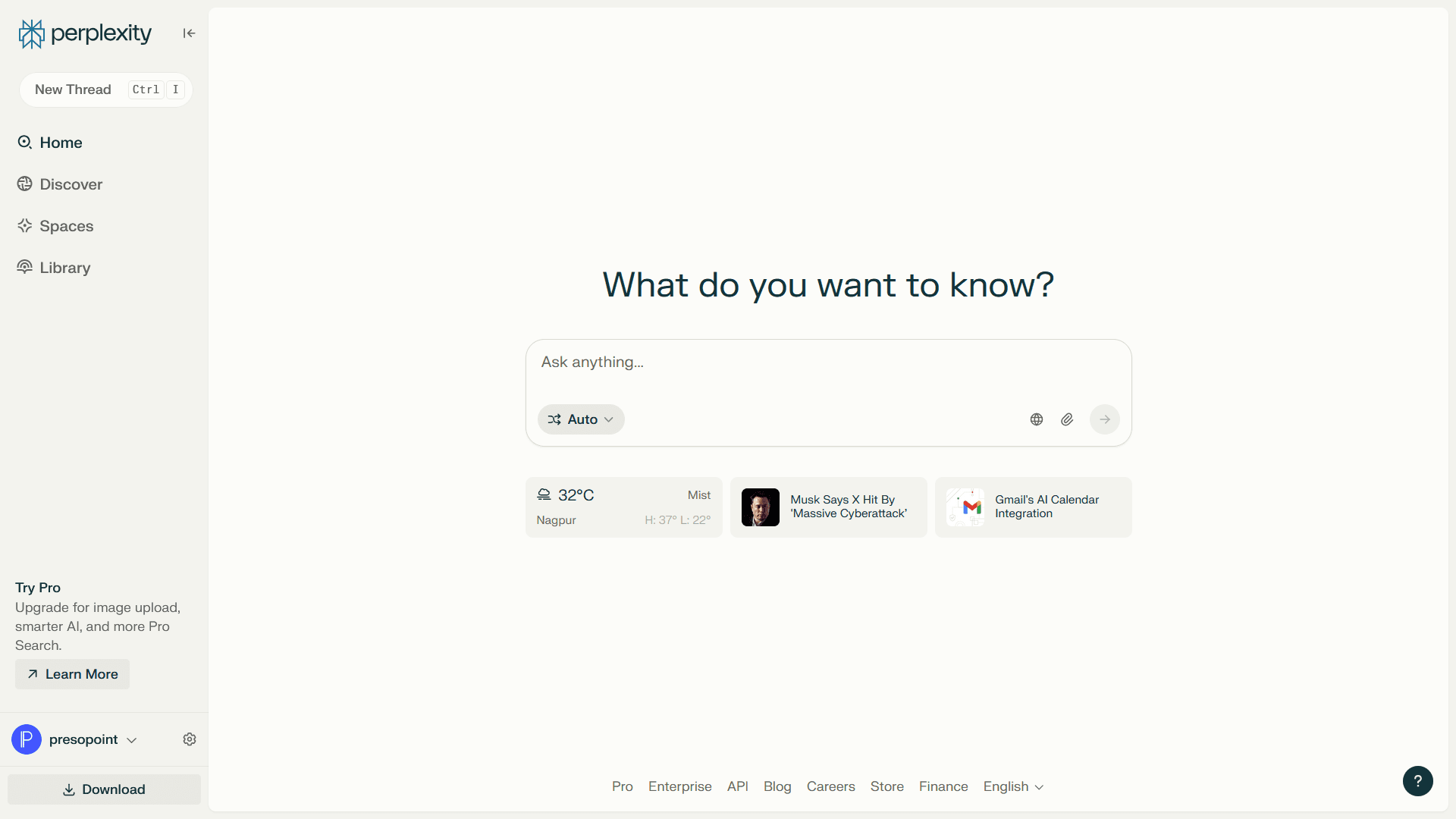
Perplexity remains one of the most natural tools for beginning a research project because citation-backed search is the center of the product rather than an optional mode inside a larger assistant. Users can ask a question conversationally, follow the sources immediately and continue refining the investigation without moving back and forth between a traditional search engine and a separate AI chat.
Perplexity Pro costs $20 per month and currently provides expanded Research access, more citations per answer, advanced model choice, larger file allowances and additional research capabilities. Enterprise Pro starts at $40 per seat monthly or $400 annually and adds organization-level security, internal knowledge search and administrative controls.
Perplexity is particularly effective at the beginning and middle of an investigation, when the user needs to understand a subject quickly while retaining a visible path back to the source material. It works well for market research, company research, technology comparisons, recent developments and unfamiliar topics where opening dozens of search results manually would slow down the first phase.
Pro users can choose among advanced models and use deeper Research functionality for questions that require broader investigation rather than a quick answer. Perplexity also supports file uploads and connected information sources, which means a research thread can combine public information with material supplied by the user.
The weakness is that citations still need to be read. A source can be real and correctly linked while still being weak evidence for the conclusion being drawn, so Perplexity should shorten source discovery rather than replace source evaluation.
Current user feedback is particularly positive about speed, visible sourcing and the reduction in tab-heavy web research. Perplexity holds roughly 4.4 out of 5 on G2 from more than 350 product reviews, and recent users repeatedly describe the ability to inspect footnotes and verify original pages as one of the reasons they prefer it for research-oriented work.
The recurring trade-offs include pricing, imperfect source quality and the fact that synthesized writing can sometimes feel more mechanical than the output of a dedicated writing assistant. That makes Perplexity particularly strong as a research engine, even when another tool is eventually used to write the final document.
Perplexity is one of the easiest AI research tools to justify for people who spend large parts of the week searching the open web. It becomes less complete when the project requires formal academic screening, structured data extraction or reproducible review methodology.
| **Pros** | **Cons** |
|---|---|
| Citation-first research experience | A citation does not guarantee a strong source |
| Very fast current-web research | Longer synthesis may need further editing |
| Deep Research and model choice on Pro | Research limits vary by plan |
| Easy follow-up questions | Less specialized for systematic academic reviews |
| Useful for professional and competitive research | Users still need to verify important claims |
2. ChatGPT Deep Research – AI Research Tool for Long, Multi-Source Synthesis
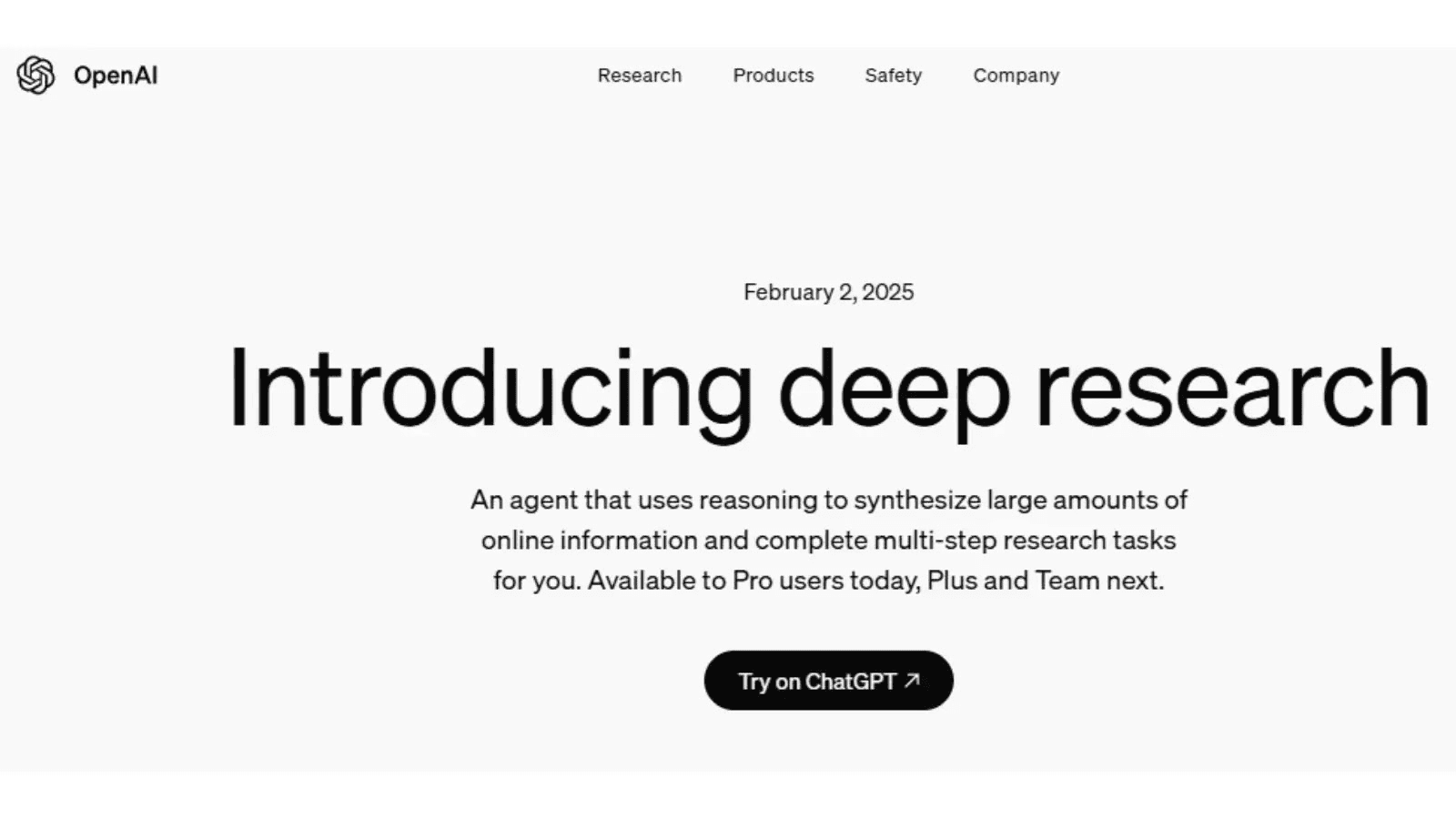
ChatGPT Deep Research is designed for questions that require more than finding a handful of sources and summarizing them. It can perform a multi-step investigation across the public web, uploaded files and supported connected data sources, adapting the search as new information changes what needs to be investigated next.
ChatGPT Plus costs $20 per month and includes access to Deep Research subject to plan limits, while business and enterprise offerings add collaboration, administration and additional data protections. OpenAI describes Deep Research as appropriate for complex questions that require combining information from multiple sources rather than simple lookups.
The platform becomes particularly useful when the final deliverable matters as much as the search itself. A user can move from investigation into comparison, data analysis, argument structure and final report development without transferring the entire evidence set to a separate writing environment.
This makes ChatGPT useful for competitive landscapes, vendor analysis, policy research, strategic reports and mixed projects that include websites, PDFs, spreadsheets and other material. The research process can also be constrained to particular sources when a user does not want the agent searching the whole web.
Compared with a specialist academic database, the main weakness is breadth without built-in scholarly discipline. ChatGPT can find academic material, but a systematic literature review still benefits from tools specifically designed to screen papers, record inclusion decisions and extract evidence consistently.
ChatGPT currently has one of the largest independent review samples in this article, at roughly 4.6 out of 5 from more than 2,500 G2 reviews. Users frequently praise its ability to simplify complicated topics, reason across different tasks and save time on research, while inaccurate or inconsistent responses remain a recurring reason people say they verify important information independently.
That is the right expectation for Deep Research as well. The research agent can perform an extraordinary amount of mechanical investigation, but the user still owns the decision about whether the evidence genuinely supports the final claim.
ChatGPT Deep Research is one of the best AI research tools when the job involves both finding evidence and turning it into a substantial analytical deliverable. Researchers working exclusively with scientific literature may prefer Elicit or Consensus for discovery and use ChatGPT later in the synthesis process.
| **Pros** | **Cons** |
|---|---|
| Strong multi-source synthesis | Not purpose-built for systematic literature reviews |
| Works with web sources and uploaded material | Important citations still require manual verification |
| Excellent connection between research and final writing | Usage limits depend on plan |
| Flexible across business, technical and general topics | Broad web access can introduce uneven source quality |
| Useful data-analysis capabilities alongside research | Requires clear instructions for rigorous source selection |
3. Gemini Deep Research – AI Research Tool for the Google Ecosystem
Gemini Deep Research stands out because Google can combine web research with information users already keep in Gmail, Drive and NotebookLM. A researcher can select Google Search, uploaded files and supported Workspace sources for the same investigation, which creates a particularly useful workflow for people whose internal information already lives in Google's ecosystem.
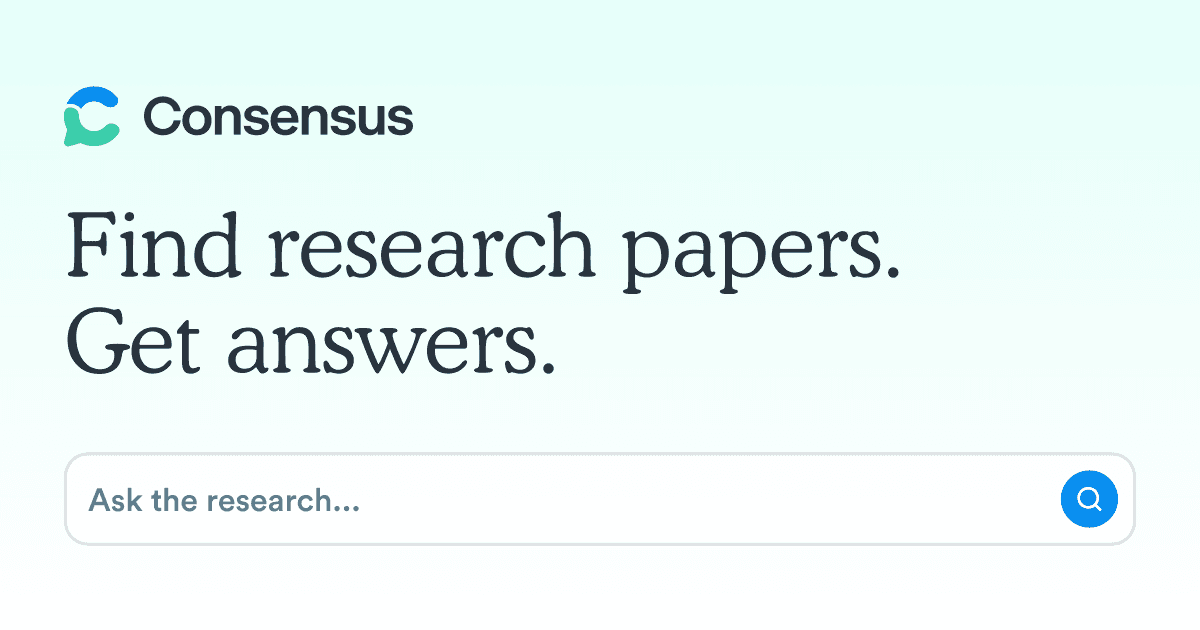
Deep Research is available with limits to Gemini users, while Google AI Pro currently costs $19.99 per month and provides higher limits plus access to Google's Pro model and expanded NotebookLM features. Google says a typical Deep Research report takes around five to ten minutes because the system analyzes multiple sources before producing the result.
The most compelling use case is research that combines public information with private working context. A consultant could investigate a market while also including selected Drive documents, and a team could research an industry while incorporating material already organized inside a NotebookLM notebook.
Gemini also creates a research plan before running the investigation, allowing the user to review or modify that plan. This gives researchers more control over the direction of the task than a simple prompt-to-report experience.
Higher Google AI tiers can add visual material such as charts, diagrams and interactive elements to certain Deep Research reports. Those extras are useful for presentation, but the larger advantage remains integration with Google data rather than visual polish alone.
Gemini currently holds roughly 4.4 out of 5 on G2 from more than 600 AI-profile reviews. Users consistently praise the connection with Google services and the amount of time saved searching across documents, while inaccuracies, generic responses and occasional limitations on more complex questions appear among the recurring criticisms.
For research teams already living in Drive, Docs and Gmail, that ecosystem advantage can matter more than small differences between model benchmarks. For organizations outside Google Workspace, the case is less decisive.
Gemini Deep Research is particularly attractive when research begins on the web but needs to incorporate a company's existing Google information. Users who do not rely on Google services should compare the actual report quality against ChatGPT, Claude and Perplexity before adding another subscription.
| **Pros** | **Cons** |
|---|---|
| Excellent Google Search and Workspace integration | Strongest value requires commitment to Google ecosystem |
| Can combine Gmail, Drive, files and NotebookLM | Important findings still need verification |
| Editable research plans | Limits differ across free and paid tiers |
| Strong multimodal capabilities | Some advanced features depend on higher plans |
| Easy export into Google Docs | Less specialized for formal systematic reviews |
4. Claude Research – AI Research Tool for Nuanced Synthesis and Long Context
Claude Research is built around iterative investigation rather than a single web query, with the system conducting multiple searches and deciding what to investigate next as it works through the problem. Research is currently available on paid Claude plans and can combine the live web with connected internal context such as Google Workspace and supported integrations.
Claude Pro costs $20 per month in the U.S., while the Team plan costs $25 per member per month on annual billing with a five-member minimum. Research sessions consume the same broader usage allocation as normal Claude work and can use that allocation faster because of the number of searches and sources involved.
Claude is especially useful when the research project requires substantial interpretation after the evidence has been gathered. Its long-context strengths suit policy documents, technical material, strategic research, lengthy reports and projects where the quality of the final synthesis matters more than returning an answer as quickly as possible.
Anthropic has also expanded its research focus in science during 2026, including Claude Science and programs aimed at researchers. The broader product direction suggests Claude is moving toward deeper research workflows rather than treating search only as an extension of normal chat.
The main constraint for heavy users is usage. Research is computationally intensive, so someone running several large investigations may reach the boundaries of a standard Pro plan faster than someone using Claude for ordinary questions.
Claude currently carries around a 4.6 rating in G2's 2026 LLM category data, with reviewers repeatedly praising natural writing, long-context handling and thoughtful analytical output. Current criticism centers more heavily on usage limits, occasional slowness and narrower native integrations than on the quality of the prose itself.
This makes Claude a strong choice when research will eventually become a long written argument, briefing or strategy document. A user primarily interested in the fastest possible source discovery may still prefer Perplexity.
Claude Research is one of the strongest options for researchers who care deeply about how evidence is interpreted and explained. Its value is clearest when the final product needs nuance rather than simply a rapid list of sources.
| **Pros** | **Cons** |
|---|---|
| Strong long-context reasoning | Research can consume usage limits quickly |
| Excellent synthesis and natural writing | Fewer native ecosystem connections than Gemini |
| Research can combine web and internal sources | Not a dedicated academic database |
| Useful for complex qualitative material | Heavier research may require higher plans |
| Strong fit for reports and analytical writing | Search can be slower than simpler answer engines |
AI Research Tool for Working Only With Sources You Already Trust
Open-web research is not always desirable. A legal team may have an approved document set, a student may already have the papers for an assignment, and a business researcher may need conclusions based only on supplied reports rather than whatever an agent happens to discover online.
That is where source-grounded systems become particularly useful. Instead of asking the model to know everything, the researcher deliberately limits what the model is allowed to know about the task.
5. NotebookLM – AI Research Tool for Source-Grounded Research
NotebookLM is one of the most distinctive AI research tools because its primary job is to help users understand a source collection rather than generate a broad answer from general model knowledge. Users can add PDFs, websites, Google Docs, Slides, YouTube material and other sources, then ask questions and receive answers tied back to citations within that collection.
Standard NotebookLM access is free. Google AI Pro currently costs $19.99 per month and increases NotebookLM limits substantially, including higher allowances for notebooks, sources, questions and generated overviews.
NotebookLM is particularly valuable after discovery has already happened. Once a researcher has collected reports, interviews, papers or internal documents, those materials can become a controlled knowledge base for comparison and questioning without constantly pulling unrelated information from the wider internet.
This makes it useful for due diligence, coursework, client research, policy analysis, internal company projects and literature reading. The ability to create summaries, study guides, audio overviews and other formats can also make a large source library easier to navigate before detailed analysis begins.
The limitation is deliberate: NotebookLM is not primarily a substitute for discovering everything that should be in the notebook. If a critical source was never added, the quality of the research can still suffer even though the system remains faithful to the documents it has.
Independent review volume remains relatively small, but current sentiment is unusually positive. NotebookLM currently shows roughly 4.9 out of 5 on G2 from 14 reviews, where users particularly praise source grounding, citations and the ability to turn large document collections into usable summaries and explanations.
The small sample means that rating should not be compared mechanically with products that have thousands of reviews. Still, the themes align closely with NotebookLM's strongest practical advantage: users know which source collection the answer came from.
NotebookLM is one of the best AI research tools for projects where controlling the evidence set is more important than searching the whole internet. It is often more useful as the second stage of research than as the first.
| **Pros** | **Cons** |
|---|---|
| Answers grounded in selected sources | Discovery depends on sources added to the notebook |
| Inline citations make verification easy | Not designed as a complete scholarly search engine |
| Excellent for large document collections | Free tier has lower notebook and source limits |
| Audio, visual and summary formats | Can encourage overreliance on source summaries |
| Strong free version | Researchers still need to read pivotal passages directly |
AI Research Tools for Academic Evidence and Literature Reviews
Academic research creates a stricter problem than general web research because finding a relevant paper is only the beginning. Researchers may need to document why a paper was included, compare methodology, extract sample sizes, identify study design and maintain enough structure that another person could understand how the evidence was assembled.
Elicit and Consensus both work directly with scientific literature, but they are designed around different levels of depth. Consensus is particularly good at turning a research question into a quick evidence-backed overview, while Elicit becomes much more powerful when the review itself needs structure.
6. Elicit – AI Research Tool for Systematic Literature Reviews
Elicit is one of the most specialized AI research tools in this guide for evidence synthesis, structured extraction and systematic review workflows. Its search covers more than 138 million papers, while paid plans add research agents, reports, screening workflows, clinical-trial search and increasingly sophisticated extraction capabilities.
Basic is free. Plus starts at $11 per user per month when billed annually, Pro at $39 annually billed per month and Scale at $89, while monthly billing is higher. Pro includes a dedicated systematic-review workflow capable of screening up to 5,000 papers, and Enterprise expands that capacity substantially.
Elicit treats the paper set as data rather than simply something to summarize. Researchers can create tables, extract specific attributes across multiple studies, compare methods and results and preserve a more structured trail through the literature.
In May 2026, Elicit added support for PRISMA 2020 within its systematic-review workflow, emphasizing reproducibility and traceability throughout screening and extraction. The company has also added an API and a more capable Research Agent that can work with additional scientific materials and perform data analysis beyond text alone.
That makes Elicit much more appropriate than a general chatbot for evidence reviews in medicine, policy, market access and other fields where the methodology used to assemble the evidence matters.
Independent mainstream software-review coverage is surprisingly thin, so there is not enough current G2 volume to treat a star rating as meaningful. The limited public feedback tends to praise the ability to identify relevant papers quickly and extract study characteristics without opening every article in full, but a hands-on trial should carry more weight than review aggregates for this product.
The more relevant question for serious users is whether Elicit's workflow matches the review methodology they actually need. A researcher running a systematic review should test screening, extraction and export rather than judging the product on the quality of a single AI summary.
Elicit is one of the clearest choices when “research” means systematically finding, screening and extracting evidence rather than simply producing a cited explanation.
| **Pros** | **Cons** |
|---|---|
| Excellent structured literature-review workflow | More expensive once systematic reviews become frequent |
| Search across a very large scholarly corpus | Less useful for broad non-academic web research |
| Evidence extraction into tables | Requires research-method knowledge to use rigorously |
| PRISMA-oriented systematic-review functionality | AI extraction still needs quality checks |
| API and agent capabilities | Independent review data remains limited |
7. Consensus – AI Research Tool for Fast Answers From Peer-Reviewed Studies
Consensus is designed around a simpler research question: what does the published scientific literature say about this claim or topic? Instead of searching the entire web, it focuses on peer-reviewed research and returns AI-supported answers connected to the underlying papers.
The platform now searches more than 220 million peer-reviewed papers and offers a Research Agent for multi-step academic questions. Its Pro plan costs $20 monthly or $144 per year, equivalent to $12 per month, and includes unlimited Pro messages plus 15 Deep reviews each month. The higher Deep plan costs $65 monthly or $540 annually and increases Deep reviews to 200 per month.
Consensus excels when someone wants a research-backed orientation before deciding which papers deserve deeper reading. Questions about health, psychology, economics, education or another evidence-heavy subject can be answered from the scientific corpus rather than from the mix of media pages, blogs and marketing content that dominate an ordinary web search.
Study Snapshots make it easier to inspect details such as methodology, sample size and outcomes, while Deep reviews can synthesize larger sets of literature. The platform has also expanded significantly in 2026 through API access and integrations with ChatGPT, Claude and Microsoft 365 Copilot.
Consensus is not a replacement for reading the critical papers. It is a strong way to find those papers and understand the broad direction of evidence before deeper appraisal begins.
Independent Product Hunt feedback is small but strongly positive, with users repeatedly valuing the ability to get answers backed by real scientific studies instead of unsourced model output. The current product page shows 11 reviews and a 5.0 average, but the sample is too small for the score itself to carry much weight; the more useful signal is the repeated emphasis on evidence traceability.
Users also request stronger organization and storage functionality, which reflects a limitation compared with a full literature-management environment. Consensus is exceptionally convenient for asking evidence questions, but large research projects may still require another system for organizing the resulting paper library.
Consensus is among the best AI research tools for users who frequently ask evidence questions but do not need the full methodological machinery of a systematic-review platform.
| **Pros** | **Cons** |
|---|---|
| Focuses on peer-reviewed evidence | Not a substitute for critical appraisal |
| Very easy natural-language search | Large projects may need a separate organization tool |
| Study Snapshots simplify paper comparison | Deep research volume is plan-limited |
| Research Agent handles multi-step questions | Best suited to evidence questions, not broad business research |
| API and AI-assistant integrations | Source coverage is large but not literally every paper |
AI Research Tools for Checking and Understanding Scientific Papers
Finding a paper does not tell a researcher how the rest of the literature has treated it. A widely cited study may have been cited because later researchers support its result, dispute it, criticize its method or merely mention it as background.
This is where citation-aware tools become important. Scite is unusually strong at evaluating citation context, while SciSpace focuses more heavily on making individual papers easier to read and then connecting that reading experience to broader literature discovery.
8. Scite – AI Research Tool for Citation Verification
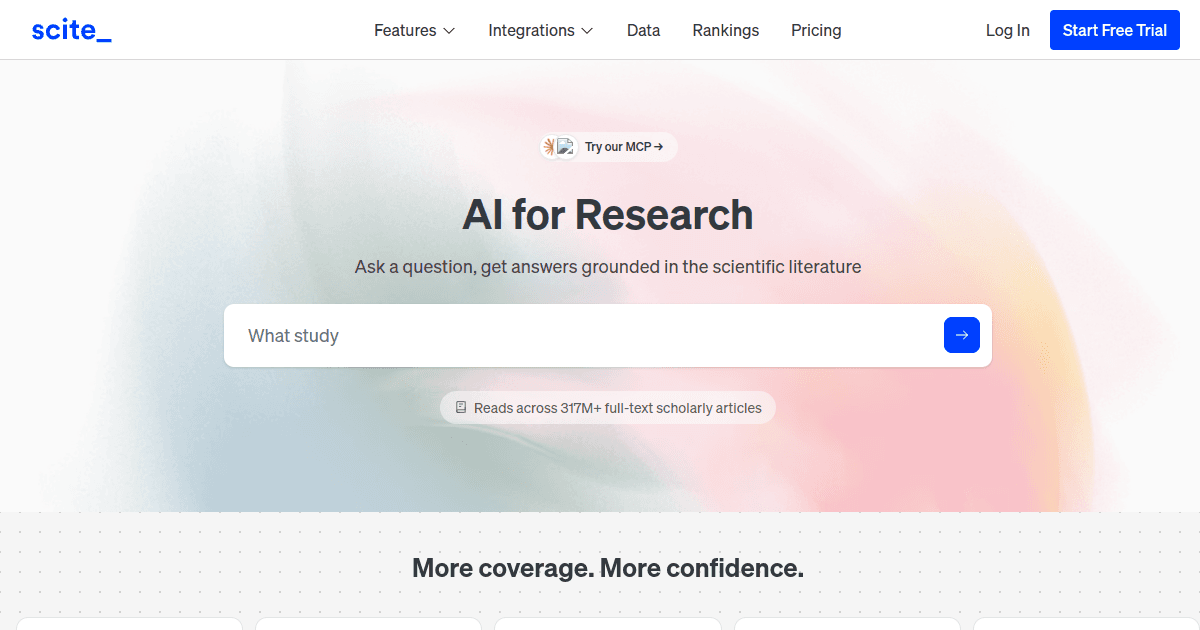
Scite solves one of the hardest problems in research: understanding what a citation actually means rather than counting how many citations a paper has. Its Smart Citations show the surrounding citation context and classify whether later work supports, contrasts with or merely mentions the cited study.
Scite says its database now covers more than 300 million papers and more than 1.6 billion citations. The free Connect tier provides monthly MCP credits for using Scite from external AI tools, Basic costs $20 per month when billed annually and Pro costs $50 annually billed per month, adding API access and much larger usage allowances.
Scite is particularly useful after a researcher thinks they have found an important source. Instead of accepting the paper because it appears authoritative or highly cited, the user can inspect how subsequent literature discusses the result.
This is valuable for literature reviews, fact-checking and scientific writing because citation count alone provides very little information about whether a claim has remained credible. Scite can also be connected to tools such as ChatGPT and Claude through its MCP access, allowing citation context to become part of a broader AI research workflow.
The limitation is specialization. Scite is excellent at citation intelligence but does not replace a broad web-research agent or a complete systematic-review workflow.
Scite currently has a strong but still modest independent review sample, with about 4.8 out of 5 across 26 G2 reviews. Users commonly praise citation discovery, time savings and the ability to see how research has been discussed, while slow performance and AI-output limitations appear among the recurring criticisms.
For evidence-sensitive work, that narrow functionality is often a strength rather than a weakness. Scite does one part of the research process that general AI assistants cannot replicate reliably from ordinary web search alone.
Scite belongs in a rigorous research stack because it asks a question other tools often skip: what happened to this claim after the paper was published?
| **Pros** | **Cons** |
|---|---|
| Unique citation-context analysis | Narrower than all-in-one research platforms |
| Helps identify supporting and contrasting research | Full platform requires paid plan |
| Large citation database | Classification still benefits from human inspection |
| Connects with external AI assistants | Some users report slower performance |
| Useful for verifying pivotal claims | Not designed for general market research |
9. SciSpace – AI Research Tool for Reading Difficult Papers Faster
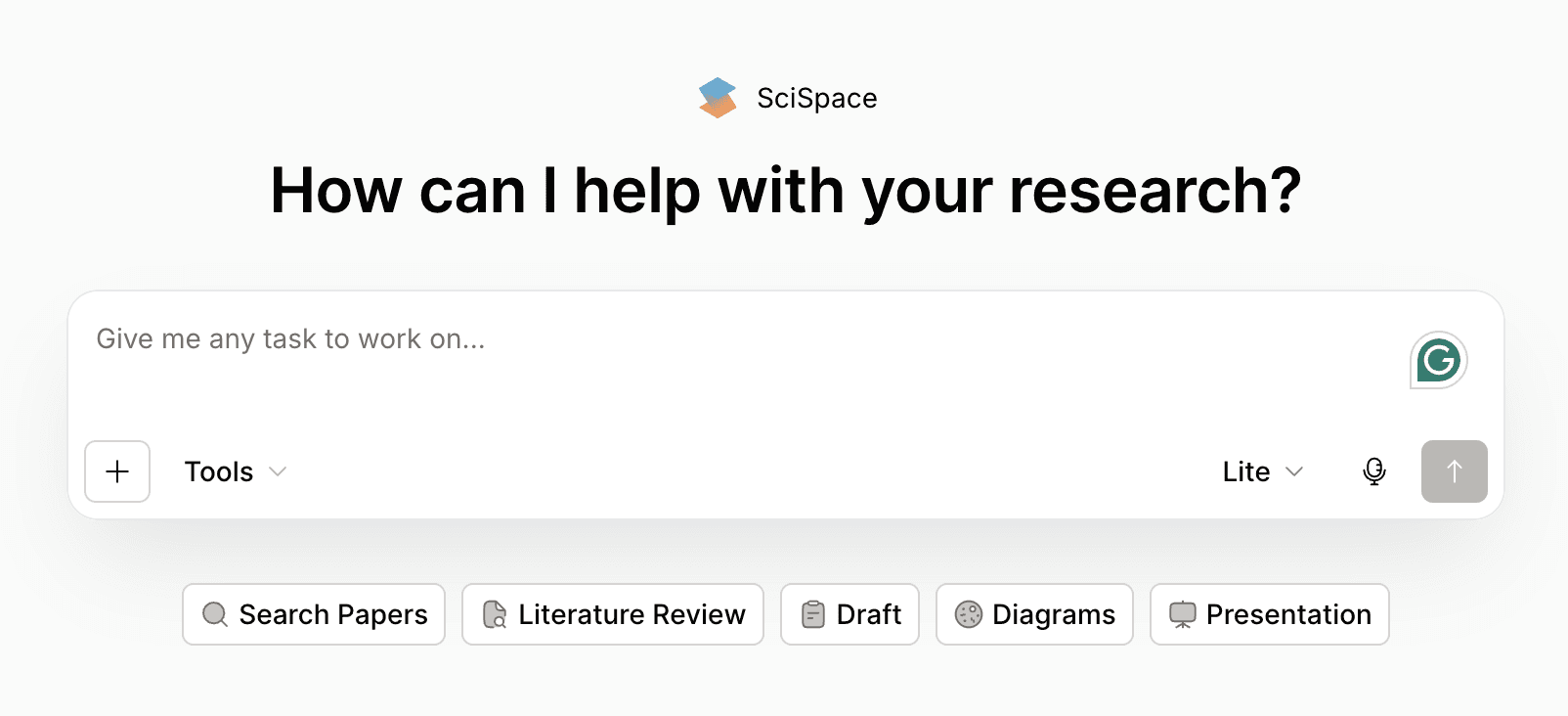
SciSpace is designed around the full experience of working with scientific literature, from searching papers to asking questions about individual PDFs and generating explanations of difficult passages. Its tools include literature review, Chat with PDF, citation support, writing assistance and a broader research agent.
SciSpace Premium currently starts at $12 per month with annual billing and includes a monthly credit allowance for AI-agent tasks, while the free tier allows limited use. The credit model means actual value depends heavily on the number and complexity of research tasks a user runs each month.
SciSpace is especially useful when the bottleneck is understanding papers rather than simply finding them. A researcher can ask about terminology, methods, formulas, tables or conclusions directly while reading and then continue into related literature without leaving the same broader environment.
This makes the platform useful to students, interdisciplinary researchers and professionals entering an unfamiliar scientific field. It also covers more of the research lifecycle than narrow PDF-chat tools because paper discovery, citations and writing support sit in the same product.
That breadth creates a trade-off. An all-in-one academic platform can be convenient, but users should be particularly careful with generated citations and summaries because academic references require exactness rather than plausible formatting.
Public Product Hunt feedback currently sits around 4.4 out of 5 from 19 reviews, with users repeatedly praising plain-language explanations, research-paper Q&A and faster literature-review work. The criticism is important: users mention credit limits, occasional oversimplification of niche concepts and isolated reports of unreliable references, which reinforces the need to verify citations directly in the original literature.
The review volume remains relatively small, so the product should be tested on material from the researcher's own field. A tool can perform well on mainstream biomedical papers and still struggle with highly specialized terminology elsewhere.
SciSpace is a strong AI research tool for people who spend more time struggling through the papers they have found than searching for new ones.
| **Pros** | **Cons** |
|---|---|
| Excellent paper-reading assistance | AI credits can limit heavy usage |
| Explains dense scientific language | Niche terminology may be oversimplified |
| Combines discovery, PDF chat and writing tools | Citations must be independently checked |
| Useful across the research workflow | Independent review volume remains limited |
| Low paid entry price | Broader feature set may be unnecessary for simple PDF analysis |
AI Research Tools for Literature Discovery and Research Mapping
Keyword searches work well when a researcher already knows the language used by a field. They are much less effective when the user is entering an unfamiliar area, when neighboring disciplines use different terminology or when the most relevant paper sits several citation steps away from the obvious starting point.
ResearchRabbit and Undermind approach this problem differently. ResearchRabbit visualizes networks around known papers and authors, while Undermind uses an agentic search process designed to keep looking for highly specific literature that simpler searches may miss.
10. ResearchRabbit – AI Research Tool for Exploring Citation Networks
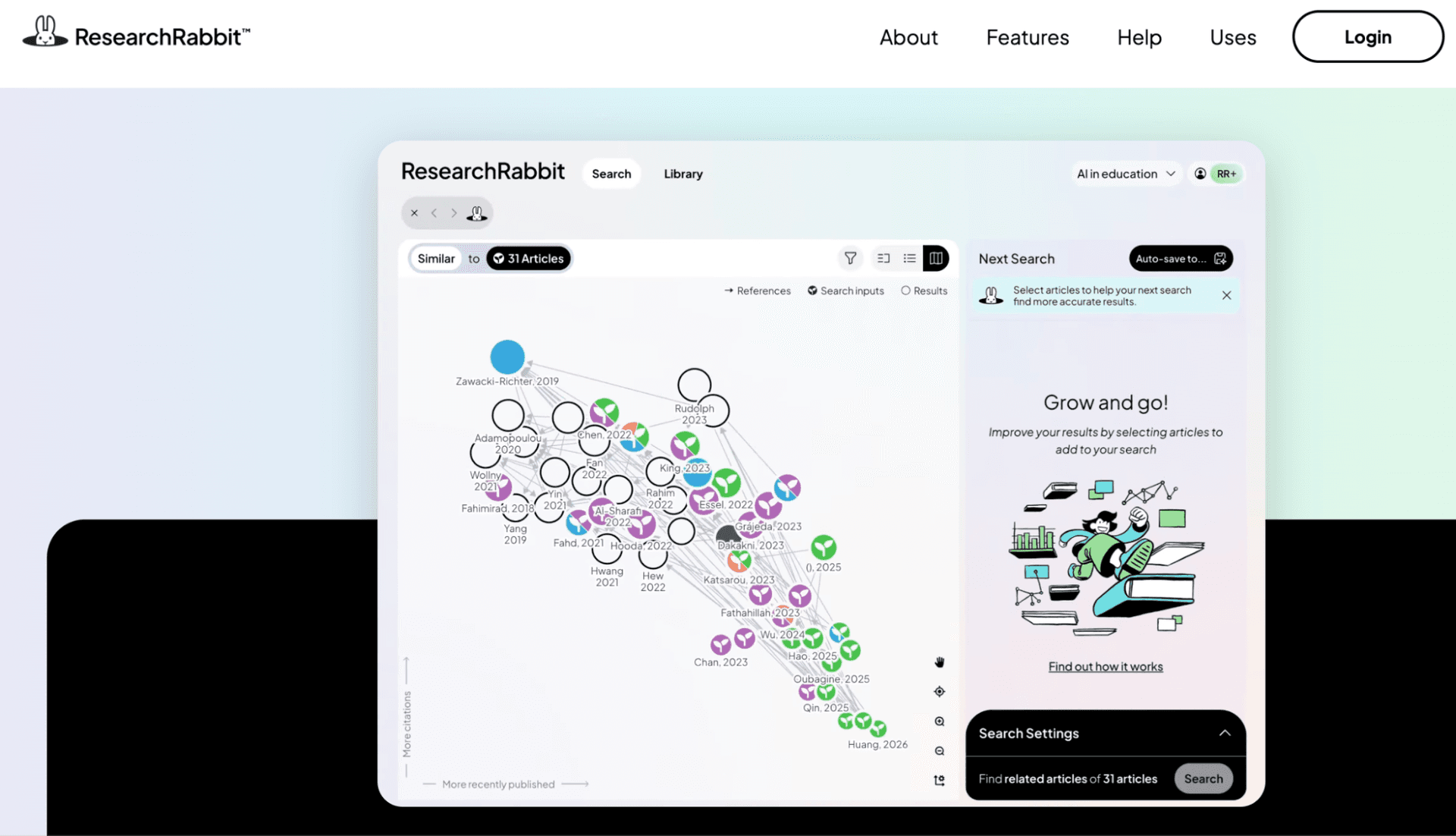
ResearchRabbit is one of the most useful AI research tools for turning a few known papers into a broader map of a research field. Instead of relying only on keywords, users can begin with seed articles and explore connected work, authors and citation relationships visually.
The free plan remains unusually generous, offering unlimited searches across more than 310 million articles, unlimited collections and collaboration with up to 50 seed papers in a search. ResearchRabbit+ costs $10 per month on the annual plan or $12.50 monthly and increases seed limits while adding more advanced discovery and integrity-monitoring functionality.
ResearchRabbit works best when the researcher knows several good papers but does not yet understand the broader intellectual neighborhood around them. Citation maps can expose influential authors, adjacent topics and research branches that a normal keyword search might never reveal.
This makes it particularly helpful during literature-review discovery and when entering a field with unfamiliar terminology. Collections also create a useful organizational layer, allowing researchers to keep different lines of inquiry separate while continuing to expand each one.
ResearchRabbit does not replace systematic screening or detailed paper analysis. Its job is discovery, and it is especially effective when paired with Elicit, Scite or another tool downstream.
Public standardized review data is limited, so there is not enough independent volume to justify presenting a star rating as a serious purchasing signal. ResearchRabbit itself emphasizes visual discovery and large-scale literature exploration, and its free tier makes it unusually easy to evaluate the workflow directly before paying.
The important test is whether citation-based discovery actually uncovers useful papers that a normal database search failed to surface. Researchers should try the same seed collection they already know well and examine how much genuinely new literature appears.
ResearchRabbit is one of the easiest additions to an academic research stack because its free version already covers substantial discovery work.
| **Pros** | **Cons** |
|---|---|
| Excellent visual literature discovery | Not designed for full-text synthesis |
| Very strong free plan | Does not replace systematic screening |
| Useful citation and author exploration | Visual networks can become complex in large fields |
| Unlimited free collections | Researcher still needs another tool for extraction |
| Good complement to academic databases | Limited independent review data |
11. Undermind – AI Research Tool for Difficult Literature Searches
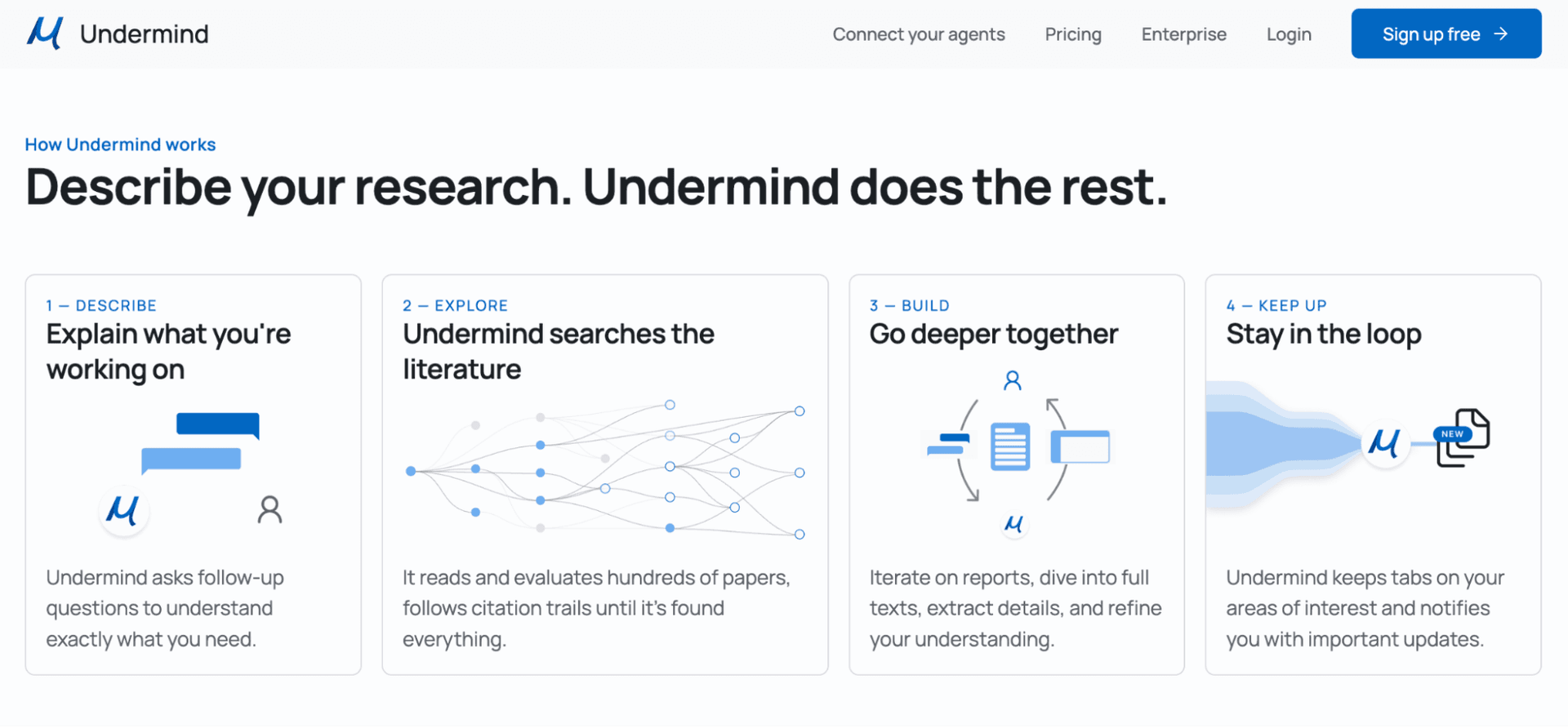
Undermind is built for searches where the relevant literature is difficult to express as a clean keyword query. Its research agent performs a more persistent exploration of scientific literature, following leads through related papers and full text rather than returning only the closest matches to an initial phrase.
The platform has a free plan for exploratory use, while Pro costs $16 per month when billed annually and provides stronger models, deeper full-text analysis, higher usage limits and unlimited workspaces, files and paper libraries. Team pricing starts at $15 per person per month annually.
Undermind makes the most sense when literature discovery itself is the difficult part of the project. A researcher working on a narrow mechanism, unusual intersection between fields or very specific experimental question may struggle with conventional search because the relevant papers do not use the obvious wording.
The agentic approach gives the system more time to explore adjacent literature and refine the search as it learns. That makes it slower than a conventional search box but potentially more valuable for obscure questions where the first page of results is not enough.
Undermind is also expanding toward collaborative workspaces and connections with external agents such as ChatGPT and Claude, allowing its literature discovery to feed into a broader research workflow.
Independent public review volume is currently too small to use rating averages responsibly. Product Hunt shows only one formal review, which praises the quality of literature discovery while noting that the round-trip time is slower than traditional search, and the product itself publishes positive testimonials from academic researchers using it for difficult scientific work.
That trade-off is exactly what prospective users should test. A deeper search is only worth waiting for if it surfaces relevant literature that faster tools missed.
Undermind is less necessary for straightforward topics, but it can become extremely valuable when the literature you need is precisely the literature that ordinary search keeps failing to find.
| **Pros** | **Cons** |
|---|---|
| Designed for difficult scientific discovery | Slower than conventional search |
| Deep full-text analysis on paid plan | Small independent review base |
| Affordable Pro pricing | More specialized than general research assistants |
| Useful for narrow and interdisciplinary topics | Does not replace structured review software |
| External-agent connectivity | Value depends heavily on research complexity |
What Users Say About the Best AI Research Tools
User reviews reveal a useful pattern: broad assistants receive the most praise for flexibility and speed, while specialist academic tools receive praise when they remove one particularly painful research step. The weakness is that independent review volume varies dramatically, so a 4.9 score from 14 people should never be interpreted as stronger evidence than a 4.6 score from thousands of users.
The table is most useful for identifying recurring concerns rather than selecting a winner. Research software should be judged against a known evidence task, because source quality and reproducibility matter more here than whether users simply enjoy the interface.
| **AI research tool** | **Independent review signal** | **Users tend to value** | **Main caution** |
|---|---|---|---|
| **Perplexity** | ~4.4/5 on G2, 350+ reviews | Citations, speed, live-web research | Source quality still needs evaluation |
| **ChatGPT** | ~4.6/5 on G2, 2,500+ reviews | Flexibility, explanation and deep analysis | Incorrect answers still occur |
| **Gemini** | ~4.4/5 on G2, 600+ reviews | Google integration and multimodal research | Can be generic or confidently wrong |
| **Claude** | ~4.6/5 in current G2 category data | Long context, natural writing and reasoning | Usage limits and occasional slowness |
| **NotebookLM** | ~4.9/5 on G2, 14 reviews | Source grounding and document synthesis | Small sample and source limits |
| **Elicit** | Very limited independent review volume | Structured paper summaries and extraction | Too little review data for strong conclusions |
| **Consensus** | 5.0/5 on Product Hunt, 11 reviews | Research-backed answers | Small sample and organization limitations |
| **Scite** | ~4.8/5 on G2, 26 reviews | Citation context and research verification | Performance and usage limits |
| **SciSpace** | ~4.4/5 on Product Hunt, 19 reviews | Paper explanation and literature workflow | Credits and citation reliability need attention |
| **ResearchRabbit** | Limited standardized review data | Visual discovery and citation exploration | Requires another tool for deeper synthesis |
| **Undermind** | Very limited independent review data | Difficult literature discovery | Slower search and small user-review sample |
Best AI Research Tools for Business and Market Research
Business researchers need access to a broader source universe than academic tools provide, which makes Perplexity, ChatGPT, Gemini and Claude the most relevant starting points. Company websites, regulator documents, earnings materials, news, industry publications, PDFs and internal files may all matter in the same investigation.
Perplexity is especially efficient for rapidly mapping a market and following citations. ChatGPT becomes stronger when the investigation needs substantial synthesis or additional file and data analysis, while Gemini is particularly useful when internal source material sits in Google Drive. Claude is a strong choice when the final research needs to become a nuanced strategy paper or executive briefing.
NotebookLM can then become the second layer. After gathering the most authoritative source set, a researcher can place those materials into a notebook and continue questioning them without allowing new web sources to drift into the analysis.
Best AI Research Tools for Academic Research
Academic researchers should usually separate literature discovery from evidence verification rather than relying on a single general chatbot. Elicit, Consensus, Scite, SciSpace, ResearchRabbit and Undermind all work much closer to scholarly literature and solve specific stages of an academic workflow.
A researcher may still use ChatGPT, Claude or Gemini during the final synthesis, but the underlying references should come from a workflow designed to preserve traceability. Fluent prose is not a substitute for a defensible literature search.
| **Academic task** | **Tool to consider** |
|---|---|
| **Quick evidence question** | Consensus |
| **Systematic literature review** | Elicit |
| **Citation verification** | Scite |
| **Understanding difficult PDFs** | SciSpace |
| **Exploring citation networks** | ResearchRabbit |
| **Finding obscure or highly specific papers** | Undermind |
| **Working with a fixed paper collection** | NotebookLM |
| **Writing synthesis after sources are verified** | Claude or ChatGPT |
AI Research Tools vs Google Scholar – Do You Still Need Traditional Search?
AI research tools reduce the amount of manual searching, but they do not make Google Scholar, PubMed or specialist databases obsolete. Traditional databases remain useful because they give researchers direct control over query terms, filters, indexing and the original record rather than returning only an AI-mediated interpretation.
AI research software is most useful for work that traditional search handles poorly:
• Exploring unfamiliar terminology. The researcher can describe a concept without already knowing the exact keywords used by the literature. • Following several possible research directions. Agents can change search strategy after discovering a relevant clue. • Summarizing large source sets. AI can help identify patterns before every paper is read in full. • Extracting comparable information. Tools such as Elicit can turn multiple papers into structured evidence tables. • Explaining difficult material. SciSpace and NotebookLM can reduce the time needed to understand unfamiliar methods or terminology.
Traditional search remains valuable when recall, reproducibility and direct database control are essential. The strongest research workflow often uses both rather than replacing one with the other.
How Much Do AI Research Tools Cost in 2026?
The research market remains unusually accessible compared with many enterprise AI categories because several powerful products still have meaningful free plans. Costs rise when users need deeper autonomous searches, systematic-review volume, team collaboration or access to specialized citation and research databases.
A researcher should not automatically buy the most expensive plan. The better approach is to identify which stage of the workflow is consuming hours and pay for deeper functionality only where that time saving is measurable.
| **Budget** | **What is realistically available** |
|---|---|
| **$0** | Free Perplexity, limited Deep Research, NotebookLM, Elicit Basic, Consensus Free, ResearchRabbit |
| **$10–$20/month** | ResearchRabbit+, Elicit Plus, SciSpace Premium, Undermind Pro, Consensus Pro annual, Perplexity Pro, ChatGPT Plus, Claude Pro |
| **$20–$50/month** | Scite Basic/Pro, Elicit Pro, heavier Consensus usage |
| **$50–$100+/month** | High-volume academic workflows and advanced individual plans |
| **Custom enterprise** | Institutional research, large teams, private data and large-scale APIs |
How to Build an AI Research Stack Without Paying for 11 Tools
The strongest research setup is usually a small combination of complementary platforms rather than a collection of subscriptions with overlapping search features. The exact stack changes according to whether the work is commercial, academic or based mainly on a known private source library.
For business research, a practical stack could use Perplexity for rapid source discovery, ChatGPT or Claude for deeper synthesis and NotebookLM for final work against a curated set of reports. That combination separates broad discovery from controlled source analysis rather than asking one system to do everything.
For academic work, a more rigorous stack might look like this:
• Use ResearchRabbit or Undermind for discovery. Expand beyond the obvious keyword results and identify connected literature. • Use Elicit or Consensus to structure the evidence. Screen papers, compare studies and identify which sources deserve deeper attention. • Use Scite for pivotal citations. Check how the literature has treated the claims that carry the most weight in the argument. • Use SciSpace or NotebookLM for difficult reading. Ask questions about full papers while keeping the original text available for verification. • Use Claude or ChatGPT for final synthesis. Build the report only after the source set and evidence have been checked.
This structure also reduces hallucination risk because the general-purpose model enters the process after the evidence has already been curated.
How to Test an AI Research Tool Before Paying for It
The best test is a research question where the user already knows enough of the evidence to recognize both a good result and a serious omission. A completely unfamiliar topic makes the demonstration look more impressive, but it also makes errors much harder to detect.
A useful trial should include:
• Choose a known question with several important sources. Check whether the tool finds the papers, reports or documents that an experienced researcher would consider essential. • Inspect every important citation. Confirm that the cited source exists, opens correctly and actually supports the sentence attached to it. • Test source quality rather than source count. Ten primary sources may be more useful than 100 lightly relevant secondary pages. • Ask an ambiguous question. See whether the tool identifies the ambiguity or silently chooses an interpretation. • Run a follow-up investigation. Strong AI research software should adapt when new evidence changes the direction of the question. • Test the export workflow. Check whether sources, tables and notes can move cleanly into the tools used for the final project. • Compare the result with manual research. Measure not only time saved but also what useful evidence the system missed. • Calculate normal monthly usage. Deep Research requests, paper screening, agent credits and API calls can change the economics of heavy use.
The winning platform should not be the one that produces the longest report. It should be the one that reduces research time while making the evidence easier, not harder, to inspect.
How to Verify AI Research Before Using It in a Report
Every AI-generated research report should be treated as an intermediate analytical product rather than a final source. Even systems that provide genuine citations can summarize a source incorrectly, overstate a conclusion or overlook an important methodological limitation.
Before relying on research in a client report, academic paper or important business decision, verify the following:
• The source exists and is the source actually cited. • The source type is appropriate for the claim being made. • The cited passage supports the conclusion rather than merely mentioning the topic. • Dates and versions are current where recency matters. • Statistical claims preserve the correct population, sample and timeframe. • Scientific conclusions are not stronger than the underlying study design allows. • Contradictory evidence has not been ignored. • Primary or authoritative sources replace weaker summaries wherever possible.
For academic research, tools such as Scite add another useful check by showing how later papers discuss a citation. For private-document projects, NotebookLM reduces one source of uncertainty by restricting answers to the provided evidence set, but the interpretation of that evidence still needs human review.
Research Privacy and Confidential Sources Need a Separate Buying Decision
Research often involves material that cannot simply be uploaded into any consumer AI product. Commercial due diligence, unpublished scientific results, confidential interviews, legal documents and internal strategy files can all require stricter data controls than public web research.
Before connecting confidential information to AI research software, organizations should review:
• Whether submitted data is used for model training. • How long uploaded documents and research sessions are retained. • Which third-party models or subprocessors receive the information. • Whether administrators can control connectors and external sources. • SSO, role permissions and audit capabilities. • Data residency or contractual requirements where relevant. • How data is removed when users leave the organization.
Enterprise plans exist partly because these requirements are different from those of an individual researcher. A tool that is excellent for public market research should not automatically become the approved environment for confidential company information.
Which AI Research Tool Is the Best Fit in 2026?
The best AI research tools are increasingly defined by the evidence they handle rather than by the language model underneath them. Choosing the right platform becomes much easier once the user decides whether the project begins with the open web, scholarly databases, private documents or an existing paper collection.
For most people, the shortlist should contain only two or three tools after this stage. Someone researching competitors does not need systematic-review software, while an academic researcher should not rely exclusively on a broad web agent when the quality of the literature search itself must be defensible.
The best AI research tool is ultimately the one that makes it easier to reach the original evidence and understand it correctly. Research becomes faster when AI removes mechanical searching, screening and summarization, but it becomes better only when the researcher can still explain where the conclusion came from and why the source deserves to be trusted.
| **Research priority** | **Tool to investigate** |
|---|---|
| **Fast cited web research** | Perplexity |
| **Deep multi-source reports** | ChatGPT Deep Research |
| **Research connected to Google Workspace** | Gemini Deep Research |
| **Nuanced long-form synthesis** | Claude Research |
| **Research from your own source library** | NotebookLM |
| **Systematic literature reviews** | Elicit |
| **Evidence-based scientific questions** | Consensus |
| **Citation verification** | Scite |
| **Reading difficult scientific papers** | SciSpace |
| **Citation maps and literature discovery** | ResearchRabbit |
| **Hard-to-find scientific literature** | Undermind |
FAQ About the Best AI Research Tools in 2026
What are the best AI research tools in 2026?
Perplexity, ChatGPT Deep Research, Gemini Deep Research, Claude Research, NotebookLM, Elicit, Consensus, Scite, SciSpace, ResearchRabbit and Undermind are among the strongest options for different research workflows. The right tool depends primarily on whether the project uses open-web information, academic papers or a controlled source library.
What is the best AI research tool for general research?
Perplexity is particularly useful for fast cited web research, while ChatGPT Deep Research is strong for longer investigations that require substantial synthesis. Claude and Gemini are also serious alternatives, especially when long-context reasoning or Google Workspace integration matters.
What is the best AI research tool for academic papers?
Elicit is one of the strongest options for structured literature reviews, Consensus is excellent for evidence-based questions, Scite helps verify citation context and SciSpace helps researchers understand difficult individual papers.
What is the best AI research tool for literature reviews?
Elicit is particularly well suited to systematic and structured literature-review workflows because it supports search, screening, extraction and evidence tables. ResearchRabbit and Undermind can complement it by improving the discovery stage.
What is the best free AI research tool?
NotebookLM, ResearchRabbit, Elicit and Consensus all provide useful free access, while Perplexity, ChatGPT and Gemini also offer limited research capabilities without a paid subscription. The best free option depends on whether the user needs web research, paper discovery or source-grounded analysis.
What is the best AI research tool for students?
NotebookLM is particularly useful when students already have course readings or research papers because answers remain connected to the supplied sources. Consensus, ResearchRabbit, Elicit and SciSpace are also useful for finding and understanding academic evidence.
What is the best AI research tool for business research?
Perplexity, ChatGPT Deep Research, Claude Research and Gemini Deep Research are the strongest broad options in this comparison for markets, competitors, industries and business trends because they can work across different public source types.
Is Perplexity better than ChatGPT for research?
Perplexity offers a faster citation-first search experience and is especially convenient for discovering sources. ChatGPT Deep Research is often better suited to longer projects that combine research with data analysis, uploaded files and substantial final synthesis.
Is Claude good for research?
Yes. Claude Research performs iterative web research and can combine public information with connected internal context on paid plans. It is particularly strong when a research project requires careful long-form synthesis after the source discovery phase.
Is Gemini good for research?
Yes. Gemini Deep Research can use Google Search, files, Gmail, Drive and NotebookLM notebooks as research sources. It is particularly attractive to researchers and companies already operating heavily inside Google's ecosystem.
Is NotebookLM better than ChatGPT for research?
They solve different problems. NotebookLM is stronger when the researcher wants answers constrained to a known source collection, while ChatGPT Deep Research is designed to discover and synthesize information across a much wider evidence set.
Is Elicit better than Consensus?
Elicit is better suited to structured literature reviews, screening and evidence extraction. Consensus is simpler when the main goal is asking a scientific question and quickly understanding what relevant peer-reviewed research says.
What does Scite do that other AI research tools do not?
Scite analyzes citation context and helps researchers see whether later papers support, contrast with or simply mention a study. This is different from ordinary citation counts and can provide valuable context when evaluating important evidence.
Can AI research tools replace Google Scholar?
Not completely. AI tools make literature discovery and synthesis faster, but Google Scholar and specialist databases remain useful for controlled searching, direct record access and reproducible academic workflows.
Can AI research tools hallucinate citations?
Yes. Some platforms are much more tightly grounded in real source databases than others, but generated summaries and references should still be checked against the original source before they are used in important work.
How much do AI research tools cost?
Many have useful free plans. Popular individual paid tiers generally fall between about $10 and $20 per month, while advanced systematic-review, citation and high-volume research products can cost $40–$100 or more per user each month.
Do I need more than one AI research tool?
Often, yes, but usually no more than two or three. A specialist discovery or evidence tool paired with a strong synthesis tool can provide better research quality than paying for several products that all perform similar web searches.
How should I compare AI research software?
Use the same known research question across several platforms and compare source recall, source quality, citation accuracy, analytical depth, export options, time saved and total monthly cost. The best tool should make evidence easier to inspect rather than simply produce a longer answer.
MeetGeek vs Claap in 2026

Written by
Noah Keller
Noah Keller is a former BI analyst who reviews spreadsheet, dashboard, and warehouse-adjacent AI analysis tools.
Last reviewed September 23, 2026
More in this topic
- Best Distribution Software for Wholesalers
Compare the best distribution software platforms for order management, purchasing, inventory, and multi-warehouse operations.
- Best Inventory Management Software for Distributors
Find inventory management tools that improve stock accuracy, replenishment planning, and service levels for distribution businesses.
- Best Warehouse Management Systems for Distributors
Compare top warehouse management systems for receiving, putaway, picking, packing, and outbound accuracy in distribution operations.