Software
Best ERP for Distributors in 2026 – Inventory, Orders, Pricing, and Finance Compared
Distributor ERP should connect the loading dock to the general ledger. These platforms differ not just in inventory features, but in pricing logic, warehouse depth, purchasing, finance, implementation, and how much distribution-specific functionality comes standard.
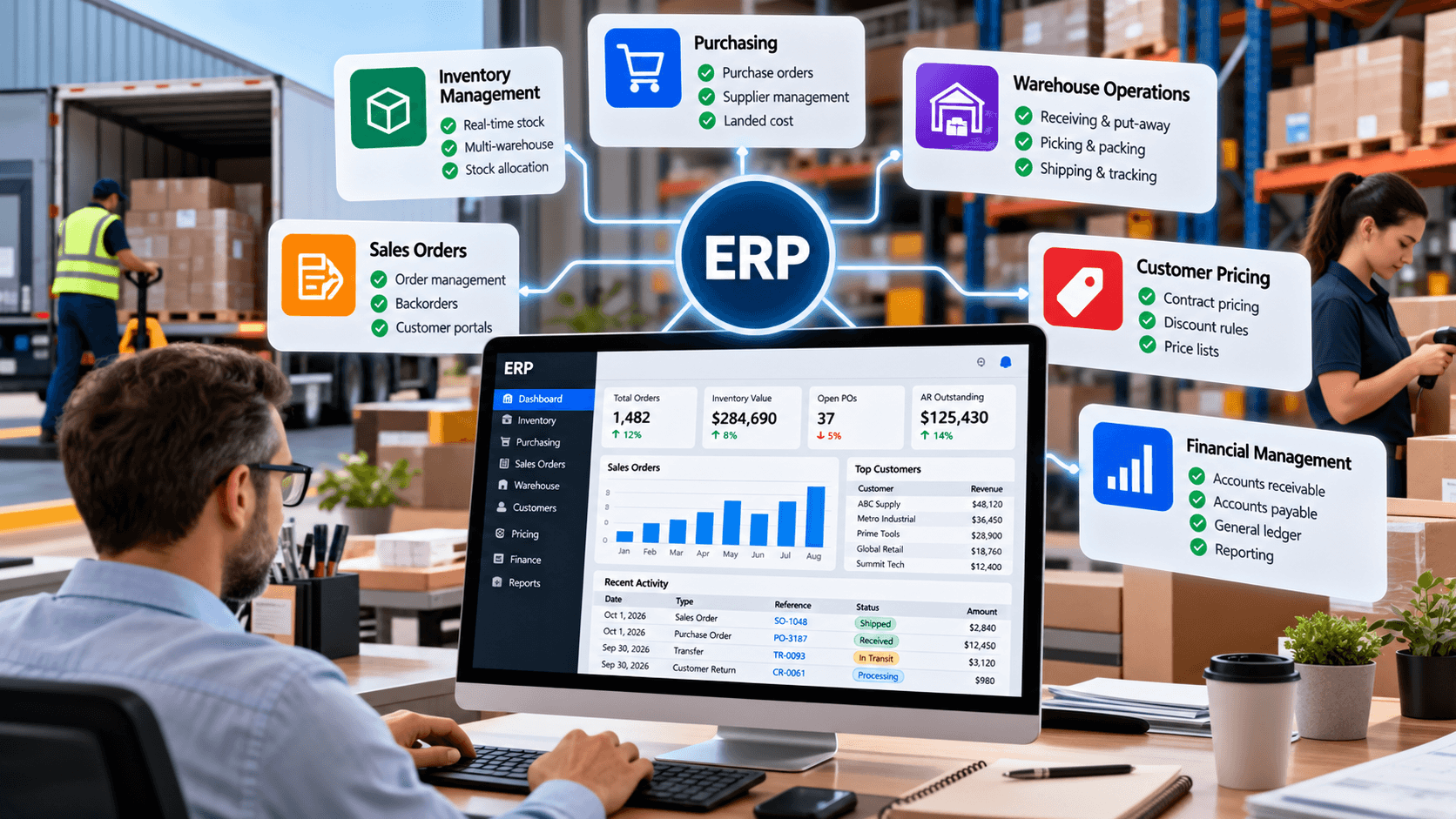
The best ERP for distributors is the platform that keeps operational reality and financial reality in the same system. When a purchase order changes inventory cost, a customer order reserves stock, a warehouse ships that order, or a return changes availability, finance should not need to reconstruct what happened from separate applications at month-end.
That requirement is what distinguishes ERP from standalone inventory software. A distributor ERP connects inventory, purchasing, sales orders, accounts receivable, accounts payable, customer credit, warehouse activity, costing, and financial reporting around a common transaction model.
The market ranges from distribution-specific systems such as Epicor Prophet 21 and Infor CloudSuite Distribution to broader cloud platforms such as Acumatica, NetSuite, Microsoft Dynamics 365 Business Central, SAP Business One, and Sage 100.
There is no universal “best ERP” independent of the business. A plumbing distributor with counter sales, rebates, thousands of SKUs, and multiple branches has different ERP requirements from a specialty importer operating one warehouse and selling through ecommerce.
Best ERP for Distributors: Quick Comparison
This table is a shortlist, not a ranking from first to seventh. Implementation partner quality, industry requirements, add-ons, data migration, ecommerce, EDI, WMS, user count, and existing systems can matter as much as the base ERP product.
| ERP | Best fit | Distribution specialization | Public software pricing |
| Epicor Prophet 21 | Wholesale/industrial distributors | Very high | Quote |
| Acumatica Distribution Edition | Growing multi-location distributors | Very high | APEX starts under $1,495/month |
| NetSuite | Scaling cloud-first distributors | High | Quote |
| Infor CloudSuite Distribution | Complex regional/enterprise distribution | Very high | Quote |
| Dynamics 365 Business Central | Microsoft-centered SMB/mid-market distributors | Moderate, extensible | $80/user/month Essentials |
| SAP Business One | Small/midsize companies wanting integrated SAP ERP | Moderate | Quote |
| Sage 100 | Established U.S. SMB distributors | Moderate–high | Quote |
What Makes ERP for Distributors Different?
A generic financial ERP can record purchases and sales. A good ERP for distributors has to understand what happens between those entries.
That includes:
inventory by warehouse and bin;
customer allocations;
purchase orders;
transfers;
backorders;
partial shipments;
customer-specific pricing;
quotes;
returns;
landed cost;
customer credit;
lot and serial tracking;
multiple units of measure;
warehouse picking;
drop shipments;
order profitability;
supplier performance;
replenishment;
inventory valuation;
COGS;
receivables;
payables;
cash;
financial close.
The ERP should connect those processes rather than forcing the company to maintain separate operational truth and accounting truth.
NetSuite’s wholesale distribution platform, for example, explicitly connects finance with inventory, order processing, supply chain management, forecasting, pricing, and warehouse operations.
Acumatica similarly integrates warehouse operations, demand planning, omnichannel sales, CRM, inventory, and accounting inside Distribution Edition.
ERP vs Distribution Management Software
Distribution management software is a broader term. It can describe a focused operational system controlling inventory, purchasing, orders, warehouses, and fulfillment.
ERP becomes distinct when finance is part of the core system of record.
For example, Cin7 Core can manage significant inventory and sales-order complexity while integrating with accounting platforms. That can be enough for many distributors.
An ERP for distributors instead aims to make the same transaction update inventory and accounting inside the broader platform. A receipt can affect stock and liabilities; a shipment can affect inventory and COGS; an invoice can create accounts receivable.
This difference becomes more important as the company grows because reconciliations between separate systems become harder.
When Does a Distributor Need ERP?
ERP becomes increasingly valuable when several of these conditions appear together:
multiple warehouses;
several legal entities;
large order volume;
complex B2B pricing;
frequent backorders;
substantial receivables;
significant landed costs;
customer credit controls;
difficult inventory reconciliation;
EDI;
B2B ecommerce;
distribution branches;
high SKU counts;
lot/serial requirements;
advanced WMS;
supplier rebates;
field or counter sales;
long month-end close;
management reporting built manually from exports.
A company does not need to wait until every problem exists. The real trigger is usually that the cost of maintaining disconnected systems is starting to exceed the cost and disruption of replacing them.
What We Looked for in ERP for Distributors
Rather than comparing generic ERP checkboxes, this guide focuses on seven distribution-specific questions.
Inventory valuation, landed costs, write-offs, receipts, transfers, shipments, and returns should produce predictable financial results.
Price lists alone may not be enough. Distributors can need quantity tiers, customer-specific prices, contract pricing, branch-specific rules, promotions, and exceptions.
Backorders, substitutions, partial shipments, drop ships, special orders, RMAs, and available-to-promise dates matter.
There is a major difference between knowing stock by location and controlling receiving, bins, put-away, picking, packing, replenishment, and barcoding.
The ERP should help prevent both stockouts and unnecessary working capital.
Multiple warehouses, entities, currencies, channels, business units, and integrations can become significant.
ERP success depends heavily on configuration, data, partner competence, user adoption, and process design. Software capability alone does not guarantee a good implementation.
1. Epicor Prophet 21
Epicor Prophet 21 is one of the clearest examples of an ERP for distributors built around distribution from the beginning.
Epicor describes Prophet 21 as a data-driven distribution solution with industry-specific functionality, cloud applications, connected operations, and AI-enabled capabilities.
Its distribution focus appears across inventory, purchasing, warehousing, sales, and finance.
Prophet 21 provides regional distribution center inventory functionality for businesses operating multiple branches. Its supply-chain capabilities support substitutions, discontinued items, drop ships, special orders, and overseas procurement.
The overseas procurement functionality includes landed-cost factors such as tax, broker fees, and handling charges, which is particularly valuable for import-heavy distributors.
Prophet 21 WMS supports receiving and put-away and includes granular inventory-control tools such as license plating or tagging for package and bin-level operations.
Prophet 21 contains an integrated general ledger and connects AP processes with purchase orders and inventory receipts. Epicor also highlights vendor-rebate functionality within its finance environment.
Epicor does not publish a standard Prophet 21 subscription price on the official pages reviewed. Distributors need a custom quote.
Prophet 21 deserves serious consideration when distribution is the company’s core operating model and the business wants purpose-built functionality rather than adapting a general ERP.
Industrial supply, electrical, plumbing, HVAC, and other traditional wholesale sectors are especially natural evaluation environments, although actual fit depends on workflow rather than industry label alone.
2. Acumatica Distribution Edition
Acumatica Distribution Edition combines cloud ERP with a strong dedicated wholesale-distribution feature set.
The platform connects inventory, purchasing, warehouse operations, sales, CRM, B2B/DTC channels, and accounting. Distribution capabilities include serial and lot tracking, matrix items, kitting, embedded WMS, barcoding, demand planning, inventory replenishment, distribution requirements planning, and connected shipping and EDI.
Acumatica is particularly interesting for companies wanting integrated ERP but concerned about a traditional per-seat licensing model. The company emphasizes its usage-based approach and support for broad user access.
The product also spans beyond inventory. Embedded CRM, ecommerce options, financials, warehouse management, and reporting can reduce the number of separate applications required.
Acumatica’s general licensing is quote-based. Its APEX for Distribution offering currently advertises a customized package with software, implementation, support, and services starting at under $1,495 per month.
The phrase “starting at” matters. Real implementation cost changes with requirements, integrations, modules, complexity, and services.
Acumatica is a strong ERP candidate for growing distributors that need substantial operational depth but also want flexibility around users and cloud deployment.
3. NetSuite
NetSuite is a broad cloud ERP platform with a dedicated wholesale distribution offering.
The system connects financials, inventory, order management, supply chain, forecasting, pricing, warehouse activity, and customer processes. Inventory can be tracked by bins, lots, and locations, with replenishment rules, safety stock, substitutions, allocations, and real-time availability.
NetSuite Sales Order Management automates order-to-cash processes including receiving, approval, scheduling, fulfillment, tracking, invoicing, and payment.
For distributors, the wholesale solution also supports dropships, backorders, pricing, available-to-promise dates, and returns.
Finance is native to the ERP rather than attached as a separate accounting package. NetSuite’s cloud ERP includes financial management alongside inventory, orders, and supply chain functions.
NetSuite does not publish a simple fixed list price. Its official explanation says the annual license includes:
core platform;
optional modules;
number of users;
plus a one-time implementation fee.
NetSuite makes sense for distributors that want a mature cloud ERP and expect complexity across locations, entities, inventory, financials, and channels.
The main buying task is not determining whether NetSuite has enough features. It is controlling scope so that the implementation matches the company’s actual needs rather than enabling unnecessary modules from the beginning.
4. Infor CloudSuite Distribution
Infor CloudSuite Distribution is another platform built specifically around distribution rather than only generic ERP.
Infor describes the suite as a distribution-focused cloud environment combining ERP, inventory, warehouse operations, financials, multichannel sales orders, purchasing, supply chain, analytics, ecommerce, and other tools.
Infor differentiates strongly through industry-specific capabilities.
Its current distribution portfolio identifies functionality for:
machinery and equipment;
grocery;
building materials;
plumbing and HVAC;
electrical;
equipment rental;
industrial supplies;
auto parts.
Depending on the vertical, capabilities can include complex pricing, high-volume order processing, supplier rebate management, service, warranty, rental, food safety, parts lifecycle, and other specialized requirements.
Infor also offers its own WMS, demand planning, B2B ecommerce, CPQ, and analytics within the wider environment.
Infor does not publish a simple standard CloudSuite Distribution price. Buyers need a direct quote.
Infor should be evaluated by companies whose distribution workflows are complex enough that vertical functionality matters materially.
A simple one-warehouse wholesaler may not need that scope. A multi-site distributor operating specialized branches, complicated pricing, rebates, service, and demanding warehouse operations has a much stronger reason to investigate it.
5. Microsoft Dynamics 365 Business Central
Dynamics 365 Business Central is not a distribution-only ERP, but it provides a strong core for smaller and mid-sized distributors that want finance and operations integrated within the Microsoft environment.
Business Central Essentials includes:
finance;
sales and marketing;
fulfillment and delivery;
purchasing and payables;
inventory;
supply planning;
warehouse management;
multiple companies.
Premium adds service management and manufacturing.
Business Central’s appeal is broader ERP plus extensibility rather than deep distribution specialization in every vertical out of the box.
That can be an advantage when standard requirements fit well or when a strong implementation partner can add the exact industry applications the business needs. It can become a disadvantage if a distributor assumes that every specialized rebate, counter-sales, EDI, warehouse, or pricing workflow is native without verifying it.
Current U.S. annual-billing list prices are:
Essentials: $80/user/month
Premium: $110/user/month
Team Members: $8/user/month
Microsoft notes that partner consulting and other services are separate.
Business Central is particularly attractive to a distributor already standardized on Microsoft and wanting an ERP that can be extended through the Microsoft partner and app ecosystem.
6. SAP Business One
SAP Business One is SAP’s ERP designed for small and midsize companies rather than the same product as SAP’s larger S/4HANA environments.
The platform covers accounting and financials, purchasing, inventory, sales, CRM, reporting, and analytics.
SAP’s Business One functionality includes detailed purchasing data, price lists, tax information, warehouse integration, and inventory management. The system can define multiple warehouses and maintain stock quantities separately by warehouse.
Business One provides an integrated ERP foundation and can be extended through SAP partners and specialized applications. That makes it relevant for distributors that want the SAP ecosystem without implementing an enterprise-scale S/4HANA environment.
SAP does not list one simple Business One price on the U.S. product page. The company directs buyers to request pricing based on business requirements.
SAP Business One deserves evaluation for smaller and midsize distributors that value integrated financial and inventory control and have access to an implementation partner familiar with their distribution workflows.
7. Sage 100
Sage 100 remains relevant to U.S. small and mid-sized businesses, including established distribution companies that want more operational functionality than entry-level accounting software provides.
Sage’s distribution solution includes inventory management, kitting, lot and serial tracking, forecasting and replenishment, barcode mobility, purchasing, sales orders, and shipping.
Its inventory setup supports multiple warehouses and warehouse-specific replenishment. Sage can also show quantities on hand, sales orders, backorders, purchase orders, reorder points, and available stock.
Sage currently separates functionality across:
Essentials – GL, AP, AR, bank reconciliation and other core business functions.
Advanced – adds purchase orders, sales orders, inventory management, and basic multi-bin capability.
Complete – adds capabilities including RMA, bill of materials, and barcode mobility.
Sage states that Sage 100 pricing is customized according to business size and needs and directs customers to request a quote.
Sage 100 can remain a sensible candidate for U.S.-based, relatively straightforward distribution businesses that want mature financials and inventory functionality without moving immediately into a larger cloud ERP environment.
A prospective buyer should evaluate architecture, partner support, integrations, and long-term requirements carefully rather than choosing it solely because the company already knows Sage.
ERP for Distributors: Feature Comparison
The table below summarizes positioning rather than claiming every feature is included in every license.
The word “deep” does not mean every warehouse or pricing function is automatically included. Buyers should verify modules and configuration during the sales process.
| ERP | Inventory/Warehouse | Distribution-specific depth | Finance | Pricing model |
| Prophet 21 | Deep | Very high | Integrated | Quote |
| Acumatica | Deep | Very high | Integrated | Usage/package based |
| NetSuite | Deep | High | Integrated | Platform + users + modules |
| Infor CloudSuite Distribution | Deep | Very high | Integrated | Quote |
| Business Central | Moderate–deep | Moderate via core + apps | Integrated | Per user |
| SAP Business One | Moderate | Moderate via core + ecosystem | Integrated | Quote |
| Sage 100 | Moderate | Moderate–high for SMB distribution | Integrated | Quote |
Customer Pricing Is an ERP Requirement, Not Just a CRM Requirement
Distribution pricing often becomes too complex to maintain outside the transaction system.
A distributor might have:
standard price lists;
customer classes;
contract prices;
quantity breaks;
promotional pricing;
product/customer exceptions;
branch prices;
salesperson overrides;
margin floors.
If pricing is stored in spreadsheets or depends on individual employee knowledge, errors become inevitable as the business grows.
A distributor ERP should therefore demonstrate the actual pricing hierarchy using real customers before selection.
Inventory and Finance Must Agree
One of the strongest reasons to implement an ERP for distributors is eliminating persistent disagreements between inventory and accounting.
When a receipt changes inventory value, finance should see the result.
When an order ships, inventory should decrease and COGS should update according to the company’s accounting configuration.
When landed cost changes the real cost of imported goods, margin reporting should eventually reflect the correct cost.
When a return comes back, inventory status and financial treatment should follow the correct workflow.
If accounting still needs large manual month-end inventory adjustments after an ERP implementation, the company has not achieved the integration it paid for.
ERP Should Handle Working Capital, Not Just Inventory
A distributor can be profitable and still run out of cash.
Cash can become trapped in:
inventory;
slow-moving SKUs;
customer receivables;
deposits;
freight;
supplier prepayments;
returned stock.
ERP should make these relationships easier to see.
A fast-growing business can purchase more inventory to satisfy rising sales, ship that inventory on net-60 terms, and need even more stock before the original customer pays. Revenue rises while cash falls.
A good ERP therefore needs to help management connect inventory turns, purchasing, credit, receivables, and cash, rather than optimize each function independently.
Do You Need Native WMS?
Not every distributor needs a Tier 1 WMS.
A simple warehouse may only require:
bins;
barcode scanning;
receiving;
transfers;
pick lists;
packing;
shipment confirmation.
A complex facility may need:
directed put-away;
wave picking;
zone picking;
replenishment;
license plating;
labor management;
advanced slotting;
dock planning;
3PL billing;
automation integration.
Infor, for example, offers a dedicated advanced WMS within its distribution ecosystem, while Prophet 21 and Acumatica provide substantial warehouse functionality within their respective platforms.
The company should define warehouse complexity before deciding whether native ERP warehouse functionality is enough.
ERP Pricing: Why the License Is Only Part of the Cost
Public ERP prices are useful but incomplete.
A realistic ERP budget can include:
subscription or license;
implementation;
process design;
data cleansing;
historical-data migration;
integrations;
ecommerce;
EDI;
WMS;
scanners and warehouse hardware;
reports;
custom workflows;
training;
testing;
support;
consulting;
future upgrades.
This is why comparing Business Central’s $80 list price directly with a quote-based Prophet 21 implementation tells very little about total cost.
They may be solving very different problems.
How to Evaluate ERP for Distributors
Do not allow an ERP demonstration to remain a slideshow.
Give every shortlisted vendor the same transaction scenario.
For example:
Customer A has a negotiated price and $50,000 credit limit. It orders 100 units. Warehouse East has 60 available, Warehouse West has 20, 40 are arriving from the supplier, and the customer wants available stock shipped now. The imported batch includes freight and duty. Ten units are later returned.
Ask the vendor to demonstrate:
customer pricing;
credit check;
available-to-promise quantity;
inventory allocation;
warehouse transfer;
purchase order;
partial receiving;
landed-cost allocation;
partial shipment;
backorder;
customer invoice;
accounts receivable;
return;
inventory valuation;
COGS;
gross margin;
audit trail.
Then ask how the same workflow behaves across several locations and legal entities.
This reveals more about the ERP than a 100-feature checklist.
ERP Implementation Partner Matters Almost as Much as ERP Selection
Many ERP platforms are highly configurable. That flexibility can become an advantage or a liability.
A partner that understands distribution should know why the following questions matter:
How are customer prices determined?
What is considered available stock?
Which branch owns an order?
Who pays freight?
How are rebates accrued?
How are landed costs allocated?
When are backorders released?
What are customer credit rules?
Who can override margin?
How are returns inspected?
How is slow inventory identified?
How are supplier lead times maintained?
An implementation designed by people who understand accounting but not distribution can technically go live while still producing poor operational workflows.
When Should a Distributor Keep Its Existing ERP?
Replacing ERP is expensive and disruptive. A modern competitor product does not automatically justify migration.
Keeping the current system can make sense when:
core transactions are reliable;
inventory accuracy is acceptable;
finance closes efficiently;
integrations work;
users are productive;
reporting can answer business questions;
required security and support remain available;
the main pain point can be solved with an add-on.
Migration becomes more compelling when the existing ERP prevents the business from changing.
Persistent manual workarounds, unsupported technology, missing integrations, unreliable inventory, excessive custom code, poor remote access, and difficult reporting can turn the ERP from infrastructure into a constraint.
Which ERP Should a Distributor Shortlist?
A practical first shortlist can look like this:
Industrial/wholesale distribution with deep native workflows: Epicor Prophet 21, Infor CloudSuite Distribution.
Growing cloud distributor wanting broad functionality: Acumatica, NetSuite.
Microsoft-centered SMB or mid-market business: Dynamics 365 Business Central.
SMB wanting SAP ecosystem: SAP Business One.
Established U.S. distributor with relatively straightforward requirements: Sage 100.
The next step is not picking the most famous name. It is reducing the list to two or three systems capable of completing the company’s most difficult transactions without excessive customization.
FAQ
There is no single best ERP for every distributor. Prophet 21 and Infor offer deep distribution-specific functionality, while Acumatica and NetSuite provide broad integrated cloud ERP platforms. Business Central, SAP Business One, and Sage 100 can suit smaller or less complex operations depending on requirements.
Industry, warehouse complexity, pricing, entities, integration needs, and implementation partner quality should drive the shortlist.
Distributor ERP connects inventory, purchasing, customer orders, warehouse operations, accounts receivable, accounts payable, costing, and financial reporting.
More advanced systems also provide CRM, ecommerce, demand planning, WMS, analytics, EDI, service, rebates, or other distribution-specific functions.
Inventory software focuses primarily on stock, purchasing, availability, and fulfillment.
ERP connects those operational transactions to finance and other business functions. Inventory receipts, shipments, returns, costs, invoices, receivables, and payables can therefore operate within one financial and operational system.
Cost varies dramatically. Business Central currently publishes U.S. prices starting at $80 per user per month, while most distribution-focused ERP vendors use custom quotes.
Implementation, data migration, integrations, WMS, ecommerce, EDI, support, and customization can cost as much as or more than the software license.
NetSuite provides a dedicated wholesale distribution environment with multi-location inventory, order management, pricing, replenishment, supply-chain capabilities, warehouse functions, and integrated finance.
Its suitability still depends on implementation scope, company complexity, budget, and partner expertise.
Acumatica has a dedicated Distribution Edition with inventory, WMS, replenishment, demand planning, sales, ecommerce, CRM, and accounting functionality.
It is particularly relevant to growing distributors looking for an integrated cloud ERP.
Prophet 21 is specifically positioned by Epicor as ERP for wholesale distribution and includes distribution-focused inventory, warehouse, purchasing, sales, finance, and supply-chain workflows.
That specialization is one of its main differences from general ERP platforms.
Yes, but ERP should solve enough operational complexity to justify implementation.
A smaller company with simple inventory and accounting may be better served by dedicated inventory software. A small distributor with complicated warehouses, pricing, landed costs, credit, traceability, or multiple entities can still have a valid ERP requirement.
The trigger is usually operational complexity rather than a fixed revenue threshold.
ERP becomes worth evaluating when inventory, purchasing, sales, warehouse operations, customer credit, and financial records require repeated manual reconciliation or when separate systems no longer provide one trustworthy view of the business.
Frequently Asked Questions
- What is the best ERP for distributors?
- There is no single best ERP for every distributor. Prophet 21 and Infor offer deep distribution-specific functionality, while Acumatica and NetSuite provide broad integrated cloud ERP platforms. Business Central, SAP Business One, and Sage 100 can suit smaller or less complex operations depending on requirements. Industry, warehouse complexity, pricing, entities, integration needs, and implementation partner quality should drive the shortlist.
- What does distributor ERP software do?
- Distributor ERP connects inventory, purchasing, customer orders, warehouse operations, accounts receivable, accounts payable, costing, and financial reporting. More advanced systems also provide CRM, ecommerce, demand planning, WMS, analytics, EDI, service, rebates, or other distribution-specific functions.
- What is the difference between ERP and inventory management software?
- Inventory software focuses primarily on stock, purchasing, availability, and fulfillment. ERP connects those operational transactions to finance and other business functions. Inventory receipts, shipments, returns, costs, invoices, receivables, and payables can therefore operate within one financial and operational system.
- How much does ERP for distributors cost?
- Cost varies dramatically. Business Central currently publishes U.S. prices starting at $80 per user per month, while most distribution-focused ERP vendors use custom quotes. Implementation, data migration, integrations, WMS, ecommerce, EDI, support, and customization can cost as much as or more than the software license.
- Is NetSuite good for distributors?
- NetSuite provides a dedicated wholesale distribution environment with multi-location inventory, order management, pricing, replenishment, supply-chain capabilities, warehouse functions, and integrated finance. Its suitability still depends on implementation scope, company complexity, budget, and partner expertise.
- Is Acumatica good for wholesale distribution?
- Acumatica has a dedicated Distribution Edition with inventory, WMS, replenishment, demand planning, sales, ecommerce, CRM, and accounting functionality. It is particularly relevant to growing distributors looking for an integrated cloud ERP.
- Is Epicor Prophet 21 only for distributors?
- Prophet 21 is specifically positioned by Epicor as ERP for wholesale distribution and includes distribution-focused inventory, warehouse, purchasing, sales, finance, and supply-chain workflows. That specialization is one of its main differences from general ERP platforms.
- Can a small distributor use ERP?
- Yes, but ERP should solve enough operational complexity to justify implementation. A smaller company with simple inventory and accounting may be better served by dedicated inventory software. A small distributor with complicated warehouses, pricing, landed costs, credit, traceability, or multiple entities can still have a valid ERP requirement.
- When should a distributor replace QuickBooks with ERP?
- The trigger is usually operational complexity rather than a fixed revenue threshold. ERP becomes worth evaluating when inventory, purchasing, sales, warehouse operations, customer credit, and financial records require repeated manual reconciliation or when separate systems no longer provide one trustworthy view of the business.
Written by

Noah Keller
Noah Keller is a former BI analyst who reviews the research, spreadsheet, dashboard, and meeting tools operations teams actually trust.
Published October 9, 2026
