Software
Best Distribution Management Software in 2026 – 8 Systems and the Features Distributors Actually Need
Distribution software should do more than count stock. The right system connects purchasing, inventory, customer pricing, sales orders, warehouses, fulfillment, and financial data without forcing teams to rebuild the same information in spreadsheets.
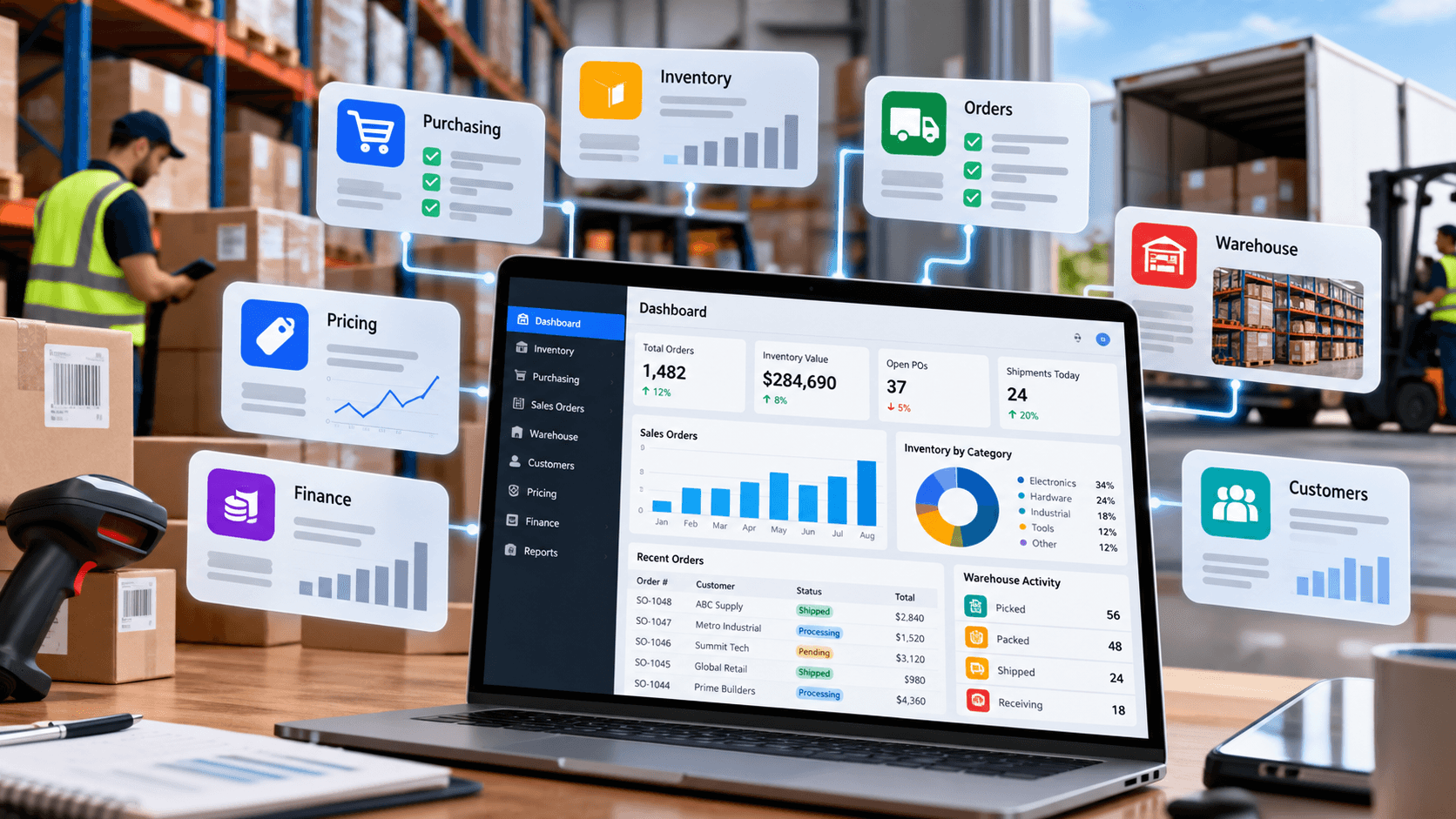
The best distribution management software is not necessarily the platform with the longest feature list. A distributor needs software that keeps inventory, purchasing, customer orders, warehouse activity, pricing, fulfillment, and financial consequences connected closely enough that sales, operations, purchasing, and finance are working from the same information.
That requirement makes distribution different from ordinary retail inventory management. A distributor may have thousands of SKUs, several warehouses, different prices for different accounts, backorders, drop shipments, customer credit, supplier lead times, landed costs, partial shipments, transfers, multiple units of measure, and sales representatives promising stock to customers before an order ever reaches the warehouse.
The software market also uses overlapping terminology. Distribution management software can describe a focused inventory-and-order platform, a full ERP suite, or a distribution-specific business system that also contains CRM, warehouse management, accounting, ecommerce, and analytics. The right shortlist therefore depends on how much of the business needs to live in one platform.
Best Distribution Management Software: Quick Comparison
The eight systems below are not ranked from universally “best” to “worst.” They serve different levels of operational complexity, and a $29 inventory platform should not be evaluated as though it were competing for the same implementation as an enterprise distribution ERP.
Published software prices change and often exclude implementation, integrations, additional users, transaction volume, add-ons, support, and data migration. Quote-based platforms can vary substantially by modules and deployment requirements, so the table should be used to build a shortlist rather than estimate a complete implementation budget.
| Platform | Best fit | Core strength | Public starting price |
| Acumatica Distribution Edition | Growing multi-location distributors wanting an integrated platform | Distribution ERP + inventory + WMS + finance | APEX package starts under $1,495/month |
| NetSuite | Scaling distributors needing one cloud suite across operations and finance | Unified ERP and multi-location operations | Quote |
| Epicor Prophet 21 | Wholesale and industrial distributors needing distribution-specific depth | Purpose-built distribution ERP | Quote |
| Infor CloudSuite Distribution | Complex regional and multi-site distribution operations | Distribution-specific ERP and industry functionality | Quote |
| Microsoft Dynamics 365 Business Central | SMB/mid-market companies in the Microsoft ecosystem | Finance + inventory + warehouse + extensibility | $80/user/month Essentials |
| Cin7 Core | Inventory-heavy growing distributors not ready for full ERP | Inventory, orders, purchasing, integrations | $349/month |
| Fishbowl | QuickBooks-centered businesses needing stronger warehouse control | Inventory and warehouse operations | $229/month Inventory |
| Zoho Inventory | Smaller distributors moving beyond spreadsheets | Orders, stock, locations, backorders | $29/month billed annually |
What Is Distribution Management Software?
Distribution management software connects the operational processes required to buy, store, sell, and deliver products. At its simplest, the system tracks stock and orders. At a more advanced level, it can manage everything from supplier purchase orders and demand planning to warehouse picking, customer pricing, returns, accounts receivable, and financial reporting.
Acumatica, for example, describes its distribution management system around connected inventory availability, customer demand, purchasing, warehouse activity, sales orders, and fulfillment. Its Distribution Edition includes inventory management, demand planning, warehouse operations, B2B and DTC sales, accounting, CRM, and reporting within the broader ERP platform.
NetSuite takes a similar suite approach. Its wholesale distribution product connects financials with multi-warehouse inventory, order processing, supply chain management, replenishment, pricing, and forecasting.
Other products sit lower in the stack. Cin7 Core concentrates more heavily on inventory, purchasing, sales orders, warehouse activity, integrations, and optional B2B functions rather than positioning itself primarily as a traditional full-suite ERP.
That range is why businesses should define the problem before searching for the “best distribution software.”
Distribution Management Software vs ERP vs WMS vs Inventory Software
These categories overlap, but they are not identical.
A small distributor may therefore use QuickBooks plus Fishbowl or Zoho Inventory and describe the result as its distribution management stack. A larger company may use Acumatica, NetSuite, Prophet 21, or Infor as the central business platform and integrate specialized systems where deeper functionality is required.
The distinction becomes important during implementation. Buying ERP when the real problem is barcode picking can create unnecessary complexity, while buying a lightweight inventory tool when pricing, credit, purchasing, finance, and warehouse workflows are already breaking down can simply postpone the ERP decision.
| System | Primary job |
| Inventory management software | Knows what stock exists, where it is, what is allocated, and what needs replenishment |
| Order management system | Controls customer orders from entry through fulfillment |
| WMS | Manages warehouse execution such as receiving, put-away, picking, packing, bins, and scanning |
| CRM | Manages accounts, leads, opportunities, contacts, and sales activity |
| ERP | Connects operations with accounting and financial records |
| Distribution management software | Broad umbrella connecting several or all of these distribution workflows |
What Distributors Actually Need From Software
Generic software comparisons often focus on dashboards and automation without examining the workflows that make distribution difficult. A serious distribution management software evaluation should start with the following capabilities.
Sales representatives need to know not only how much inventory exists, but where it exists and whether that quantity is actually available to promise.
A useful system distinguishes between quantity on hand, quantity allocated to existing orders, stock on purchase orders, incoming transfers, backorders, and stock that can actually be sold.
NetSuite supports inventory across bins, lots, and locations and includes replenishment rules based on minimums, maximums, safety stock, and lead times.
Sage 100 provides a good example of why this distinction matters operationally: its inventory reporting can separately show on-hand quantities, backorders, purchase orders, sales orders, reorder points, and available quantities by warehouse.
A distributor cannot manage stock only by observing what has already sold. Software needs to translate demand, supplier lead times, reorder parameters, open purchase orders, and current availability into purchasing decisions.
The required sophistication varies dramatically. A small business may need low-stock alerts and reorder points. A multi-warehouse distributor may need demand planning by location, transfer recommendations, supplier performance, and central purchasing.
Consumer retail often starts from one public price. Distribution frequently does not.
One customer may pay list price less 10%, another may have a contract price, another a quantity break, and another a product-specific negotiated agreement. The software needs to know the correct price when an order is entered without relying on sales representatives to remember exceptions.
Cin7 Core, for example, supports price tiers and customer-specific product prices, with custom customer prices overriding standard tiers.
A customer ordering 100 units may accept 70 now and 30 next week. Another order may be shipped directly from the supplier. A third might need all lines held until the complete order is available.
These scenarios are routine in distribution and can expose the limits of software designed mainly for simple ecommerce fulfillment.
Purchase price is not always the true inventory cost. Imported and freight-intensive products can also carry freight, duties, brokerage, insurance, handling, and other charges.
Epicor Prophet 21 specifically supports overseas procurement and landed-cost calculations including items such as tax, broker fees, and handling charges.
Unleashed also lists landed costs among its core inventory functionality.
A distributor may purchase by pallet, stock by case, and sell by case or individual unit. Industrial products can introduce feet, pounds, rolls, drums, packs, and other conversions.
Unit-of-measure logic should be tested with actual products during a demo rather than assumed from a checkbox on a feature page.
Once the warehouse becomes busy, knowing inventory totals is not enough. Receiving, put-away, bin control, barcode scanning, picking, packing, replenishment, transfers, and shipment confirmation all affect order accuracy and labor productivity.
Acumatica Distribution Edition includes embedded WMS and barcoding capabilities, while Epicor Prophet 21 provides dedicated receiving, put-away, inventory, and warehouse workflows.
Distribution profitability depends on more than sales. Freight, purchasing cost, inventory valuation, customer discounts, write-offs, credit, returns, and landed cost all affect financial results.
A disconnected inventory platform can still work for a smaller business if accounting integration is reliable. Once reconciliations and duplicate data entry become persistent problems, a full ERP becomes more attractive.
1. Acumatica Distribution Edition
Acumatica Distribution Edition is one of the strongest distribution management software candidates for companies that want inventory, warehouse operations, purchasing, sales, CRM, and finance inside one cloud ERP environment.
Its distribution functionality includes kitting and disassembly, lot and serial tracking, matrix items, embedded WMS with barcoding, replenishment, distribution requirements planning, purchase orders, vendor bidding, B2B and DTC storefronts, and connected accounting.
The platform is particularly relevant when a distributor has moved beyond the point where separate accounting, inventory, sales, and warehouse systems remain easy to reconcile.
Acumatica does not use a simple published per-user price for its general ERP licensing. Its APEX for Distribution program currently advertises a customized package with software, implementation, support, and services starting at under $1,495 per month.
That number should not be treated as the final price for every distribution implementation. Modules, usage, partner work, integrations, migration, complexity, and implementation scope can change total cost.
Acumatica is worth shortlisting when the distributor wants an integrated operational and financial platform but also wants substantial distribution functionality without assembling the entire stack from separate applications.
2. NetSuite
NetSuite positions its wholesale distribution platform as a unified cloud ERP linking inventory, order management, supply chain, financials, pricing, and planning.
Its inventory capabilities include multi-location tracking, bins, lots, replenishment rules, safety stock, allocations, substitutions, and real-time stock visibility. Order management supports quotes, pricing, fulfillment, dropship orders, backorders, and available-to-promise dates.
The platform becomes especially relevant where a distributor needs operational information tied directly to finance rather than maintaining a separate inventory database and accounting system.
NetSuite does not publish one fixed list price for ERP. Its official pricing explanation says customers pay an annual license consisting of the core platform, optional modules, and the number of users, plus a one-time implementation fee.
That makes an implementation quote essential.
NetSuite deserves consideration for distributors expecting organizational complexity across locations, channels, entities, and financial reporting and willing to implement a broader ERP rather than only an inventory tool.
3. Epicor Prophet 21
Epicor Prophet 21 stands out because it is explicitly designed around wholesale distribution rather than being a general business platform later adapted to distribution.
Epicor describes Prophet 21 as a data-driven distribution solution with industry-specific functionality. Inventory, purchasing, warehouse operations, sales, finance, business intelligence, and supply chain management are part of the platform.
Its purchasing workflows support scenarios such as substitutions, discontinued items, drop ships, special orders, and overseas procurement. Regional distribution center inventory management can centralize stock across multiple branches.
Epicor does not publish a simple current Prophet 21 subscription price on the official product pages reviewed for this comparison. A distributor should request a quote based on users, modules, implementation, and deployment requirements.
Prophet 21 is particularly worth evaluating for industrial, technical, and wholesale distributors where distribution-specific pricing, purchasing, warehouse, supply chain, and branch workflows matter more than having the lowest entry price.
4. Infor CloudSuite Distribution
Infor CloudSuite Distribution is another distribution-specific platform rather than a generic stock tracker.
Infor combines distribution ERP with inventory and warehouse management, financials, multichannel sales orders, purchasing, supply-chain functions, analytics, and additional tools. The company also offers distribution-specific functionality for sectors including plumbing and HVAC, electrical, building materials, industrial supplies, machinery, grocery, and auto parts.
The breadth is important. An electrical distributor handling complex pricing and supplier rebates does not necessarily need the same workflow as a grocery distributor dealing with food compliance and high-volume order processing.
Infor does not provide a simple public CloudSuite Distribution price on the official pages reviewed. Buyers need a vendor quote.
Infor is most relevant when the company wants deep distribution-specific ERP and operational functionality and has processes that justify a substantial implementation rather than a lightweight inventory application.
5. Microsoft Dynamics 365 Business Central
Business Central is broader business-management ERP software rather than a dedicated wholesale-distribution product, but its standard capabilities make it a realistic contender for smaller and mid-sized distributors, particularly companies already using Microsoft products.
Business Central Essentials includes finance, sales and marketing, fulfillment and delivery, purchasing, inventory, supply planning, and warehouse management. Premium adds service management and manufacturing.
Its extensibility is part of the appeal. Companies can add industry-specific applications through the broader Microsoft ecosystem when standard functionality does not cover a specialized distribution requirement.
As of October 1, 2026, U.S. list pricing is:
- Essentials: $80 per user/month, paid yearly.
- Premium: $110 per user/month, paid yearly.
- Team Members: $8 per user/month, paid yearly.
Microsoft notes that actual pricing can vary and that consulting and partner services are separate.
Business Central deserves consideration when finance and operational integration matter, distribution complexity is moderate, and the organization already works heavily within Microsoft’s environment.
6. Cin7 Core
Cin7 Core is a useful middle ground between basic inventory software and full ERP.
The platform covers inventory, purchasing, sales orders, supplier management, integrations, barcode scanning, and warehouse functions. It supports unlimited inventory locations at the subscription level, although specific warehouse-management functionality varies by plan and add-on. Its B2B portal is available as an add-on.
Cin7 also supports price tiers and customer-specific prices, which is particularly relevant for distributors with negotiated B2B pricing.
Current U.S. pricing is:
- Standard: $349/month.
- Pro: $599/month.
- Advanced: $1,199/month.
- Omni: custom pricing.
User counts, annual order volume, integrations, WMS functionality, forecasting, B2B portals, and other features vary by plan or add-on.
Cin7 Core makes sense for inventory-heavy distributors that have outgrown entry-level stock tools but do not yet need every finance and ERP process replaced.
7. Fishbowl
Fishbowl targets businesses that make, move, or sell physical products and remains particularly relevant to companies wanting stronger inventory and warehouse functionality while retaining QuickBooks.
Fishbowl Inventory is aimed at finished-goods businesses and includes SKU tracking, reorder points, barcode functions, and QuickBooks Online integration. Fishbowl Advanced adds more complex warehouse and manufacturing capabilities, including multi-warehouse operations and EDI-oriented workflows.
Official pricing currently starts at:
- Fishbowl Inventory: $229/month, billed annually.
- Fishbowl Advanced Warehouse: $595/month starting price.
- Fishbowl Advanced Manufacturing: $675/month starting price.
Fishbowl notes that Advanced pricing varies by users and deployment.
Fishbowl is particularly interesting for businesses whose accounting process is not the primary problem but whose purchasing, warehouse, stock accuracy, traceability, or fulfillment has outgrown simpler tools.
8. Zoho Inventory
Zoho Inventory sits at the more accessible end of the distribution management software market and can be practical for smaller distributors leaving spreadsheets or basic ecommerce stock tools.
Current plans include multiple locations, dropshipment, backordering, customer portals, and higher-tier features such as bins, units of measure, barcode generation, stock counting, serial tracking, batch tracking, and vendor portals.
U.S. annual-billing prices currently start at:
- Standard: $29 per organization/month – 500 orders, three users, two locations.
- Premium: $79 – 3,000 orders, five users, four locations.
- Plus: $129 – 7,500 orders, ten users, six locations.
Higher limits and customization options are available beyond those entry plans.
Zoho Inventory is worth evaluating for a smaller operation where the biggest problem is keeping orders, locations, batches, stock, and replenishment organized rather than implementing a complex ERP.
Distribution Management Software: Which Platform Fits Which Stage?
A useful shortlist begins with operational maturity rather than company prestige.
This is not a substitute for a requirements workshop. A distributor selling food with expiration dates, an electrical distributor with complex contract pricing, and an equipment distributor with service operations can all be the same size and still need very different software.
| Situation | Systems worth evaluating first |
| Leaving spreadsheets | Zoho Inventory, Fishbowl |
| Inventory and orders are the main problem | Cin7 Core, Fishbowl, Zoho |
| Multi-warehouse distributor needs integrated ERP | Acumatica, NetSuite, Business Central |
| Industrial/technical wholesale distribution | Epicor Prophet 21, Infor, Acumatica |
| Existing Microsoft environment | Business Central |
| Complex distribution-specific operations | Prophet 21, Infor |
| Need finance and operations in one system | Acumatica, NetSuite, Business Central, Prophet 21, Infor |
When Is QuickBooks Plus Inventory Software Enough?
Not every distributor needs ERP.
A separate accounting and inventory stack can remain workable when the company has limited warehouse complexity, relatively straightforward pricing, one legal entity, manageable order volume, reliable integrations, and a finance team that is not repeatedly reconciling conflicting data.
The tipping point usually appears when operational complexity spreads across systems. Sales has one inventory figure, the warehouse has another, accounting closes with manual adjustments, customer pricing sits in spreadsheets, purchasing cannot see demand accurately, and management cannot answer basic margin questions without exporting data.
At that point, software cost should be compared with the cost of maintaining disconnected processes, not with the price of the current accounting subscription.
How to Evaluate Distribution Management Software
A demo should use the distributor’s real workflows instead of vendor-prepared sample data.
Ask the vendor to demonstrate:
- Create a customer with negotiated pricing and credit terms.
- Enter an order containing stocked, backordered, and drop-shipped items.
- Allocate inventory across two warehouses.
- Create the required purchase order or transfer.
- Receive a partial supplier shipment.
- Calculate landed cost.
- Pick and ship a partial customer order.
- Process an RMA or return.
- Show the accounting impact.
- Show gross margin for the actual customer and order.
- Find every item affected by a lot or serial number.
- Show which users changed pricing or inventory.
- Add a second location.
- Explain how ecommerce, EDI, carriers, and customer portals connect.
- Explain exactly which capabilities require additional modules.
If the system cannot complete the company’s difficult transactions cleanly during a controlled evaluation, a prettier dashboard is unlikely to fix the workflow after implementation.
Do Not Compare Software by Subscription Price Alone
The visible subscription is only one component of distribution software cost.
A realistic budget can include:
- software licensing;
- implementation partner fees;
- data cleansing and migration;
- integrations;
- EDI connections;
- barcode devices;
- B2B ecommerce;
- custom reports;
- WMS modules;
- additional users;
- API usage;
- training;
- support;
- process redesign;
- parallel system operation;
- future upgrades.
A $300 monthly platform that requires extensive manual work can become more expensive operationally than a larger system. Conversely, implementing a six-figure ERP for a simple five-person distributor can destroy value through unnecessary complexity.
The objective is not buying the most software. It is removing the most expensive operational friction without creating more system complexity than the business can absorb.
FAQ
Distribution management software connects the processes distributors use to purchase products, manage inventory, receive and fulfill orders, control warehouses, manage customer pricing, and monitor operations.
More advanced systems also include CRM, financial management, ecommerce, demand planning, analytics, and other ERP functions.
There is no single best system for every distributor. Acumatica, NetSuite, Epicor Prophet 21, and Infor address more complex integrated distribution requirements, while Cin7, Fishbowl, and Zoho can be more practical where inventory and order management are the immediate priorities.
The right platform depends on warehouse complexity, pricing, order volume, integrations, accounting needs, company structure, and industry requirements.
Not always. Distribution management software is a broader functional description.
A full distribution ERP connects operations to the general ledger and financial management. Some distribution management systems concentrate primarily on inventory, orders, purchasing, and warehouse operations while integrating with a separate accounting platform.
Entry systems can begin below $100 per month, while inventory-heavy platforms can cost several hundred or more per month. Full distribution ERP implementations commonly use custom quotes and may also require significant implementation services.
Published subscription prices should therefore not be treated as total cost of ownership.
A smaller distributor typically needs reliable inventory visibility, purchase orders, sales orders, customer pricing, backorders, locations, returns, and accounting integration.
As the business becomes more complex, it may add WMS, CRM, B2B ecommerce, EDI, demand planning, or move to a full ERP.
Spreadsheets become risky when several people change stock, pricing, purchasing, or order data and no single system controls the transaction.
Frequent stock discrepancies, overselling, manual rekeying, missed replenishment, inconsistent customer prices, and difficult month-end reconciliation are strong signs that a dedicated system is needed.
Frequently Asked Questions
- What is distribution management software?
- Distribution management software connects the processes distributors use to purchase products, manage inventory, receive and fulfill orders, control warehouses, manage customer pricing, and monitor operations. More advanced systems also include CRM, financial management, ecommerce, demand planning, analytics, and other ERP functions.
- What is the best distribution management software?
- There is no single best system for every distributor. Acumatica, NetSuite, Epicor Prophet 21, and Infor address more complex integrated distribution requirements, while Cin7, Fishbowl, and Zoho can be more practical where inventory and order management are the immediate priorities. The right platform depends on warehouse complexity, pricing, order volume, integrations, accounting needs, company structure, and industry requirements.
- Is distribution management software the same as ERP?
- Not always. Distribution management software is a broader functional description. A full distribution ERP connects operations to the general ledger and financial management. Some distribution management systems concentrate primarily on inventory, orders, purchasing, and warehouse operations while integrating with a separate accounting platform.
- How much does distribution management software cost?
- Entry systems can begin below $100 per month, while inventory-heavy platforms can cost several hundred or more per month. Full distribution ERP implementations commonly use custom quotes and may also require significant implementation services. Published subscription prices should therefore not be treated as total cost of ownership.
- What software do small distributors need?
- A smaller distributor typically needs reliable inventory visibility, purchase orders, sales orders, customer pricing, backorders, locations, returns, and accounting integration. As the business becomes more complex, it may add WMS, CRM, B2B ecommerce, EDI, demand planning, or move to a full ERP.
- When should a distributor replace spreadsheets?
- Spreadsheets become risky when several people change stock, pricing, purchasing, or order data and no single system controls the transaction. Frequent stock discrepancies, overselling, manual rekeying, missed replenishment, inconsistent customer prices, and difficult month-end reconciliation are strong signs that a dedicated system is needed.
Written by

Noah KellerOperations data and AI productivity
Noah Keller is a former BI analyst who reviews the research, spreadsheet, dashboard, and meeting tools operations teams actually trust.
Published October 19, 2026 · Last reviewed October 14, 2026
