Software
Best CRM for Distributors: 5 Platforms Compared for ERP Data, Territories, Pricing, and Repeat Orders
Distributor sales teams do not work like SaaS sales teams. They manage repeat orders, territories, thousands of SKUs, negotiated pricing, quotes, dealer relationships, and customer histories stored inside ERP systems. These five CRM platforms approach that problem very differently.
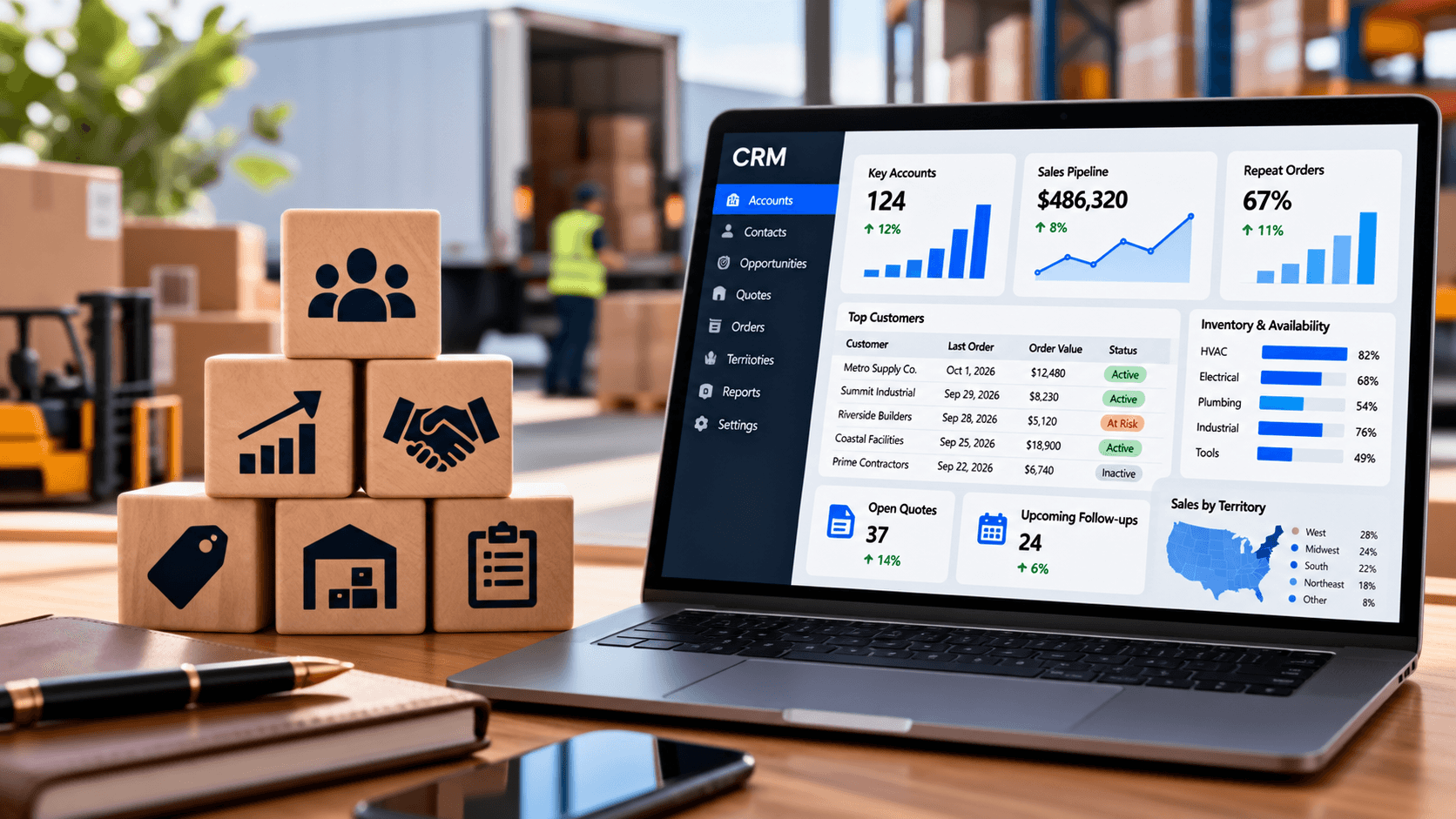
The best CRM for distributors should do much more than store contacts, log emails, and move opportunities through a pipeline. Distribution sales is usually built around long-term accounts, repeat purchasing, negotiated pricing, product availability, territories, quotes, inactive customers, cross-selling, and information that already lives inside an ERP rather than inside the CRM itself.
That makes CRM selection fundamentally different for a distributor than for a software company chasing net-new subscriptions. A sales representative at a distributor may need to know what an account bought last year, which product categories it stopped buying, whether an open quote is still active, which items are available, what price applies to that customer, and whether the account is approaching its credit limit before making the next call.
Current distribution-focused CRM vendors increasingly build around this distinction. Proton connects CRM activity with ERP order history, pricing, inventory, quotes, and customer data, while White Cup combines CRM with distribution-specific BI and ERP-derived customer insights. At the other end of the market, platforms such as Dynamics 365 Sales, Salesforce, and Zoho CRM provide broader CRM ecosystems that can support distributor workflows when they are configured and integrated correctly.
Best CRM for Distributors in 2026: Top 5 Comparison
These best CRM for distributors were selected for different types of distribution sales organization rather than ranked by brand popularity. The comparison prioritizes ERP connectivity, account and territory management, pricing and quoting, repeat-order visibility, sales automation, mobile use, and the amount of customization required before the CRM becomes useful to a distributor.
The pricing comparison needs context. Proton and White Cup do not publish simple per-seat list prices, while Microsoft, Salesforce, and Zoho offer multiple editions with different feature levels, so the lowest published price does not necessarily include the functionality a distributor actually needs.
A company requiring advanced territory management, ERP integration, account pricing, quoting, AI, or partner workflows will often need a higher edition, implementation work, or additional integration. For that reason, subscription cost should be evaluated alongside deployment cost and the amount of customization required.
| CRM | Best for | Distribution-specific | ERP/order-data strength | Territory/pricing strength | Public starting price |
| Proton CRM | Mid-market and enterprise distributors wanting AI + ERP-driven selling | Very high | Very high | High | Quote |
| White Cup CRM | Distributors wanting CRM + BI + account growth insights | Very high | Very high | High | Quote, enterprise licensing |
| Dynamics 365 Sales | Microsoft-centered distributors with structured territories and pricing | Moderate | High with Microsoft ecosystem/integration | Very high | $65/user/month |
| Salesforce Sales Cloud | Large distributors needing extensive customization and ecosystem depth | Moderate | High with integration | Very high | $25/user/month |
| Zoho CRM | Smaller and mid-market distributors wanting strong functionality at lower cost | Moderate | Moderate–high with integration | High | $14/user/month annually |
Why Distributor CRM Is Different From a Standard Sales CRM
Most traditional CRM systems were designed around a relatively simple lifecycle: acquire a lead, qualify it, create an opportunity, close the deal, and move on to the next opportunity. Distribution revenue frequently behaves differently because an existing account can order hundreds or thousands of products repeatedly over many years.
A distributor sales representative is therefore not only asking, “Which deals are open?” The rep also needs to know which customers are buying less than usual, which accounts have stopped ordering a product category, which quotes are aging, whether a customer is due for a reorder, which complementary products should be offered, and whether actual transaction history supports the pipeline forecast.
This is why ERP integration becomes such an important part of the best CRM for distributors. Proton, for example, explicitly pulls order history, customer pricing, credit information, quotes, inventory, and other ERP data into the sales environment instead of asking representatives to reconstruct that information manually.
White Cup follows a similar philosophy by connecting CRM activity with ERP, ecommerce, product, pricing, and transaction information. Its distributor-focused CRM is designed to show purchasing history, open orders, margins, quotes, account activity, and sales opportunities rather than treating the CRM as an isolated contact database.
What We Looked for in the Best CRM for Distributors
A distributor CRM should be evaluated around the way revenue is actually generated. A visually impressive pipeline is useful, but it becomes much less valuable if the representative still needs three other systems to determine whether a customer can buy the product being quoted.
The following capabilities therefore matter more than a generic checklist of CRM features:
ERP and order-history integration;
customer and ship-to account structures;
territory management;
repeat-order visibility;
customer-specific pricing or price-book support;
quote and opportunity management;
mobile access for outside representatives;
product catalog visibility;
account-level sales history;
cross-sell and upsell signals;
customer inactivity or churn indicators;
sales forecasting;
workflow automation;
email and calendar integration;
reporting by territory, account, product, and rep;
support for both inside and outside sales teams.
A distributor does not necessarily need every one of these functions inside the CRM itself. What matters is that the CRM can access the required information without forcing representatives to repeatedly re-enter transactions already stored elsewhere.
The best architecture often keeps ERP as the operational system of record while CRM becomes the sales system of action. That distinction is especially useful for distributors because inventory, invoices, customer credit, order history, pricing, and fulfillment normally originate in ERP rather than CRM.
1. Proton CRM – Best for Distribution-Specific AI and ERP-Connected Selling
Proton is the most distribution-specific product in this five-system comparison. The company describes Proton CRM as built exclusively for distributors, with the product designed around large SKU catalogs, ERP data, inside and outside sales teams, quotes, repeat customers, and the purchasing patterns that determine distribution revenue.
The major difference is that Proton does not treat CRM primarily as a place where representatives manually document activity. Its system analyzes distributor data and attempts to tell representatives which customers deserve attention, which products may be relevant, which accounts are slowing down, and which quotes require follow-up.
That makes Proton particularly interesting for a distributor with large amounts of transactional data already sitting in ERP but limited ability to convert that data into daily sales priorities. A traditional CRM might show that a representative has not contacted a customer for 30 days, while Proton can use order history and purchasing patterns to identify whether that lack of contact is actually connected to a revenue opportunity.
Proton’s ERP integration is not positioned as an optional side feature. The platform pulls customer history, product information, pricing, inventory, credit status, quotes, and related commercial information from ERP and other systems so representatives can work from a consolidated account view.
The company lists integrations with distribution environments including Epicor Prophet 21, Epicor Eclipse, NetSuite, SAP, Dynamics, Infor, IBM AS/400-based systems, and other ERP products. Proton says it can support one-way or two-way synchronization depending on the implementation, which matters because some distributors want CRM primarily to consume ERP data while others need quotes, orders, or activities written back.
For representatives, the practical benefit is reduced system switching. A seller preparing for a call can see purchase history, open opportunities, quotes, customer activity, product information, and other account context without first opening ERP, then a spreadsheet, then the CRM.
Proton’s AI functionality is more relevant to distributors than generic lead scoring because it works from transaction and product data. The platform can surface spending gaps, potentially at-risk accounts, stale quotes, reorder patterns, and products a customer might reasonably buy based on its own behavior and comparable accounts.
Its Pronto AI assistant can also summarize accounts, prepare representatives for customer conversations, log notes, answer product-related questions, and work with information already connected to the CRM. This can be particularly valuable for new representatives who do not yet have years of account knowledge stored in their heads.
There is an important limitation to keep in mind, however. AI recommendations are only as useful as the underlying transaction, product, pricing, and customer data, so a distributor with highly inconsistent ERP records should treat data preparation as part of the CRM project rather than assuming software will automatically fix poor data.
Proton does not publish a standard per-user CRM price on its official site. Buyers are directed to request a demonstration and obtain pricing and packaging based on their environment.
That means Proton cannot be compared fairly with a $14 or $65 per-user CRM using subscription price alone. Its value proposition is closer to a specialized revenue platform layered over distributor ERP and commercial data, so implementation and integration scope are part of the buying decision.
Proton should be high on the shortlist for mid-market and enterprise distributors with substantial ERP transaction history and sales teams managing large existing account bases. It is particularly compelling when the sales problem is not simply storing contacts but deciding which customers, products, quotes, and reorder opportunities deserve attention.
A very small distributor with a few hundred customers and straightforward sales may not need that level of intelligence or implementation. In that situation, a lower-cost general CRM may deliver enough structure without requiring a specialized distribution platform.
2. White Cup CRM – Best for Distribution CRM Plus Business Intelligence
White Cup is another CRM built specifically for distribution rather than adapted from a generic SaaS sales platform. The company combines CRM with business intelligence, pricing-related data, ERP information, customer purchasing history, quotes, marketing activity, and sales performance, which makes the system particularly relevant when management wants CRM and account analytics closely connected.
The core philosophy is that distributor ERP already contains valuable customer information but does not necessarily present it in a form sales representatives can use effectively. White Cup pulls that information into a sales-focused environment where representatives can view customer history, purchasing behavior, account trends, opportunities, open orders, balances, quotes, and related signals.
This approach makes White Cup more than a pipeline tracker. It is designed to help sales teams understand what existing accounts are buying, where revenue is declining, which product lines are underpenetrated, and what actions may generate additional revenue.
White Cup places significant emphasis on consolidated customer information. Reps can access purchasing history, ecommerce behavior, account notes, email activity, sales actions, and related commercial data from one account view.
That is useful for distributors with bill-to and ship-to relationships or networks where a parent customer may have several physical locations. Distribution sales can become confusing when CRM stores one company record while ERP contains several branch, ship-to, or account identifiers, so this relationship needs to be demonstrated during implementation.
White Cup also integrates quoting and sales workflows into its platform. Its own distributor case material emphasizes the value of keeping quote history visible in CRM while synchronizing relevant information with ERP instead of forcing sales teams to re-enter the same transaction repeatedly.
White Cup’s major differentiator is the connection between CRM and distribution-specific business intelligence. Managers can analyze customer purchasing patterns, product-line performance, sales trends, margin behavior, and account health while representatives receive more actionable information about where to focus.
The company launched White Cup Nexus in June 2026 as a conversational revenue-intelligence layer using information across ERP transactions, CRM activity, BI, quotes, and customer history. The idea is to let users ask commercial questions and act on the answers without moving through multiple reports.
For a distributor already struggling with too many reports, dashboards, spreadsheets, and disconnected systems, this can be more useful than adding yet another standalone AI assistant.
White Cup does not publish a simple dollar-per-user subscription on the official pages reviewed. The company uses an enterprise licensing model and specifically states that White Cup CRM is available without traditional per-user licensing, allowing broader team access without adding a separate seat charge for every user.
The absence of public pricing means a distributor needs a direct quote before comparing total ownership cost. Implementation, ERP integration, BI scope, training, and other services should be included in that calculation rather than comparing only the license structure.
White Cup is particularly suitable for established distributors that want CRM to sit directly on top of ERP and turn transaction history into sales and account intelligence. It also makes sense when BI is already a major requirement and management prefers to buy CRM and distribution analytics from one vendor instead of stitching together separate platforms.
Smaller companies that primarily need pipeline tracking, email automation, and contact management may find the platform broader than necessary. The product is most compelling where customer history, margins, product behavior, and repeat-order patterns need to influence everyday selling.
3. Microsoft Dynamics 365 Sales – Best for Microsoft-Centered Distributors
Dynamics 365 Sales is not built exclusively for distributors, but it has several features that map unusually well to distribution sales. Accounts, contacts, opportunities, products, price lists, quotes, orders, invoices, territory structures, forecasting, mobile access, and broader Microsoft integration make it a strong candidate for organizations already operating inside the Microsoft ecosystem.
Microsoft currently lists Dynamics 365 Sales Professional at $65 per user per month, Sales Enterprise at $105, and Sales Premium at $150, with annual billing. Packaging varies by edition, so a distributor should confirm which advanced sales, AI, territory, and automation capabilities are included in the specific plan being evaluated.
The broader strategic advantage appears when Dynamics 365 Sales is connected with Business Central, Finance, Supply Chain Management, Power BI, Power Automate, Microsoft 365, or other parts of a Microsoft environment. That can allow CRM to remain sales-focused while operational product, inventory, order, and financial information comes from the systems designed to manage those transactions.
Many distribution companies organize outside sales around geographic territories, branches, vertical markets, product groups, or combinations of these structures. Dynamics 365 Sales supports territory hierarchies, managers, users, opportunities, and territory-specific organization, which makes it useful where account coverage needs to be managed systematically.
Microsoft also allows price lists to be associated with territories. Separate price structures can be maintained for different regions, channels, or sales territories, and representatives can use the relevant price list when creating opportunities and quotes.
That is particularly useful for distributors because pricing frequently differs by customer, market, or contractual structure. It does not replace complex ERP pricing in every environment, but it provides a better foundation than CRM systems that treat every opportunity as one revenue number with no product or pricing logic behind it.
Dynamics 365 Sales supports products and product catalogs inside opportunities. Products can be associated with price lists, units of measure, discounts, quotes, orders, and invoices, which makes the platform capable of representing more of the commercial transaction than a simple pipeline CRM.
Microsoft also supports price calculations for opportunities, quotes, orders, and invoices, including volume discounts and manual discounts. This can be useful for distributor sales organizations where representatives need to quote real product lines rather than merely estimate opportunity value.
The limitation is that complex distribution pricing frequently still belongs in ERP. If the company uses contract prices, rebate programs, branch pricing, special costs, or thousands of customer-item combinations, the CRM should retrieve authoritative pricing rather than becoming a second independent pricing engine.
Dynamics 365 Sales is particularly attractive for distributors already using Business Central, Dynamics ERP products, Microsoft 365, Power BI, Power Platform, or Azure-based integration. The ecosystem can reduce the amount of custom middleware required compared with introducing a completely unrelated CRM.
It should still be evaluated as a CRM implementation, not assumed to work perfectly because the company already uses Microsoft. Territory design, ERP integration, pricing ownership, account hierarchy, quote workflows, and sales adoption all need deliberate configuration.
4. Salesforce Sales Cloud – Best for Large Distributors Needing Maximum Flexibility
Salesforce is the least distribution-specific product near the top of this shortlist, but it is also one of the most configurable. Large distributors with dedicated CRM administration, complex sales structures, dealer networks, multiple teams, sophisticated territory requirements, and extensive integration needs can build highly customized distributor workflows on Sales Cloud.
Current U.S. Salesforce Sales Cloud pricing starts at $25 per user per month for Starter Suite and $100 for Pro Suite, while higher tiers are currently listed at $195 for Core, $395 for Advanced, and $550 for Max, billed annually where specified. Products, quotes, orders, territory functionality, AI, planning, maps, and other features differ by edition or add-on, so distributors should price the configuration they actually require rather than using the entry plan as the expected project cost.
For distribution, the main reason to choose Salesforce is not that it works out of the box like a distribution ERP. The reason is that it can be configured around complex account, sales, partner, territory, workflow, mobile, quoting, and integration requirements when the organization has the budget and internal discipline to maintain that configuration.
Salesforce Sales Territories allows organizations to create territory types, build hierarchical territory models, assign accounts and users, apply assignment rules, and report on accounts and opportunities by territory.
That can support distributors with regional outside sales, national accounts, specialist overlays, branch-based coverage, or other structures where one account may interact with several sales roles. Salesforce can also assign accounts into territory structures and report on the opportunities associated with those territories.
The important caution is licensing and implementation. Advanced territory functionality is available only with eligible editions or products, and Salesforce’s current packaging is evolving, so buyers should verify the exact feature entitlement rather than assuming every Sales Cloud plan includes the same territory capabilities.
Salesforce can maintain products and price books and can support quotes and orders within the broader sales environment. The official Sales Cloud comparison includes products, price books, quotes, orders, contracts, account management, opportunity management, pipeline reporting, and mobile functionality across different packages.
Price books can be configured for different currencies, regions, customer segments, or selling structures. That gives distributors a framework for product-oriented CRM, although the ERP should generally remain authoritative when pricing depends on highly complex customer-item agreements, current inventory, rebates, freight, or branch-level rules.
The broader Salesforce ecosystem also makes it possible to add partner management, commerce, service, analytics, maps, incentive management, and specialized distribution applications. The downside is that every additional capability can increase licensing, implementation, administration, and integration cost.
Salesforce makes the most sense for larger distributors that already have or are willing to fund a mature CRM administration capability. Its flexibility is valuable when sales processes are too complex for an inflexible system, but that flexibility can turn into expensive customization when requirements are poorly defined.
A distributor that simply needs sales representatives to track accounts and follow-ups should be cautious about buying a platform designed to support far greater complexity. Salesforce becomes more defensible when territory design, multiple commercial teams, extensive integrations, partner workflows, analytics, or customization genuinely justify the investment.
5. Zoho CRM – Best Value for Smaller and Mid-Market Distributors
Zoho CRM is the most affordable of the five platforms and has more distribution-relevant functionality than its price might suggest. Products, vendors, price books, quotes, sales orders, purchase orders, territory management, customer portals, workflow automation, and configurable sales processes can all make it useful for smaller and mid-market distributors that do not yet need a specialized enterprise CRM.
Current U.S. annual-billing prices are approximately $14 per user per month for Standard, $23 for Professional, $40 for Enterprise, and $52 for Ultimate. Zoho also offers a free edition, although the more distribution-relevant inventory, pricing, CPQ, and territory capabilities sit in paid tiers.
For a distributor comparing software primarily on cost, Zoho deserves more attention than a basic contact CRM. Its Professional and higher editions move beyond lead management into product-oriented sales workflows that can represent quotes, orders, customer pricing, and vendor relationships.
Zoho CRM supports price books that allow the same product to be sold at different prices according to customer or commercial agreement. It also supports flat and differential discount models and can associate products with specific price books.
This is relevant because distributors rarely operate from a single public price. Different customer groups may have different list prices, discounts, volume tiers, or contractual arrangements, so CRM should at least be capable of representing these differences when generating quotes.
Zoho’s inventory-related CRM modules include Products, Price Books, Vendors, Quotes, Sales Orders, Purchase Orders, and Invoices. These features do not turn Zoho CRM into a full distribution ERP, but they make it more useful for commercial workflows than CRMs that stop at deals and contacts.
Zoho supports territory management for higher editions, including territory hierarchies, account and contact assignments, deal assignment, territory managers, forecasting, and reports. Accounts and contacts can be associated with multiple territories while deals are assigned according to the company’s territory rules.
Zoho’s current edition guide lists territory management in Enterprise and Ultimate. That means a distributor specifically buying Zoho for territory-based sales should compare the Enterprise-level economics rather than assuming the Standard or Professional plan will cover the complete requirement.
The main trade-off is integration depth. A complex distributor still needs to determine how ERP inventory, order history, customer pricing, credit, product availability, and invoice information will synchronize with Zoho without creating duplicate sources of truth.
Zoho CRM is a strong candidate for smaller and mid-market distributors that need more structure than Pipedrive-style pipeline management but do not want enterprise CRM licensing and implementation. It is especially attractive where price books, quoting, product records, sales orders, territories, automation, and customer portals are valuable but the core operational system will remain separate.
A company with hundreds of thousands of SKUs, complicated branch operations, deeply customized pricing, or extensive ERP-driven sales intelligence may eventually find Proton, White Cup, Dynamics, or a larger Salesforce implementation more suitable. Zoho remains compelling when functionality per dollar is a major consideration.
Best CRM for Distributors: Which One Fits Which Company?
The five systems address noticeably different problems, so the shortlist should be based on sales architecture rather than company size alone. A 50-person industrial distributor with complex pricing and 100,000 SKUs can require more sophisticated CRM integration than a 500-person organization selling a limited number of products through a simple pipeline.
This table should not be interpreted as a universal ranking. The best CRM for distributors is ultimately the one that makes existing account, pricing, product, quote, and order information easier for representatives to use without creating duplicate administrative work.
A system that looks less sophisticated but is used consistently can produce more value than a highly customizable enterprise CRM that representatives avoid. User adoption is therefore not a soft implementation concern; it directly determines whether the customer information being used for forecasts and account management remains accurate.
| Distributor situation | CRM to evaluate first |
| ERP contains years of order history and sales reps need AI-driven next actions | Proton CRM |
| Need CRM + distribution BI + account-growth insights | White Cup CRM |
| Already invested heavily in Microsoft/Dynamics | Dynamics 365 Sales |
| Large organization with complex customization and territory needs | Salesforce |
| Cost-conscious SMB/mid-market distributor | Zoho CRM |
CRM Should Not Replace the Distributor ERP
One of the most important architecture decisions is deciding which system owns which data. A distributor CRM should generally not become a second unofficial ERP containing independent copies of product availability, customer credit, order history, and contract prices that slowly drift away from the operational system.
ERP should usually remain authoritative for transactions such as:
inventory;
orders;
invoices;
accounts receivable;
customer credit;
purchase history;
item master data;
cost;
fulfillment;
customer-specific operational pricing.
CRM should generally own:
contacts;
sales activities;
account plans;
opportunities;
follow-ups;
visit history;
lead management;
pipeline;
sales forecasting;
relationship context;
commercial tasks.
The best CRM for distributors makes these two worlds appear connected to the sales representative. The rep should not care which database technically owns the information when preparing for a customer call; the information simply needs to be accurate, current, and accessible.
Customer-Specific Pricing Needs Special Attention
Pricing is one of the areas most likely to expose a bad CRM architecture. A generic CRM can easily store a product list and standard price, but distributors frequently use customer-item pricing, quantity breaks, contract prices, promotions, regional prices, special costs, rebates, and sales-rep overrides.
Dynamics 365, Salesforce, and Zoho all offer product and price-book structures. These are useful for quoting and sales workflows, but companies with complex pricing should determine whether CRM calculates the authoritative price or requests that price from ERP.
The second approach is often safer when ERP already contains years of negotiated pricing logic. Duplicating 50,000 customer-item price combinations in CRM creates another system that has to remain perfectly synchronized.
Repeat Orders Matter More Than New Leads for Many Distributors
Many distributor CRMs are evaluated using a SaaS-style pipeline: lead → opportunity → proposal → closed sale. That model is useful for project sales and new accounts but does not describe the entire commercial operation.
An existing customer may place 40 orders per year without creating 40 formal opportunities. The CRM should therefore help representatives recognize purchasing patterns, missed reorder cycles, declining categories, changing product mix, quote activity, and potential cross-selling rather than forcing every transaction into a new-business pipeline.
This is where distribution-specific systems such as Proton and White Cup are particularly differentiated. Their positioning centers much more heavily on existing account transaction history and revenue expansion than on conventional lead management alone.
Territory Management Is More Than Drawing a Map
Distributor territories can be geographical, but they can also follow branches, customer type, product categories, industry verticals, national accounts, manufacturer lines, or combinations of these dimensions. A strong territory system should therefore support the way accounts are genuinely covered rather than simply assigning a ZIP code to one representative.
Dynamics 365, Salesforce, and Zoho all provide territory functionality, although capabilities and license requirements differ. Salesforce supports hierarchical territory models and assignment rules, Microsoft supports territory hierarchies and default territory price lists, while Zoho can assign accounts and contacts across multiple territories based on defined criteria.
During a CRM demo, a distributor should test a difficult territory scenario. For example, ask the vendor to show a national account with five locations, one corporate account manager, three geographic field representatives, and a specialist salesperson responsible for one product line across all locations.
Mobile CRM Matters for Outside Sales
Outside sales representatives do not work from a controlled desktop environment all day. They visit customer facilities, warehouses, job sites, dealers, stores, and branch locations, often moving between accounts while relying on mobile devices.
A distributor CRM should therefore make it easy to review an account, see recent orders and opportunities, log a meeting, create a follow-up, access contacts, and prepare for the next visit from a phone or tablet. Proton explicitly provides mobile CRM capabilities, White Cup offers mobile access, and Dynamics, Salesforce, and Zoho all support mobile sales workflows within their broader platforms.
Offline behavior should also be tested if representatives operate in facilities or rural areas with unreliable connectivity. A mobile app that displays a dashboard but becomes unusable without a stable connection may not solve the actual field-sales problem.
AI Should Reduce Sales Administration, Not Create Another Dashboard
AI is now included in almost every major CRM marketing message, but distributors should evaluate whether the AI has access to useful commercial context. A generic assistant that summarizes an email is helpful, but a system that recognizes that a customer has stopped purchasing a high-margin product category can influence actual distributor revenue.
Proton uses ERP and product data to generate sales recommendations and account insights, while White Cup’s Nexus works across CRM, ERP, BI, quotes, and customer history. Microsoft, Salesforce, and Zoho also provide increasingly broad AI capabilities, but the quality of the output still depends on which distributor data has been connected to the platform.
The important question during evaluation is not “Does the CRM have AI?” Ask the vendor to demonstrate what the AI does with an actual distributor account containing two years of order history, several open quotes, declining purchases, customer-specific pricing, and a product category the customer has never purchased.
How to Evaluate the Best CRM for Distributors
A distributor should avoid vendor demonstrations that use generic sample leads named Acme Corp and a three-step opportunity pipeline. The evaluation should use a scenario that reflects the company’s actual sales motion and requires the CRM to work with ERP-derived information.
A useful test can include:
Import or create a customer with several ship-to locations.
Show two years of order history.
Display current open quotes.
Show the customer’s applicable pricing.
Identify the territory owner.
Create a new opportunity involving several products.
Generate a quote or pass quote data to ERP.
Show available product or ERP-derived inventory information.
Flag a product category the customer used to buy but has stopped buying.
Identify an upcoming reorder opportunity.
Log an outside-sales visit from mobile.
Assign follow-up actions to inside and outside sales.
Show the sales manager the account and territory forecast.
Demonstrate how ERP changes flow back into CRM.
Show which fields reps actually need to enter manually.
This scenario exposes the real difference between general CRM and CRM designed around distribution. A vendor that cannot explain how order history, pricing, quotes, account structure, and territories connect is unlikely to become more distribution-aware after the contract is signed.
CRM Implementation Can Fail Even When the Software Is Good
CRM failure is often blamed on sales representatives who “do not want to use the system,” but poor architecture can create the same behavior. If representatives must enter information that already exists in ERP, switch systems to check every quote, or maintain their own spreadsheets because CRM data is incomplete, avoiding the CRM becomes rational.
Implementation should therefore reduce sales work rather than add reporting duties. CRM fields should be limited to information that serves a real commercial or management purpose, while transactional data should flow automatically from ERP wherever practical.
Management behavior matters as well. If pipeline reviews, account planning, coaching, and territory meetings continue to operate from spreadsheets after launch, employees quickly learn that CRM is optional regardless of what the implementation team says.
How Much Should a Distributor Spend on CRM?
There is no meaningful universal percentage of revenue that determines the correct CRM budget. Subscription prices range from low-cost products such as Zoho to enterprise systems where integration, implementation, BI, AI, customization, and administration can cost considerably more than the CRM licenses.
A useful total-cost calculation should include:
software licenses;
implementation;
ERP integration;
historical data migration;
account deduplication;
customization;
mobile deployment;
quote integration;
email/calendar integration;
training;
support;
internal CRM administration;
future upgrades and changes.
The cheapest CRM can become expensive if staff repeatedly perform manual work around it. The most expensive CRM can also become wasteful if the organization buys sophisticated functionality that its sales process never uses.
Which CRM Should a Distributor Choose?
Proton CRM is the strongest specialist option when ERP transaction data, AI recommendations, and repeat-account growth are central to the sales strategy. White Cup CRM is particularly attractive where CRM, BI, margin visibility, customer purchasing patterns, and sales execution need to work together.
Dynamics 365 Sales becomes especially compelling in a Microsoft-centered environment, while Salesforce provides the greatest flexibility for large organizations willing to support a complex CRM architecture. Zoho CRM offers the strongest low-cost path in this top five for smaller and mid-market distributors that still need products, pricing, quotes, orders, automation, and territories.
The correct selection should ultimately answer one question: Which CRM gives representatives the information and next actions they need without making them become data-entry clerks? For a distribution company, that usually means connecting CRM closely to ERP rather than trying to replace the operational system.
FAQ
There is no single best CRM for distributors in every situation. Proton and White Cup are particularly strong for distribution-specific sales workflows, while Dynamics 365 Sales, Salesforce, and Zoho CRM provide broader platforms that can be configured around distributor requirements.
The right choice depends on ERP integration, sales territories, customer pricing, account structure, repeat-order behavior, mobile requirements, company size, and budget. A CRM should be tested against actual customer and product workflows before selection.
ERP records operational and financial transactions, while CRM helps sales teams manage relationships, opportunities, activities, account plans, pipeline, and follow-up. The systems perform different jobs, although much of the information sales needs originates in ERP.
The strongest architecture connects them so representatives can see customer history, orders, quotes, pricing, and other relevant information inside their CRM workflow. This reduces system switching without creating a second independent operational database.
A strong distributor CRM should support accounts, contacts, opportunities, territories, quotes, mobile sales, reporting, automation, and integration with ERP. Depending on the sales model, product catalogs, customer-specific pricing, repeat-order intelligence, dealer relationships, account hierarchies, and AI recommendations can also be valuable.
The most important requirement is usually ERP connectivity. If CRM cannot access reliable transaction and account information, representatives will continue relying on ERP, spreadsheets, or personal knowledge.
Salesforce can work very well for distributors that need significant customization, complex territory models, integrations, partner processes, advanced reporting, and enterprise scalability. Products, price books, quotes, orders, mobile functionality, and territory management can all support distributor sales workflows when configured appropriately.
Its main disadvantage is that it is not distribution-specific out of the box. Implementation scope, administration, licensing, and integration should therefore be evaluated carefully before choosing Salesforce over a specialized distributor CRM.
Dynamics 365 Sales is a strong option for distributors already using Microsoft products or Dynamics ERP. Its support for products, price lists, quotes, orders, invoices, territories, forecasting, mobile access, and Microsoft ecosystem integration maps well to many distribution sales requirements.
The platform still needs to be configured around the company’s account, pricing, ERP, and territory structure. Complex operational pricing should usually remain synchronized with the ERP rather than being recreated independently in CRM.
Zoho CRM can be a strong choice for smaller and mid-market distributors because it offers products, price books, quotes, sales orders, purchase orders, workflow automation, portals, and territory management at a relatively low subscription cost. Professional and higher plans contain much more distribution-relevant functionality than the entry editions.
The main question is how well Zoho will connect with the distributor’s ERP, accounting, inventory, and ecommerce systems. As operational complexity grows, integration can matter more than the difference in CRM subscription price.
Distributor ERP manages operational transactions such as inventory, purchasing, orders, accounts receivable, accounts payable, costing, fulfillment, and financial reporting. CRM focuses on customer relationships, opportunities, activities, territory coverage, sales follow-up, forecasting, and account development.
A distributor often needs both systems to work together. ERP should remain the authoritative source for operational data while CRM turns that data into information sales teams can act on.
The distributor should use real workflows rather than accepting a generic demo. The test should include customer account hierarchies, ERP order history, pricing, several products, open quotes, territories, mobile activity, and an example of a customer whose buying pattern has changed.
The vendor should also demonstrate exactly how data moves between CRM and ERP. If representatives still need to manually re-enter order, pricing, or customer information, the integration design needs more work before a purchase decision is made.
Frequently Asked Questions
- What is the best CRM for distributors?
- There is no single best CRM for distributors in every situation. Proton and White Cup are particularly strong for distribution-specific sales workflows, while Dynamics 365 Sales, Salesforce, and Zoho CRM provide broader platforms that can be configured around distributor requirements. The right choice depends on ERP integration, sales territories, customer pricing, account structure, repeat-order behavior, mobile requirements, company size, and budget. A CRM should be tested against actual customer and product workflows before selection.
- Why do distributors need a CRM if they already have ERP?
- ERP records operational and financial transactions, while CRM helps sales teams manage relationships, opportunities, activities, account plans, pipeline, and follow-up. The systems perform different jobs, although much of the information sales needs originates in ERP. The strongest architecture connects them so representatives can see customer history, orders, quotes, pricing, and other relevant information inside their CRM workflow. This reduces system switching without creating a second independent operational database.
- What features should CRM for distributors have?
- A strong distributor CRM should support accounts, contacts, opportunities, territories, quotes, mobile sales, reporting, automation, and integration with ERP. Depending on the sales model, product catalogs, customer-specific pricing, repeat-order intelligence, dealer relationships, account hierarchies, and AI recommendations can also be valuable. The most important requirement is usually ERP connectivity. If CRM cannot access reliable transaction and account information, representatives will continue relying on ERP, spreadsheets, or personal knowledge.
- Is Salesforce good for distributors?
- Salesforce can work very well for distributors that need significant customization, complex territory models, integrations, partner processes, advanced reporting, and enterprise scalability. Products, price books, quotes, orders, mobile functionality, and territory management can all support distributor sales workflows when configured appropriately. Its main disadvantage is that it is not distribution-specific out of the box. Implementation scope, administration, licensing, and integration should therefore be evaluated carefully before choosing Salesforce over a specialized distributor CRM.
- Is Microsoft Dynamics 365 Sales good for distributors?
- Dynamics 365 Sales is a strong option for distributors already using Microsoft products or Dynamics ERP. Its support for products, price lists, quotes, orders, invoices, territories, forecasting, mobile access, and Microsoft ecosystem integration maps well to many distribution sales requirements. The platform still needs to be configured around the company’s account, pricing, ERP, and territory structure. Complex operational pricing should usually remain synchronized with the ERP rather than being recreated independently in CRM.
- Is Zoho CRM good for small distributors?
- Zoho CRM can be a strong choice for smaller and mid-market distributors because it offers products, price books, quotes, sales orders, purchase orders, workflow automation, portals, and territory management at a relatively low subscription cost. Professional and higher plans contain much more distribution-relevant functionality than the entry editions. The main question is how well Zoho will connect with the distributor’s ERP, accounting, inventory, and ecommerce systems. As operational complexity grows, integration can matter more than the difference in CRM subscription price.
- What is the difference between distributor CRM and distributor ERP?
- Distributor ERP manages operational transactions such as inventory, purchasing, orders, accounts receivable, accounts payable, costing, fulfillment, and financial reporting. CRM focuses on customer relationships, opportunities, activities, territory coverage, sales follow-up, forecasting, and account development. A distributor often needs both systems to work together. ERP should remain the authoritative source for operational data while CRM turns that data into information sales teams can act on.
- How should a distributor test CRM before buying?
- The distributor should use real workflows rather than accepting a generic demo. The test should include customer account hierarchies, ERP order history, pricing, several products, open quotes, territories, mobile activity, and an example of a customer whose buying pattern has changed. The vendor should also demonstrate exactly how data moves between CRM and ERP. If representatives still need to manually re-enter order, pricing, or customer information, the integration design needs more work before a purchase decision is made.
Written by

Elena Vargas
Elena Vargas is a RevOps consultant who rebuilds B2B CRMs so the forecast is a field in the record, not a slide assembled the night before.
Published October 10, 2026
